Boardmix is a practical Miro brainstorming alternative when a team wants an infinite canvas, templates, sticky notes, diagrams, mind maps, AI options, and a direct path for importing supported Miro objects. The quality of the session still depends on a clear prompt, balanced participation, structured synthesis, and a visible next step.
Why the Tool and Method Both Matter
An online canvas removes the physical limits of a wall, but it does not automatically produce better ideas. The facilitator still needs a focused question, relevant evidence, equal contribution time, a method for grouping ideas, explicit selection criteria, and ownership after the session. Product evaluation should therefore include the full workshop, not only note creation.
Miro and Boardmix as Brainstorming Workspaces
Miro provides a broad visual collaboration environment and is a useful baseline for teams already working there. Boardmix is a candidate when the team wants whiteboarding alongside diagrams, mind maps, templates, AI options, and a documented direct import path for supported Miro objects. Compare guest access, facilitation, editing, comments, exports, integrations, history, plan limits, and the effort required to revisit the outcome after the meeting.
1. Write a Focused Brainstorming Prompt
Use one question that names the audience, problem, and constraint. For example: "How might we reduce setup time for first-time project owners without adding administrator work?" Put the prompt, evidence links, session owner, timebox, and decision method at the top of the board.

2. Prepare the Board for Equal Participation
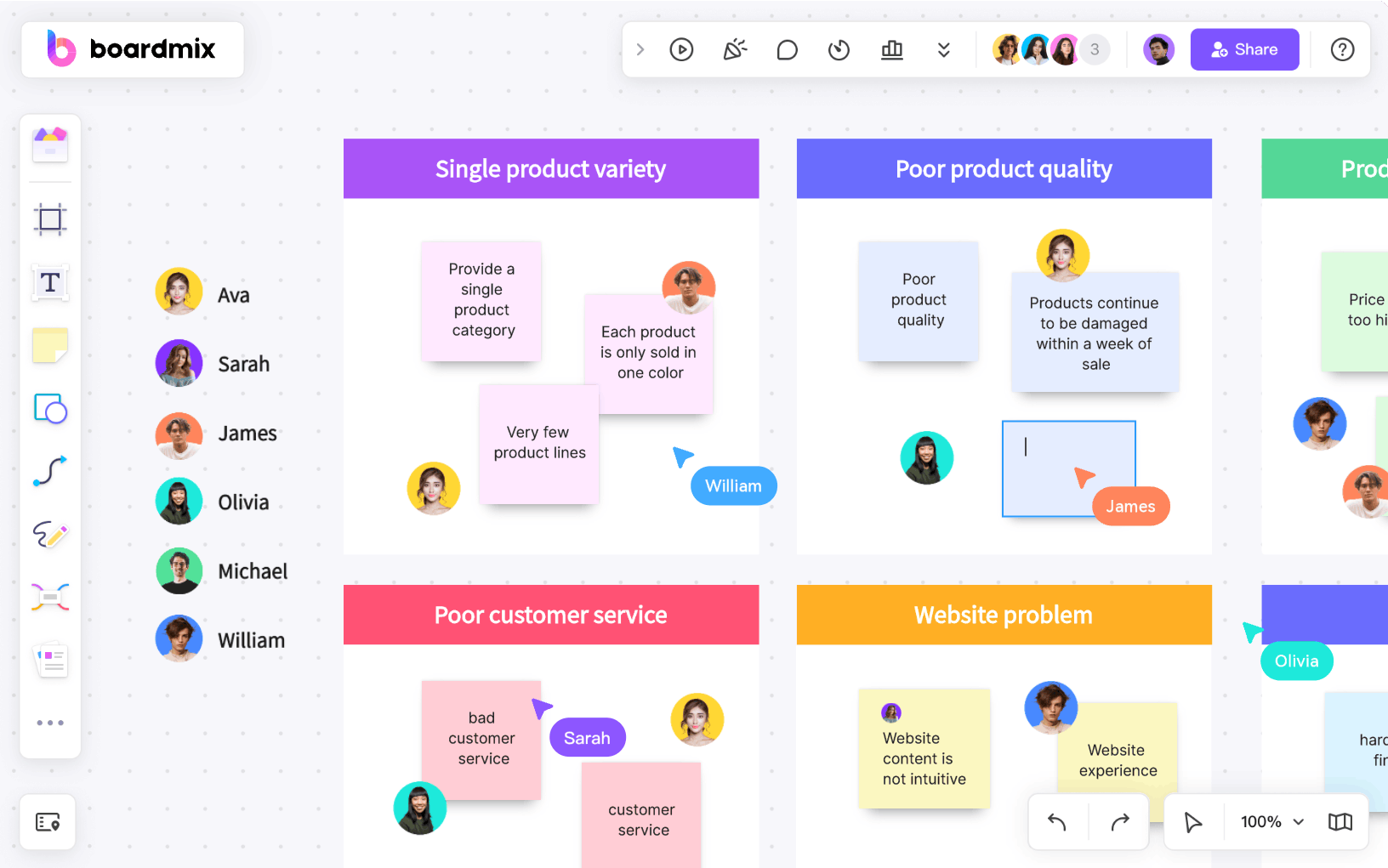
Create a small area for instructions, one area for individual idea generation, a shared clustering area, and a final decision area. Give participants the same number of notes or the same time limit. For remote teams, allow an asynchronous contribution window before the live synthesis session.
3. Generate Ideas Before Discussing Them
Ask participants to write one idea per note and make each note understandable on its own. Silent generation reduces anchoring on the first speaker. Boardmix AI tools may help produce prompts, categories, or draft ideas on eligible plans, but a facilitator should label AI-assisted content and check it against the problem context.

Brainstorming Techniques to Try
- Mind mapping: place the central question in the middle and expand causes, users, constraints, and possibilities as branches.
- Brainwriting: let participants create ideas silently, then build on another person's notes before group discussion.
- 5 Whys: explore a suspected problem by repeatedly asking why, while separating evidence from assumption.
- Starbursting: generate questions under who, what, when, where, why, and how before proposing solutions.
- Rapid ideation: use a short timebox and a quantity target to delay evaluation and surface less obvious options.
Select one method that matches the problem. Mind mapping helps organize a broad topic, while brainwriting can balance participation and starbursting can expose missing information. Avoid stacking several techniques into a short session unless the facilitator has allocated time for synthesis.
4. Cluster, Name, and Challenge Themes
Move related ideas together, give each cluster a descriptive label, and keep unusual ideas visible until the team understands them. Ask what assumption connects the notes, which customer evidence supports the theme, and what important perspective is missing.

5. Select Ideas with Explicit Criteria
Define criteria before choosing: customer value, feasibility, cost, risk, strategic fit, or learning value. A simple impact-effort matrix can help, but it should not create false precision. Record why an idea advanced and why another was deferred.
6. Turn the Session into Action
End with a short decision area containing selected ideas, assumptions to test, action owners, due dates, and links to the team's work system. Archive or revisit the remaining ideas intentionally. A brainstorming canvas is valuable only when people can locate the outcome later.
Move an Existing Miro Brainstorm to Boardmix
Boardmix documents direct import for cards, connectors, frames, images, shapes, sticky notes, and text. Use a copy of a representative board, preserve a visual export, and follow the Miro-to-Boardmix import guide. Check comments, permissions, links, layout, and any unusual objects before continuing the session in Boardmix.
Do not move the board immediately before an important workshop. Import it early enough for the facilitator to compare frame order, instructions, note layout, connectors, images, and links. Recreate any missing context, invite a small test group, and keep the Miro source available until the Boardmix version has been approved.
Facilitator Checklist
- One clear problem and one accountable owner
- Relevant evidence visible before ideation
- Equal contribution time and accessible instructions
- Separate divergent and convergent phases
- Named themes and explicit selection criteria
- Decision rationale, action owners, and due dates
- A review or archive date
Last verified: September 16, 2026. Miro is a trademark of Miro. Boardmix is not affiliated with or endorsed by Miro.