Managing projects with complex dependencies can be challenging, especially when deadlines are tight, and tasks require precise coordination. This is where a PERT chart comes in handy. A PERT (Program Evaluation and Review Technique) chart is a powerful tool that visually maps out project timelines and task dependencies, making it easier to plan and track progress. Whether you’re in construction, engineering, or software development, a PERT chart can simplify project management by breaking tasks into manageable steps and identifying potential bottlenecks.
Let’s explore how to create PERT charts online, access free templates, and use them effectively in your projects.
What Is a PERT Chart?
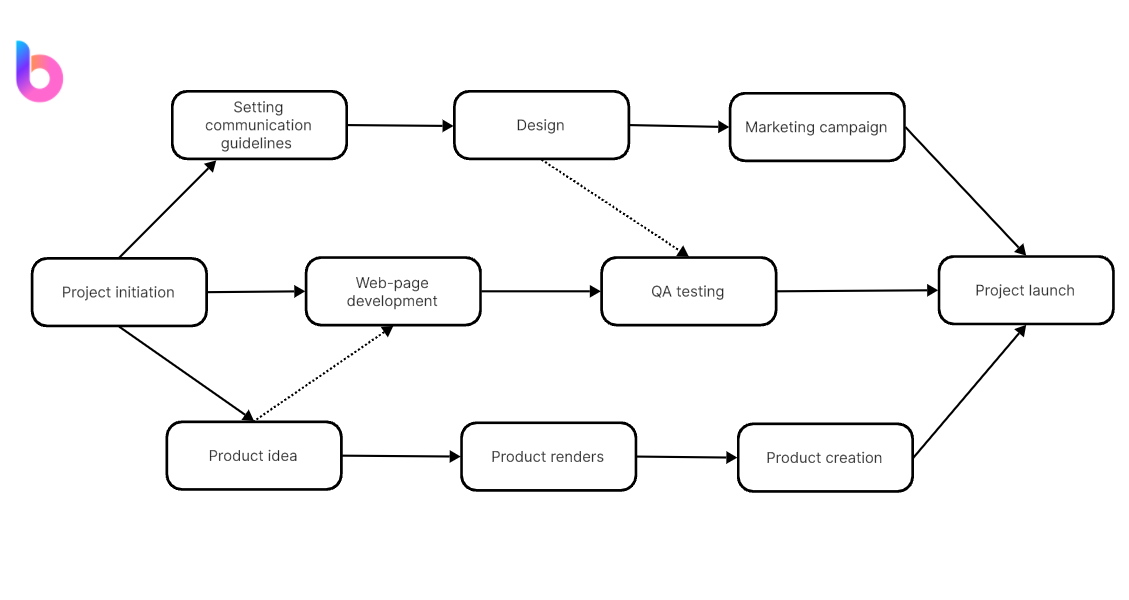
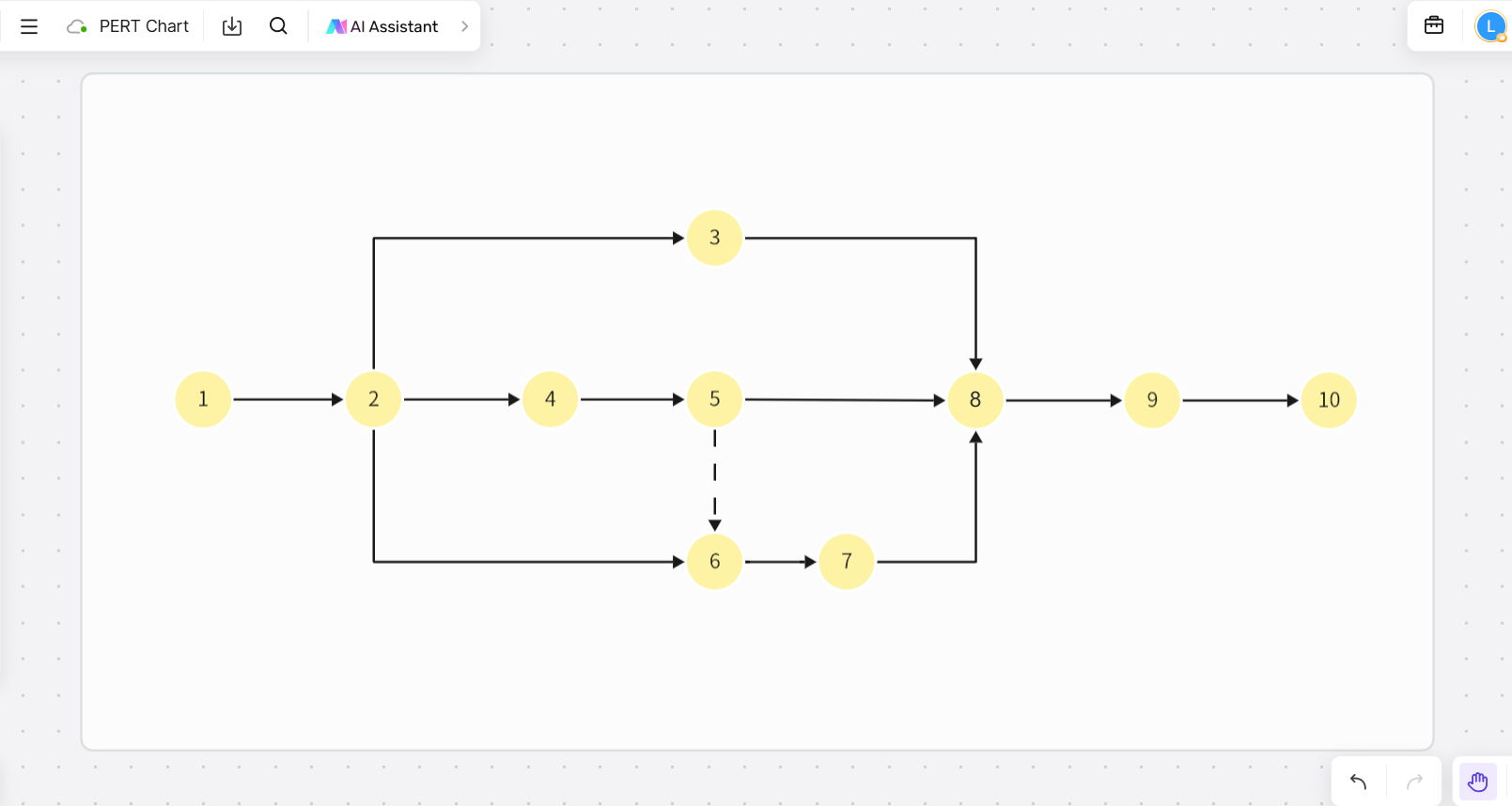
A PERT chart is a project management tool used to schedule, organize, and coordinate tasks within a project. It is represented as a network diagram, with nodes representing tasks and arrows showing dependencies.

PERT Chart Format:
A typical PERT chart includes:
- Nodes: Represent tasks or milestones.
- Arrows: Indicate the order of tasks and dependencies.
- Critical Path: Highlights the longest sequence of dependent tasks, essential for determining the project duration.
Advantages of PERT Charts:
- Clear Task Dependencies: Visualize task relationships and sequences.
- Time Estimation: Identify the shortest, longest, and most likely project timelines.
- Risk Management: Spot bottlenecks early and allocate resources efficiently.
- Flexibility: Adapt easily to changes in project scope or timelines.
Explore Online Free PERT Chart Templates
Using templates can save time and ensure accuracy in project planning. Below are some popular PERT chart templates for different industries.
Blank PERT Chart Template
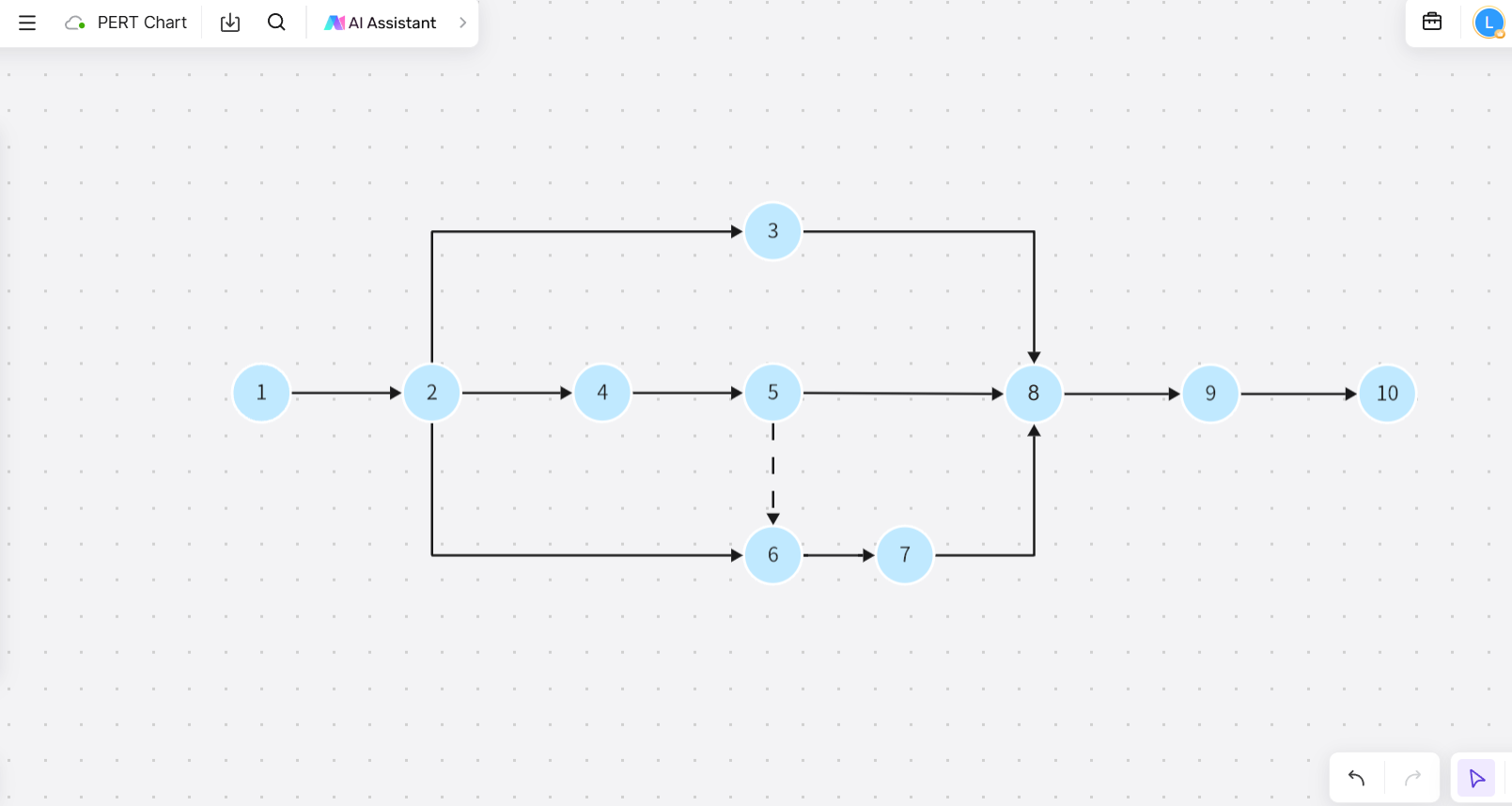
- Use Case: Ideal for beginners or small projects.
- Features: Simple nodes and arrows to structure task sequences from scratch.
- Tip: Start by listing all tasks, then connect them based on dependencies.
PERT Chart for Mechanical and Electrical Installation Engineering
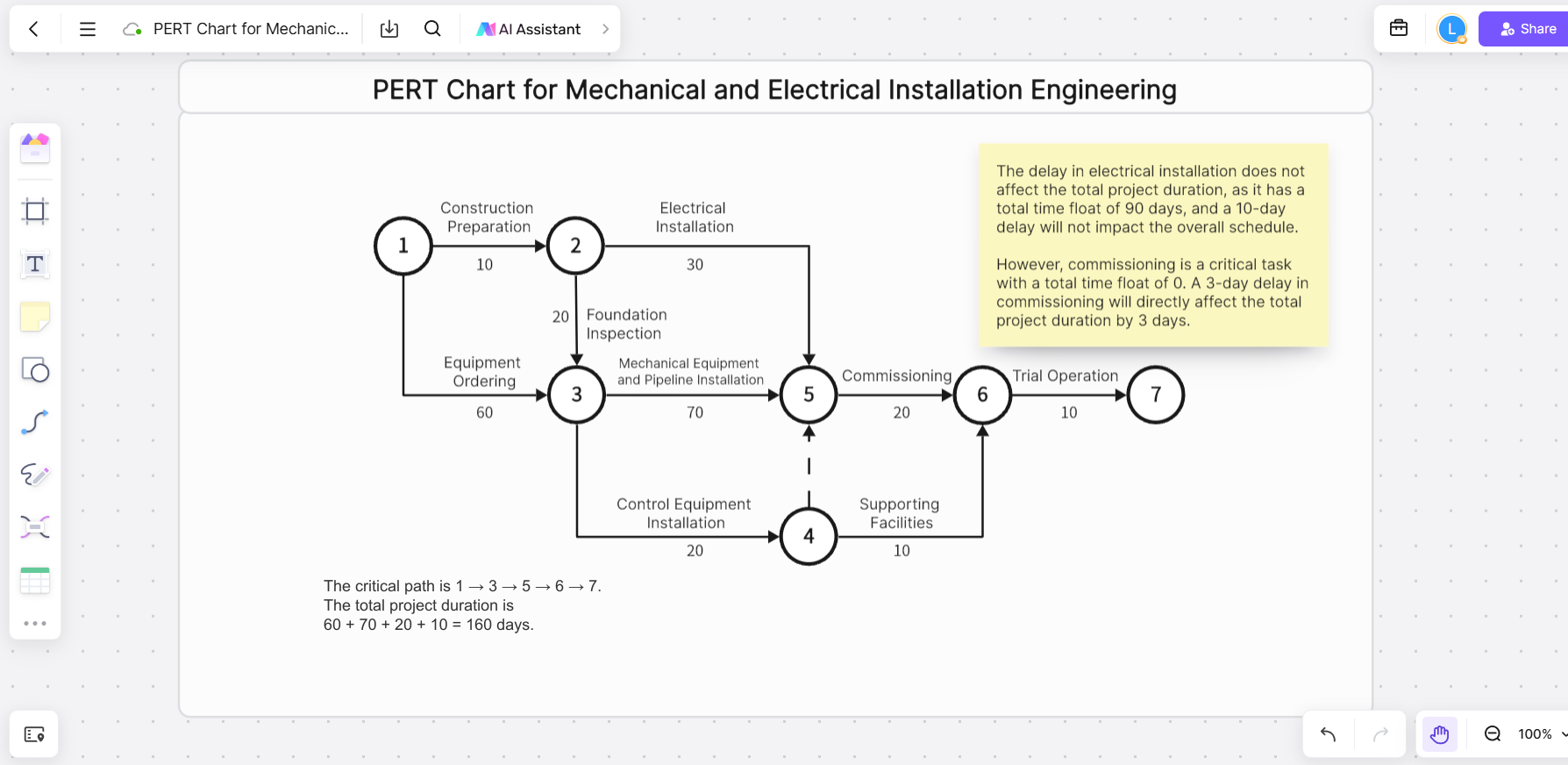
- Use Case: Perfect for technical projects requiring detailed task mapping.
- Features: Pre-set task categories for mechanical and electrical stages.
- Tip: Assign specific durations to each task for better time estimation.
PERT Chart for Construction Network
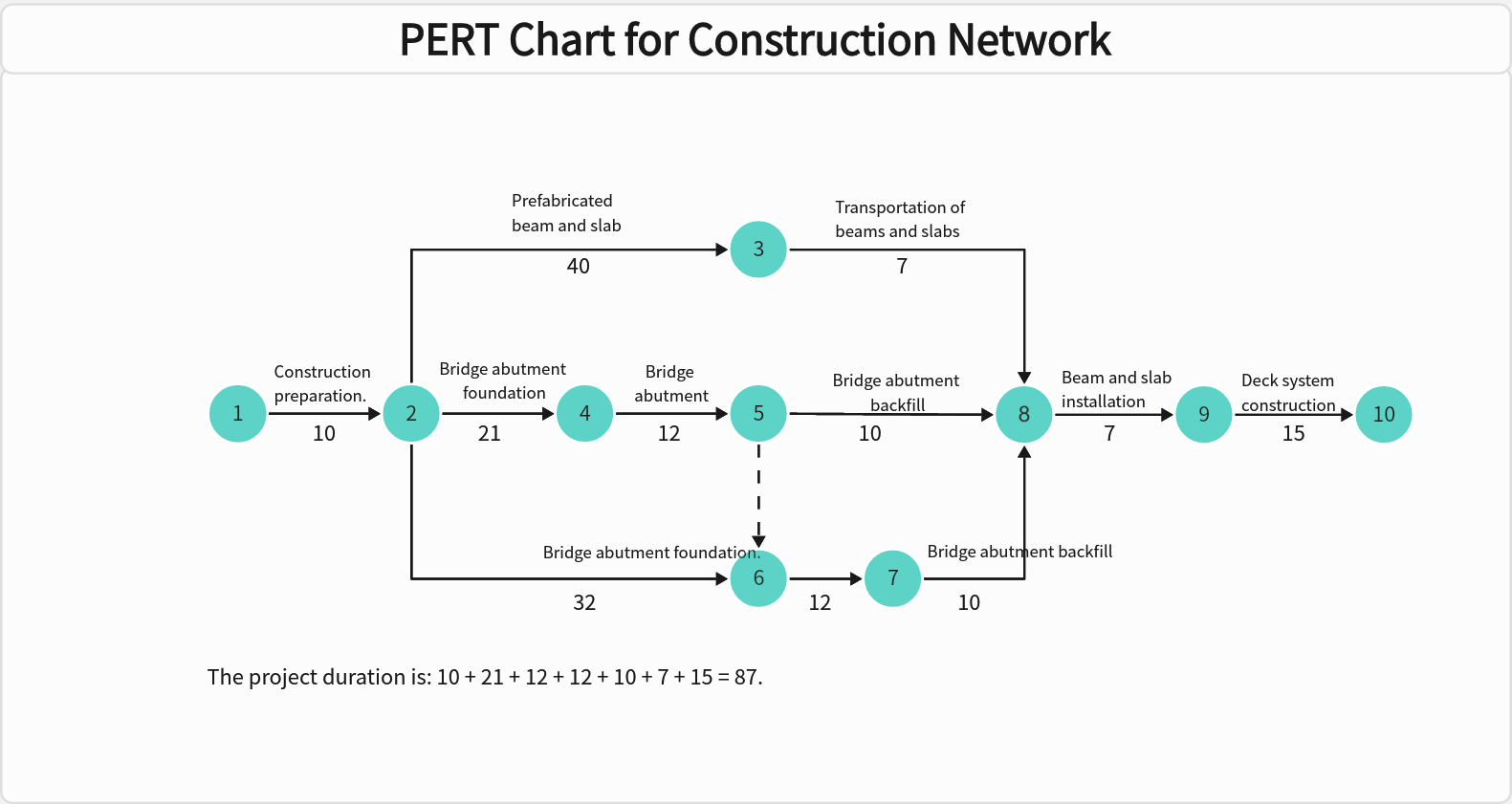
- Use Case: Designed for large-scale construction projects.
- Features: Multiple task layers for structural, electrical, and finishing stages.
- Tip: Use color-coded arrows to distinguish between critical and non-critical tasks.
How to Create a PERT Chart Online with Boardmix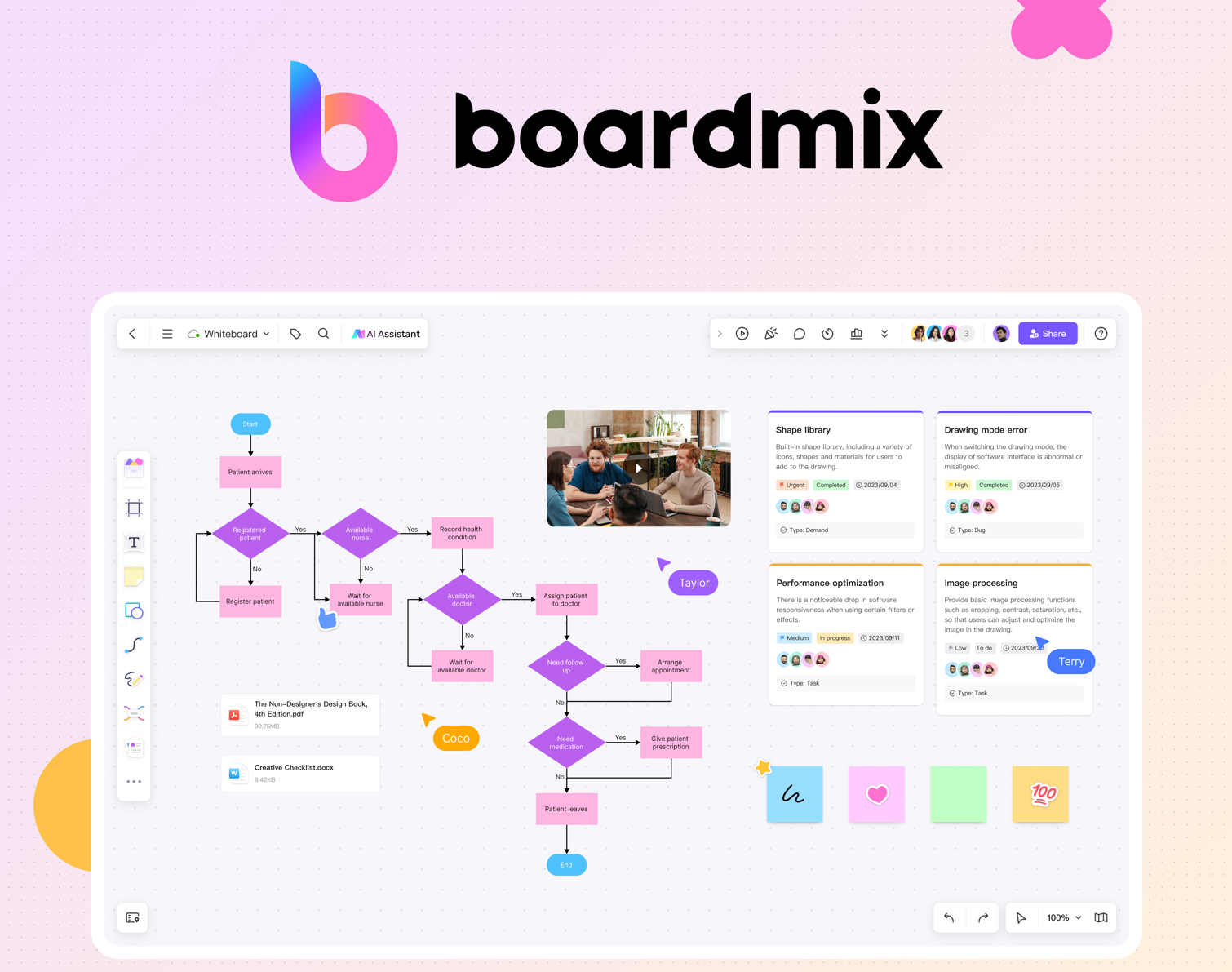
Boardmix is an online whiteboard, offering a suite of features that make creating PERT charts not only simple but also highly efficient. Its intuitive interface, combined with advanced tools, ensures that you can design professional PERT charts that cater to your project’s unique needs.
Key Features of Boardmix for Creating PERT Charts
- User-Friendly Templates
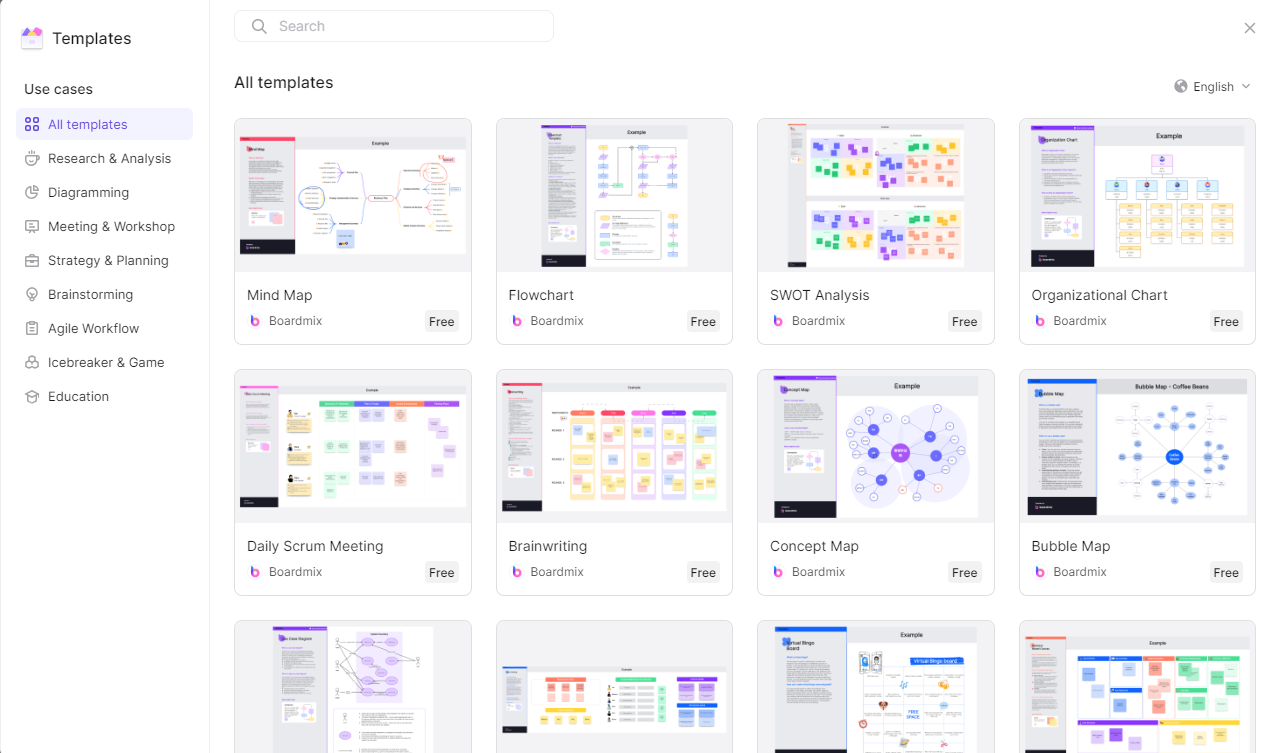
Pre-Built PERT Chart Templates: Start quickly with customizable templates designed for various industries.
Drag-and-Drop Functionality: Easily add, remove, or rearrange tasks without disrupting the flow of your chart.
- Collaborative Workspace
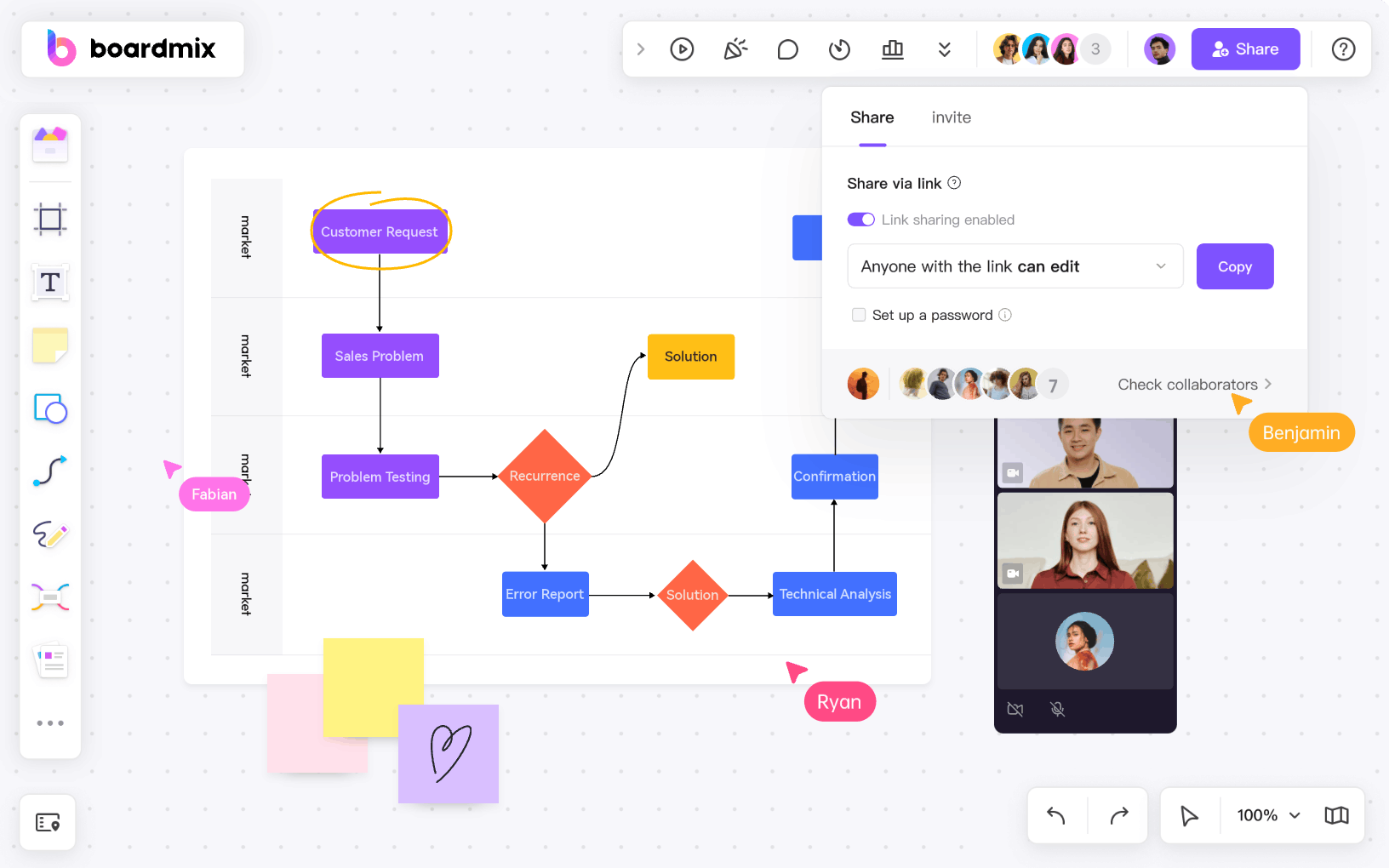
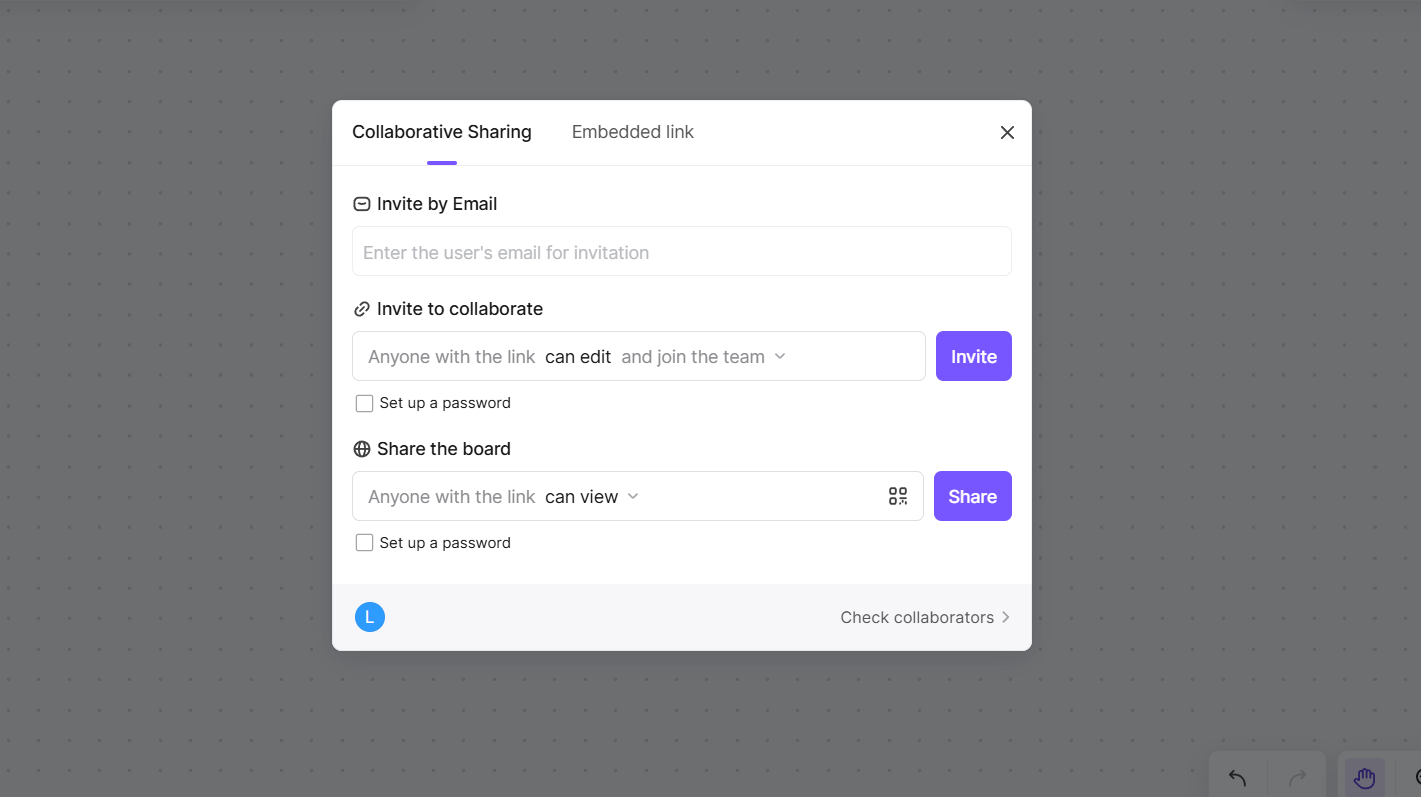
Real-Time Editing: Invite team members to collaborate on the same PERT chart simultaneously, ensuring everyone stays updated.
Comment and Feedback Tools: Add comments directly to tasks or dependencies, streamlining communication within the team.
- Smart Automation
Critical Path Identification: Boardmix automatically highlights the critical path, saving time and reducing errors.
Auto-Adjust Dependencies: Modify task durations or dependencies, and the tool will instantly update the entire chart.
- Visual Customization Options
Customizable Layouts: Adjust colors, shapes, and fonts to align with your project’s branding or presentation style.
Icon and Image Support: Enhance your PERT chart with visual elements for clearer communication.
- Export and Sharing Capabilities
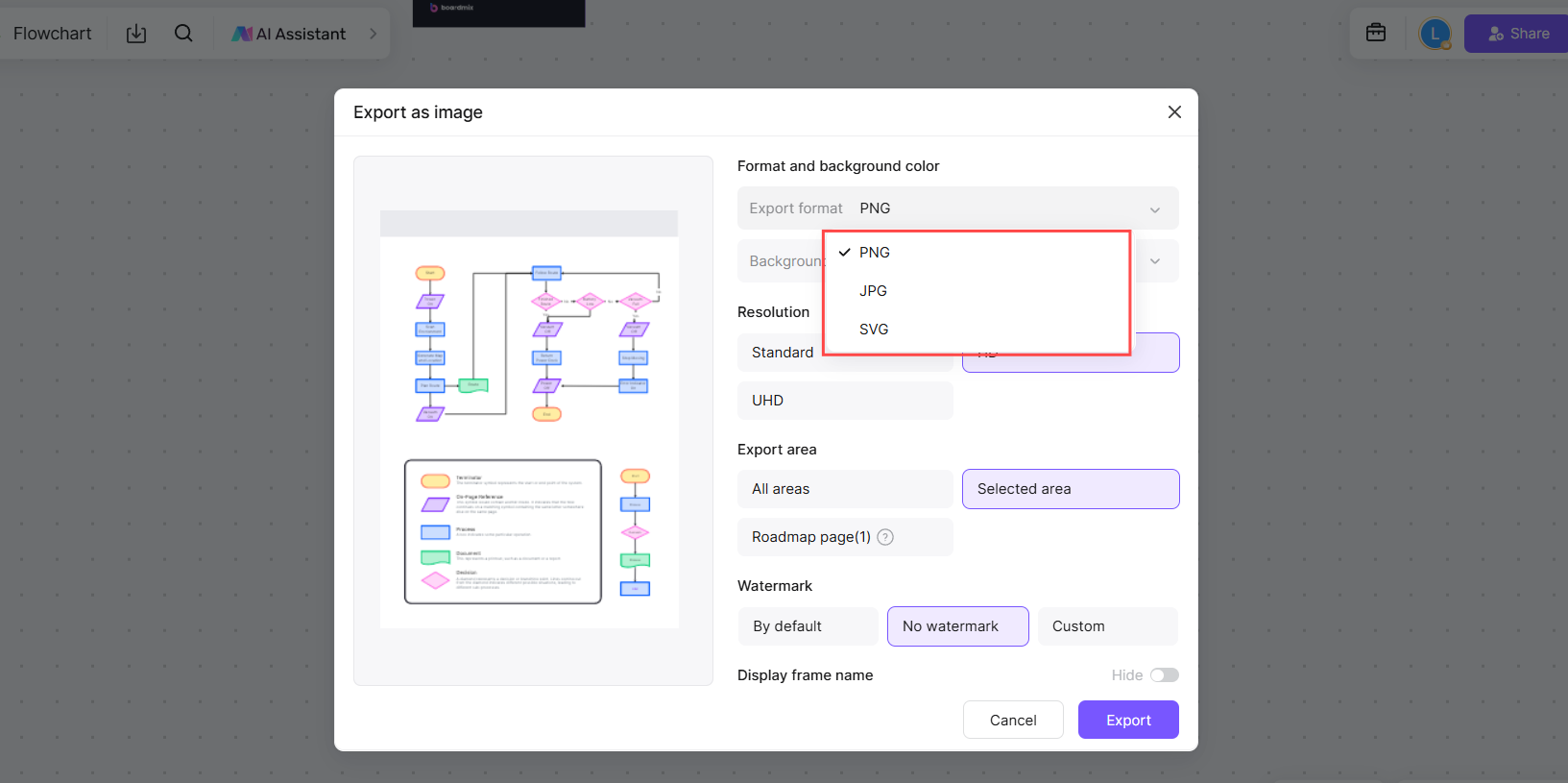
Multiple Formats: Download your PERT chart in PDF, PNG, or Excel format for sharing or presentation.
Cloud-Based Sharing: Share your chart via a link, enabling stakeholders to view or collaborate without additional software.
- Integration with Other Tools
Data Import/Export: Easily integrate with project management tools or spreadsheets for connected workflow transitions.
- AI-Powered Enhancements
Smart Suggestions: Receive recommendations for optimizing task sequences and dependencies.
Boardmix combines simplicity with powerful features, making it the go-to choice for professionals seeking a reliable and collaborative platform for creating PERT charts.
Steps to Create a PERT Chart Online
Creating a PERT chart online is straightforward when using tools like Boardmix. With its intuitive interface and pre-built templates, you can quickly visualize project workflows.
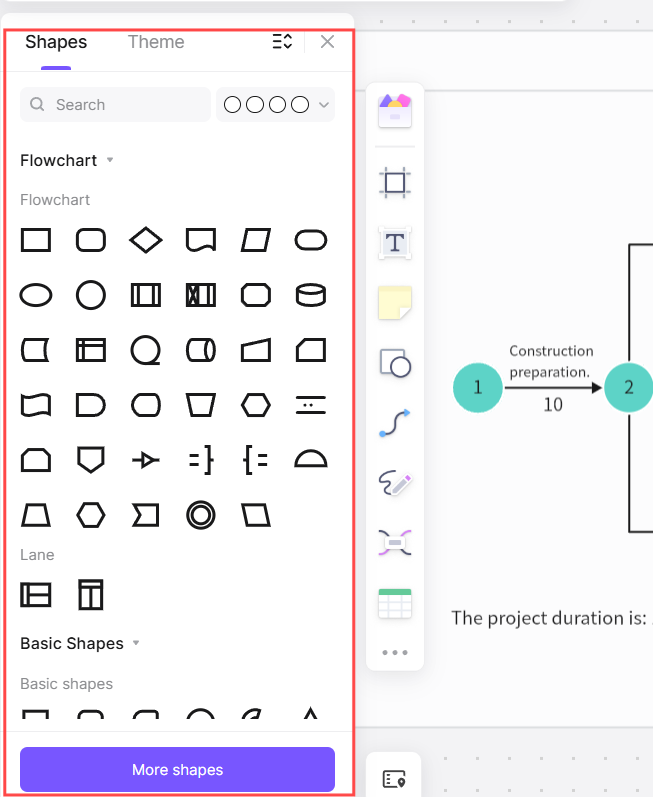
Choose a Template: Start with a blank PERT chart or pick a specific industry template.
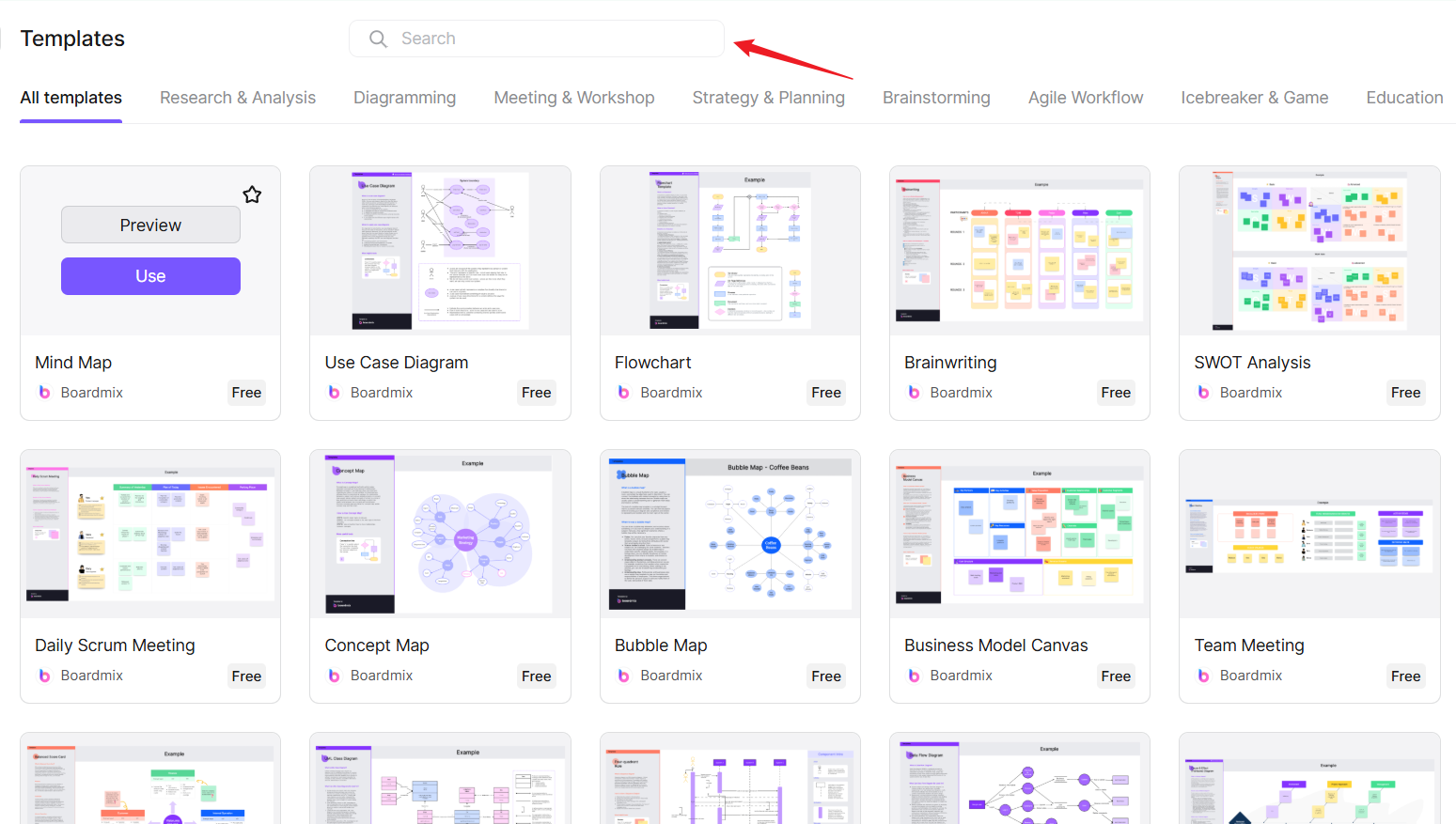
Add Tasks and Dependencies: Input all tasks, connecting them with arrows to show dependencies.
Set Durations: Assign estimated time for each task to help identify the critical path.
Customize the Layout: Adjust colors, shapes, and labels for clarity and readability.
Collaborate and Share: Use real-time collaboration features to involve team members and export the final chart as a PDF or image.
Compare: PERT Chart vs Gantt Chart
PERT charts and Gantt charts are popular project management tools, but they serve different purposes.
PERT Chart:
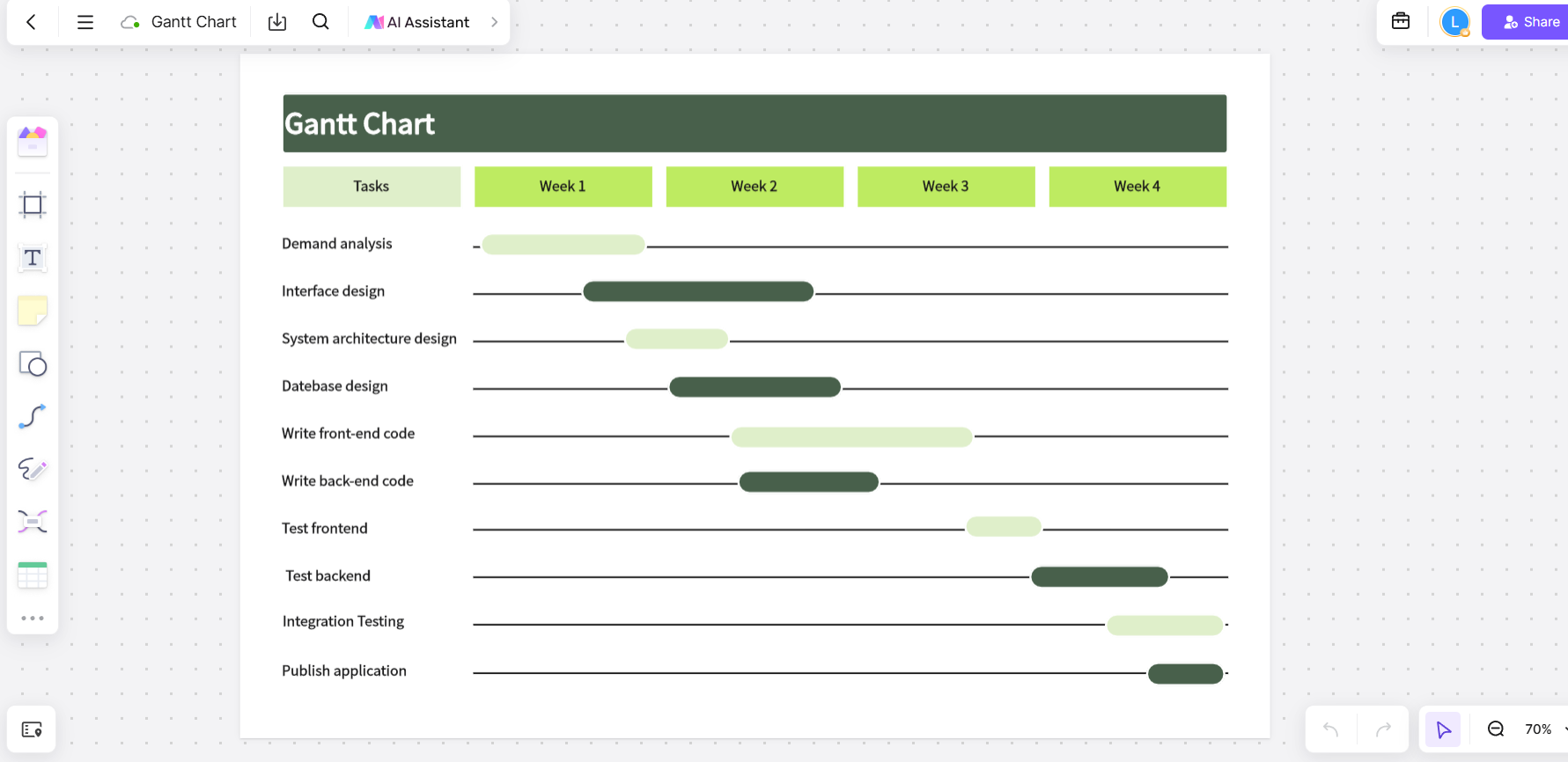
Gantt Chart:
What Do Gantt Charts and PERT Charts Have in Common?
Task Visualization: Both display tasks and dependencies.
Project Timeline: Help track project progress and milestones.
Resource Allocation: Aid in assigning tasks to team members.
KEY Differences Between Gantt Charts and PERT Charts
Choose a PERT chart when you need to analyze dependencies in detail. Opt for a Gantt chart when managing straightforward schedules.
Key points
A well-crafted PERT chart is essential for managing complex projects efficiently. From planning technical workflows to tracking dependencies, this tool simplifies project management across industries. Using an online PERT chart maker like Boardmix not only saves time but also enhances collaboration, ensuring every task is on track.