A discussion about after-hours support can circle for an hour without anyone answering the same question. One person argues for faster responses, another worries about staff workload, and a third wants a clearer definition of “urgent.” All three points matter, but a chronological set of meeting notes can make them look like a single argument going nowhere.
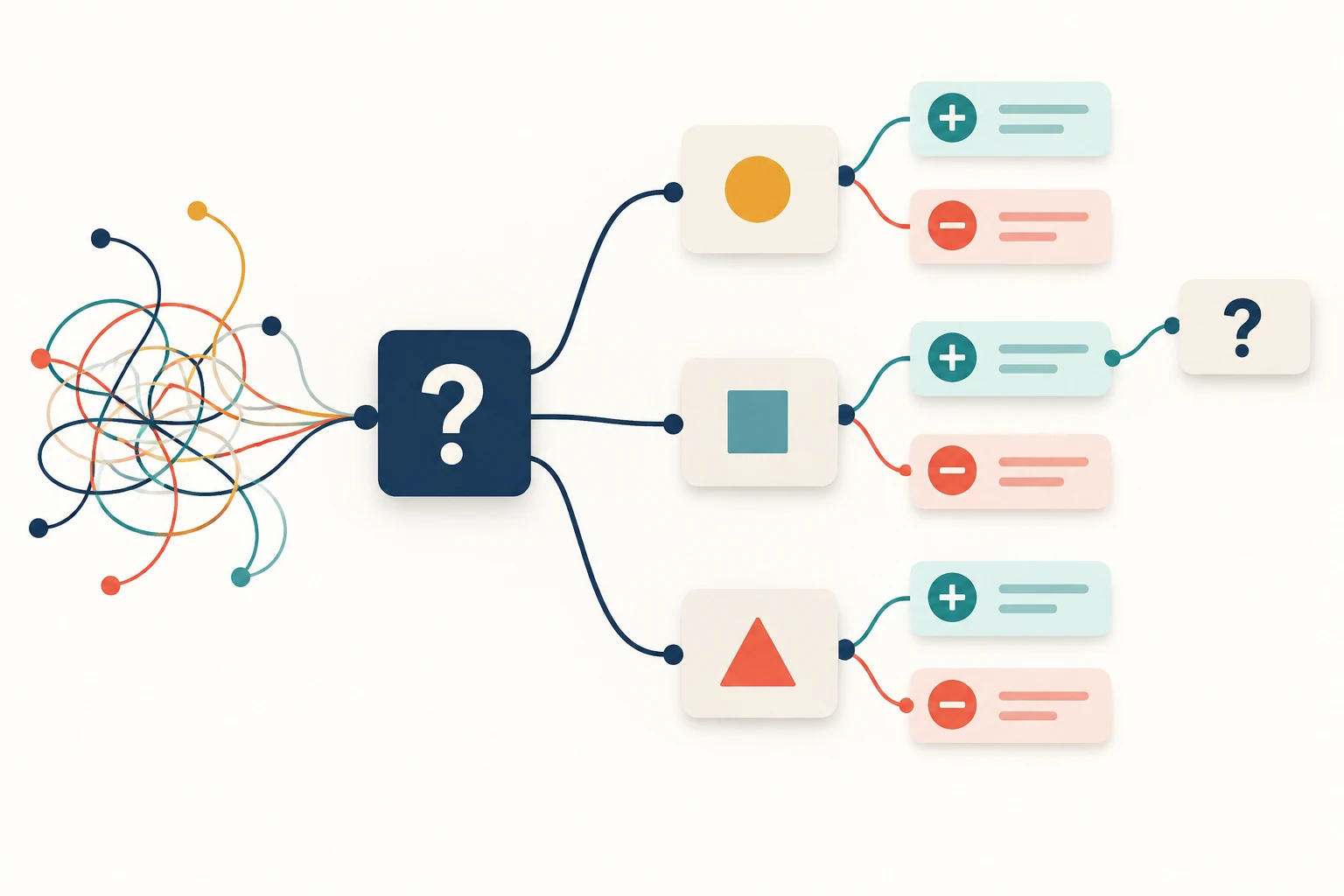
Dialogue mapping makes the structure of that conversation visible. It connects questions, possible answers, and the reasons for or against those answers. Instead of asking participants to remember every earlier comment, the group can point to the precise issue it wants to clarify.
What dialogue mapping adds to a meeting
Jeff Conklin's Dialogue Mapping approach uses a shared display that a facilitator updates as people talk. Its notation comes from IBIS, the Issue-Based Information System: questions identify issues, ideas offer possible answers, and arguments support or object to those ideas.
The facilitator listens, proposes a concise label, and checks that it represents the speaker's meaning. Participants do not need to speak in diagram order. A new question can appear while an earlier option is being discussed.
A dialogue map records reasoning while the choice is still being explored. A decision log records a consequential choice and its rationale once a decision has been made or deliberately deferred. They can be connected, but marking an option on a map does not by itself authorize it.
Frame the question before collecting answers
For a hypothetical software support team, start with “How should we handle urgent customer requests outside staffed hours?” This leaves room to discuss service expectations, routing, and staffing without assuming that one arrangement is already correct.
“Why don't we introduce an on-call rota?” is narrower: it frames the conversation around defending or rejecting a proposed answer. If the rota is only one option, put it on an idea node under the broader question.
The group also needs to know which decisions it can make. In this example, the meeting is exploring options for the support manager. Existing customer commitments remain constraints; a workshop cannot silently change them. The team must check the relevant agreements before presenting a lower level of coverage as an available option.
Keep definitions visible when they affect the question. “Urgent” might mean a service outage, a blocked business task, or simply a strongly worded message. Add a separate question, “Which cases need action before the next staffed period?” The answer could change the options being considered.
Use the IBIS elements consistently
The CogNexus IBIS Field Guide distinguishes a question, an idea that answers it, and a pro or con attached to an idea. New questions may arise from questions, ideas, or arguments. Draw arrows toward the node being answered: an idea points to its question, a pro or con to its idea, and a new question to the node that prompted it. These relationships matter more than an elaborate visual style.
| Element | Example label | What the label does |
|---|---|---|
| Question | How should we handle urgent requests outside staffed hours? | Names the issue the group is exploring |
| Idea | Use a rotating internal responder | Offers one possible answer |
| Pro | The responder knows our product context | States a reason in favor of that option |
| Con | The rota adds out-of-hours work for the team | States an objection to that option |
| Further question | Which cases require product expertise immediately? | Opens an inquiry raised by the supporting reason |
Use a question mark, an idea label, and clear plus or minus markers so the roles remain readable without color. Keep each node to one thought. “The rota is expensive and people will dislike it” contains separate concerns that may have different evidence and possible responses.
A pro is not automatically a fact. “An external service would be cheaper” is a participant's claim until the team has a meaningful comparison. Keep the claim connected to the option, then add a question about costs or a reference to the evidence available. Do not turn the facilitator's paraphrase into an endorsement.
Work through three support options
The team proposes three approaches: a rotating internal responder, an external triage service, or a defined intake route with responses during staffed hours where existing commitments permit it. These are possible answers in an illustrative case, not recommendations for every support operation.
Option one: rotate an internal responder
A product specialist argues that an internal responder would understand difficult cases. Put that reason beside the rota idea. Another participant notes the extra out-of-hours workload; record it as a con rather than hiding it under a vague “People” branch.
The workload concern raises a new question: “What availability could the team reasonably sustain?” That requires a different conversation from “Do customers need faster help?” Keeping both questions visible prevents one from being mistaken for an answer to the other.
Option two: use external triage
A participant suggests that an external service could distinguish urgent cases from routine questions. The potential benefit is coverage without assigning every incoming message to an internal specialist. The objection is that an unfamiliar responder may route unusual product issues incorrectly.
Capture “How reliably could a provider recognize our escalation cases?” as a question. The team might later evaluate sample cases with a provider, but the map should not imply that this capability has already been demonstrated.
Option three: clarify intake and response hours
This option may make expectations clearer for cases that do not require an immediate response. It would not satisfy a commitment to resolve an eligible urgent case sooner. Attach that objection to the option and connect it to a question about the actual service obligations.
The group may eventually combine approaches, such as external intake with a narrowly defined internal escalation route. Add that as a new idea if it becomes a serious proposal. Do not quietly overwrite the earlier options, because their arguments explain why the combined approach emerged.
Capture disagreement without taking sides
When someone says, “That will never work,” ask what would fail and under which conditions. A useful label might be “The responder cannot access the information needed to classify the case.” Read it back before adding it. The speaker may correct the concern to access timing rather than access itself.
If two people dispute a claim, keep the disagreement explicit. Suppose one believes there are very few genuinely urgent requests and another remembers several difficult weekends. Add “What does the recent request history show?” instead of selecting whichever recollection sounds more confident.
Do not count the pluses and minuses as a score. Four weak reasons do not outweigh one binding constraint. A map helps people examine reasons; it does not turn those reasons into interchangeable votes.
Also resist capturing every sentence. Repetition can point back to an existing node, while a materially different condition deserves its own note. The facilitator's job is to keep the group's reasoning recognizable, not to produce a transcript with decorative connectors.
Create a shared IBIS map in Boardmix
Open Boardmix and place the main question on the left of a blank canvas. Add three idea boxes to its right, one for each support option. Leave enough space around each idea for its supporting and opposing reasons.
- Label the root with a question mark and the exact question being explored. Keep the wording visible throughout the discussion.
- Connect each idea to that question. Use short neutral labels such as “Internal rota” and “External triage.”
- Add separate notes marked + and − beside the relevant idea. Connect each reason to that idea so its meaning does not depend on proximity alone.
- Add the question “Which cases need immediate expertise?” beside the internal-rota argument. Use a connector to show which claim raised it.
- Keep supporting documents or short reference labels near the relevant claims. Mark unknowns as questions instead of filling them with guessed values.
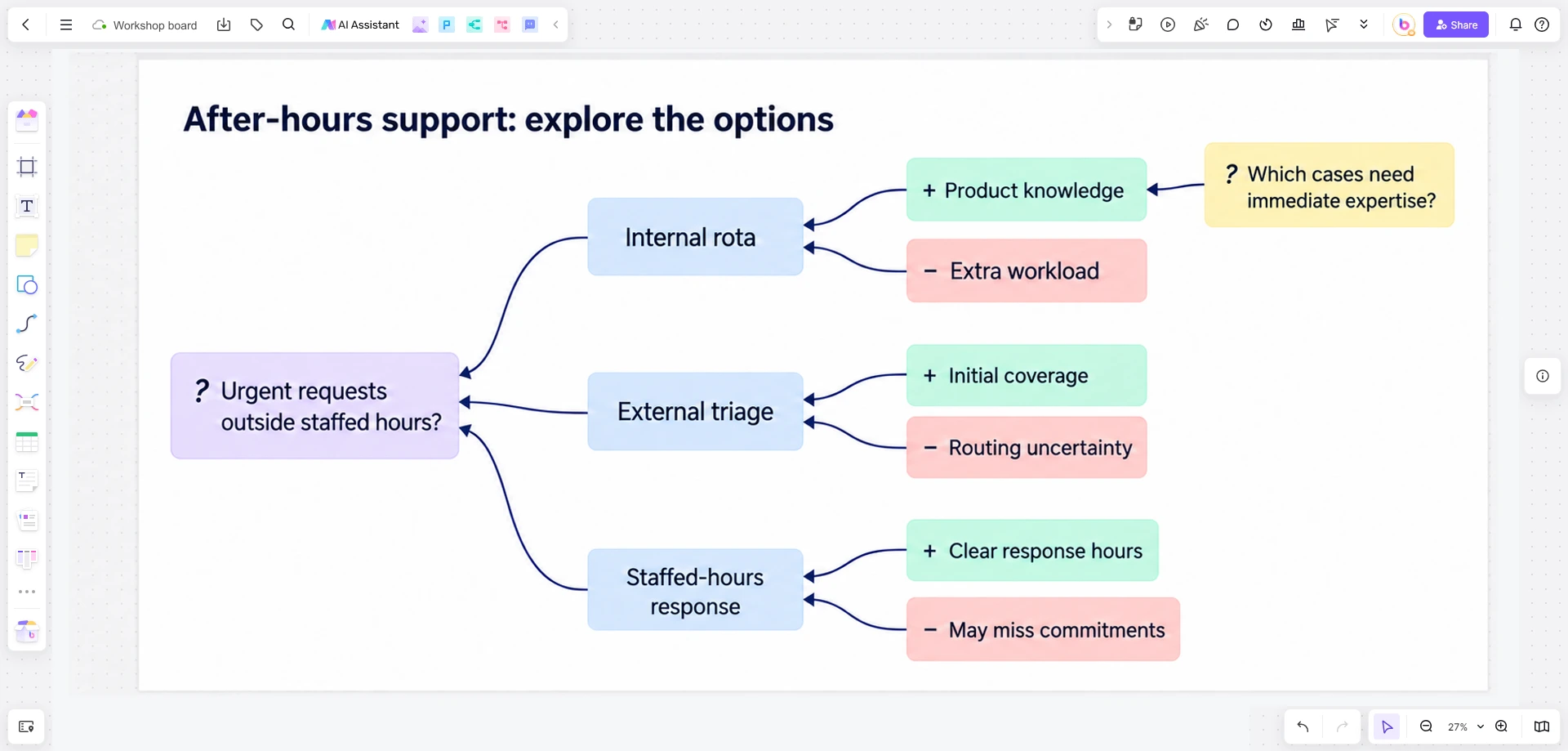
For the live discussion, one mapper can update the shared board while participants correct the wording aloud. Agree on that arrangement beforehand so simultaneous edits do not make the reasoning hard to follow. The shapes and connectors form a manually maintained map; the drawing does not enforce IBIS rules or evaluate the arguments automatically.
Stop mapping when the next question needs evidence
In this example, the group may discover that it cannot compare the options without knowing which requests truly need out-of-hours expertise and what current commitments require. More discussion will not create those facts. Keep those two questions visible and use the map to explain why they matter.
When the evidence returns, the team can attach it to the relevant claims and reconsider the options. If the support manager then chooses an arrangement, record the decision and link back to the reasoning. Someone reviewing it later should be able to see both why the choice was made and which unresolved concerns were accepted.