A customer journey map visualizes the steps a person takes to achieve a goal, from discovering a service to buying, using it, and getting help. It connects those steps with the customer's questions, touchpoints, and difficulties so a team can decide what to investigate or improve.
If you want to adapt one of these examples, use the customer journey map template to place the stage, customer action, question, emotion, pain point and evidence on a shared canvas before choosing an improvement.
To adapt the examples, use the customer journey map template to place stages, actions, emotions and pain points on a shared canvas before discussing improvements.
The ten industry examples below cover a range of customer tasks, followed by a nonprofit donor example. These are teaching scenarios: use their structure, then replace the sample assumptions with evidence from your own customers.
To adapt an example with your team, use Boardmix’s customer journey mapping workspace to arrange stages across the canvas, add actions and pain points beneath each stage, and keep the supporting research beside the map.
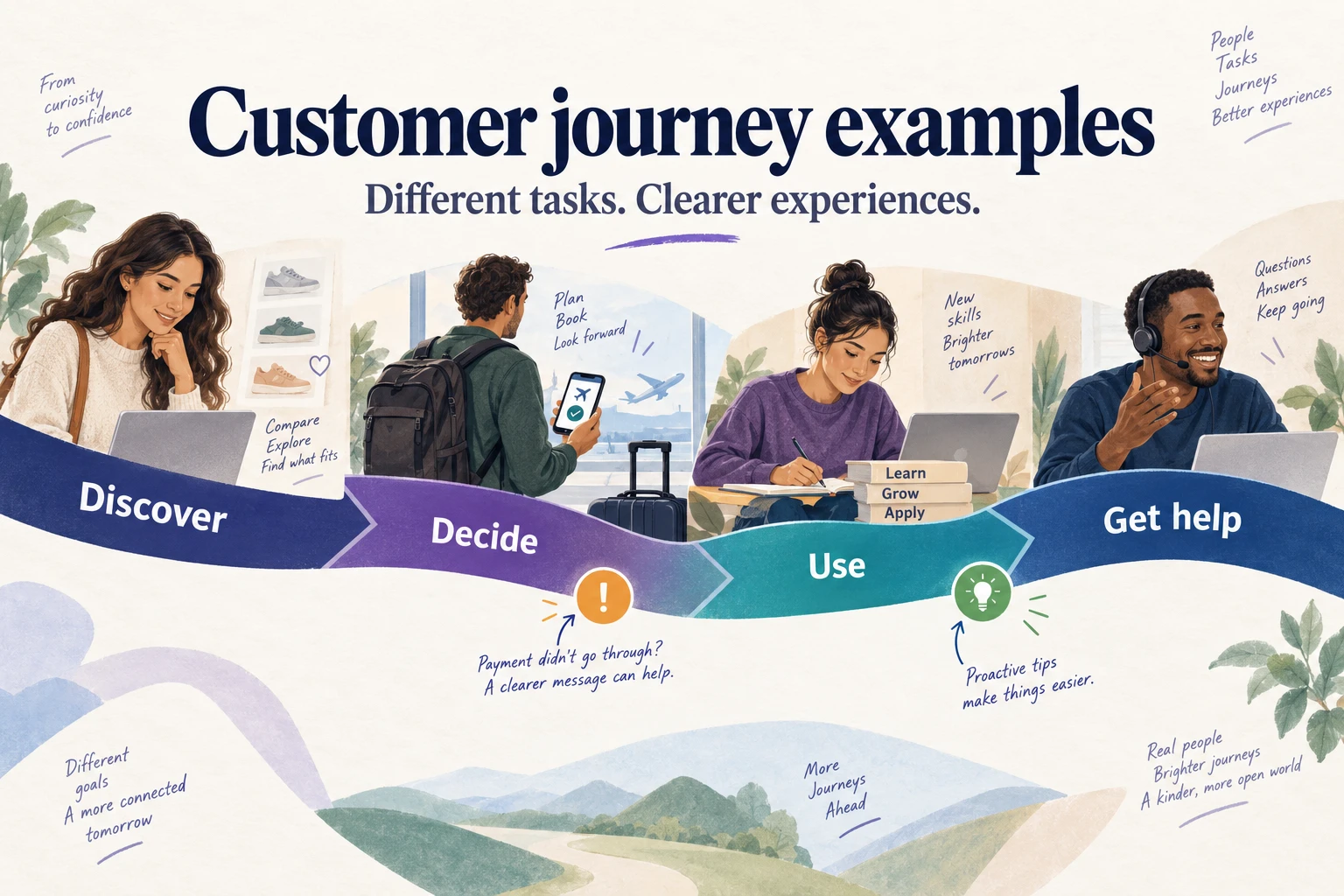
What are the five stages of a customer journey?
For a broad purchase journey, five common stages provide a useful starting point:
- Awareness: A potential customer discovers the product or service through search, recommendations, advertising, or another channel.
- Consideration: The person compares options, reads reviews, and checks whether the offer meets their needs.
- Decision: The person resolves the remaining questions about an option, such as suitability, availability, or price.
- Purchase: The customer completes the transaction and receives confirmation of what will happen next.
- Post-purchase: The customer uses the purchase, receives support, and decides whether to return or recommend it.
These stages are not compulsory labels. A patient booking an appointment or a student enrolling in a course needs stages that describe that particular task. Decision and purchase can also be combined when separating them adds no useful detail.
Nielsen Norman Group's journey-mapping guidance begins with an actor and scenario, then connects journey phases with actions, thoughts, emotions, and opportunities. Keep that point of view consistent: the buyer, account administrator, and end user may need different maps.
How journey maps help a business make decisions
A journey map gives scattered observations a shared context. Teams can use it to examine several business questions:
- Customer experience: Where do customers wait, repeat information, or become unsure about the next step?
- Retention: What happens after purchase that makes the service difficult to use or support difficult to obtain?
- Marketing: Which questions must a person answer before they can judge whether the offer is suitable?
- Revenue opportunities: Where does an unclear cost, delivery condition, or purchasing step interrupt a task the customer already wants to complete?
- Product and service decisions: Which observed difficulty is worth investigating, and which team can change that part of the experience?
The map organizes evidence; it does not create it. Interviews, observation, support records, and behavioral data help distinguish an actual difficulty from an internal assumption. A proposed change still needs to be tested in the relevant situation.
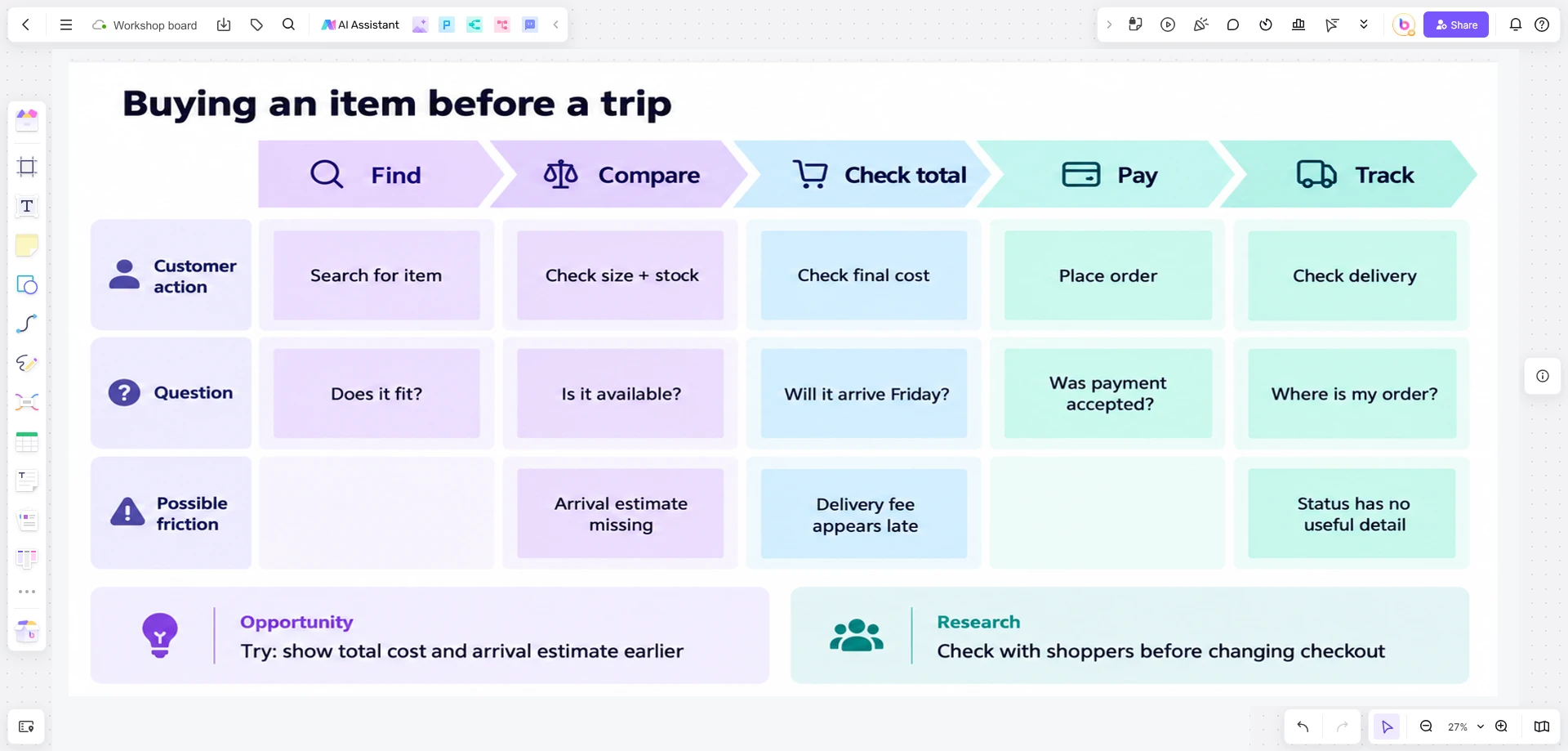
10 customer journey map examples
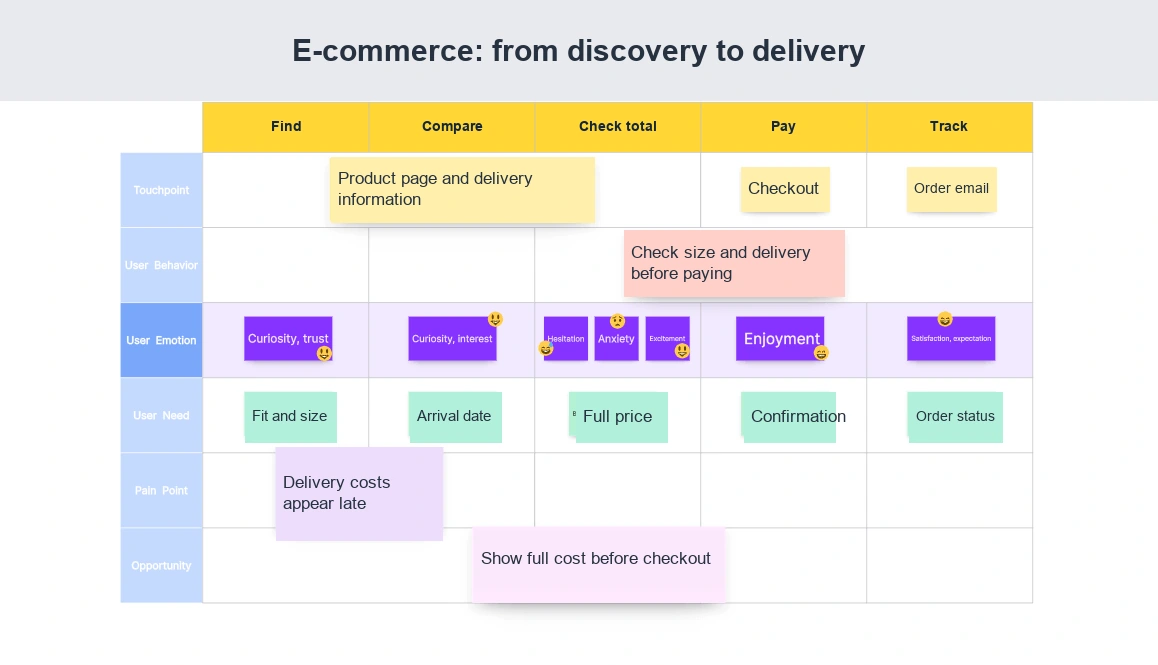
1. E-commerce: from product discovery to delivery
An online retailer can map the purchasing process to find confusing navigation, missing information, or friction at checkout. Follow the shopper from discovering an item through evaluating it, paying, and tracking delivery.
Example journey: Find a product → compare size and availability → check the total cost → complete checkout → track the order.
A useful pain point to investigate is discovering delivery fees only after entering personal details. The team could test showing the cost and expected arrival earlier, then check whether shoppers can identify the full price and expected delivery date before checkout.
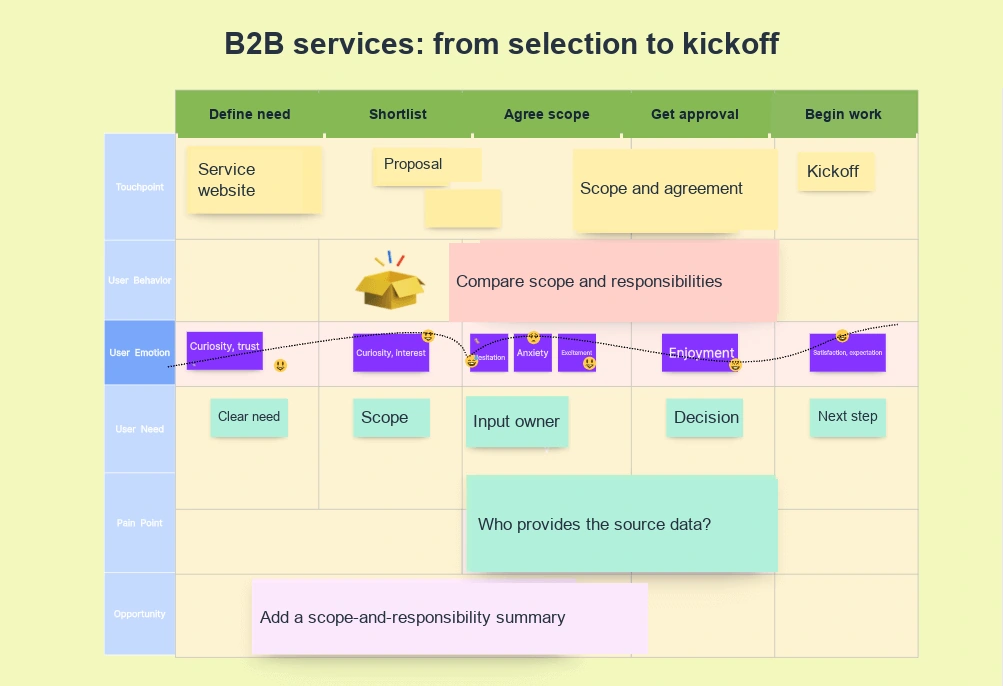
2. B2B services: select a provider and begin work
A B2B service provider can use a map to understand the decisions a client must make before signing an agreement, then extend it to the first handoff after purchase. The project lead and procurement team may need different information.
Example journey: Define the need → shortlist providers → discuss scope → obtain internal approval → begin the engagement.
A proposal may answer sales questions but leave the client unsure who will supply data or approve deliverables. A clearer scope-and-responsibility summary is a possible improvement. After the agreement, check whether the delivery team receives the commitments made during sales.
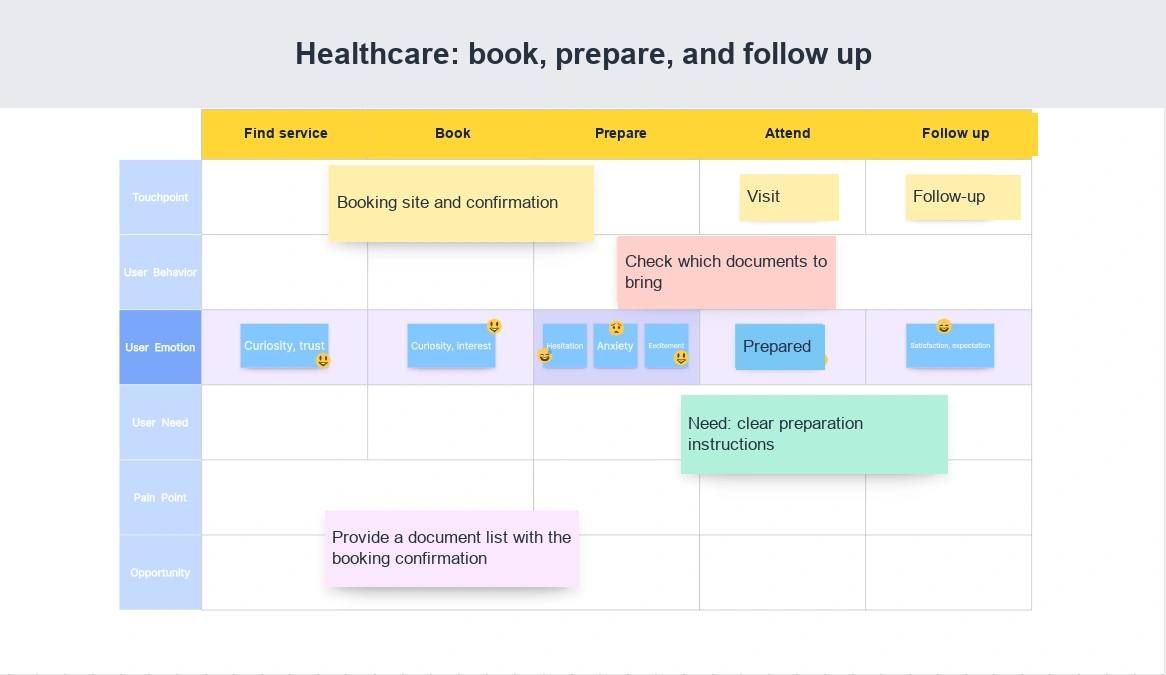
3. Healthcare services: book, prepare, and follow up
A healthcare provider can map the administrative experience from appointment booking to follow-up communication. Focus on access, preparation, and clarity rather than making assumptions about clinical outcomes.
Example journey: Find the service → book an appointment → receive preparation instructions → attend → receive follow-up information.
A patient may be unsure which documents to bring or how to change the appointment. Review confirmation messages and recurring questions. Put preparation instructions and a clear rescheduling route in the confirmation so patients can find both before their visit.
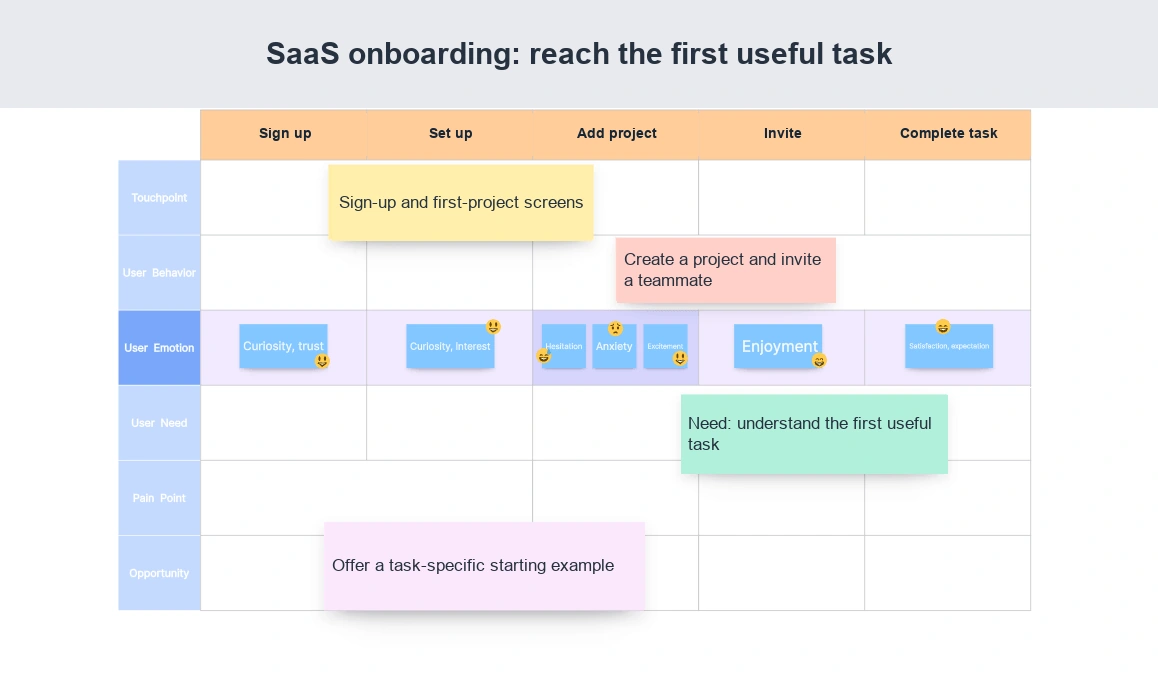
4. SaaS: move from sign-up to useful product use
For a cloud service, account creation is only part of onboarding. The customer still needs to set up the product and complete the task that prompted the purchase or trial.
Example journey: Sign up → set up a workspace → add the first file or project → invite a collaborator → complete a shared task.
A long feature tour may fail to explain what to do first. Observe a new user's session and examine where they stop. Test a starting example or a short task-specific guide at that point, and use completion of the shared task as the onboarding checkpoint.
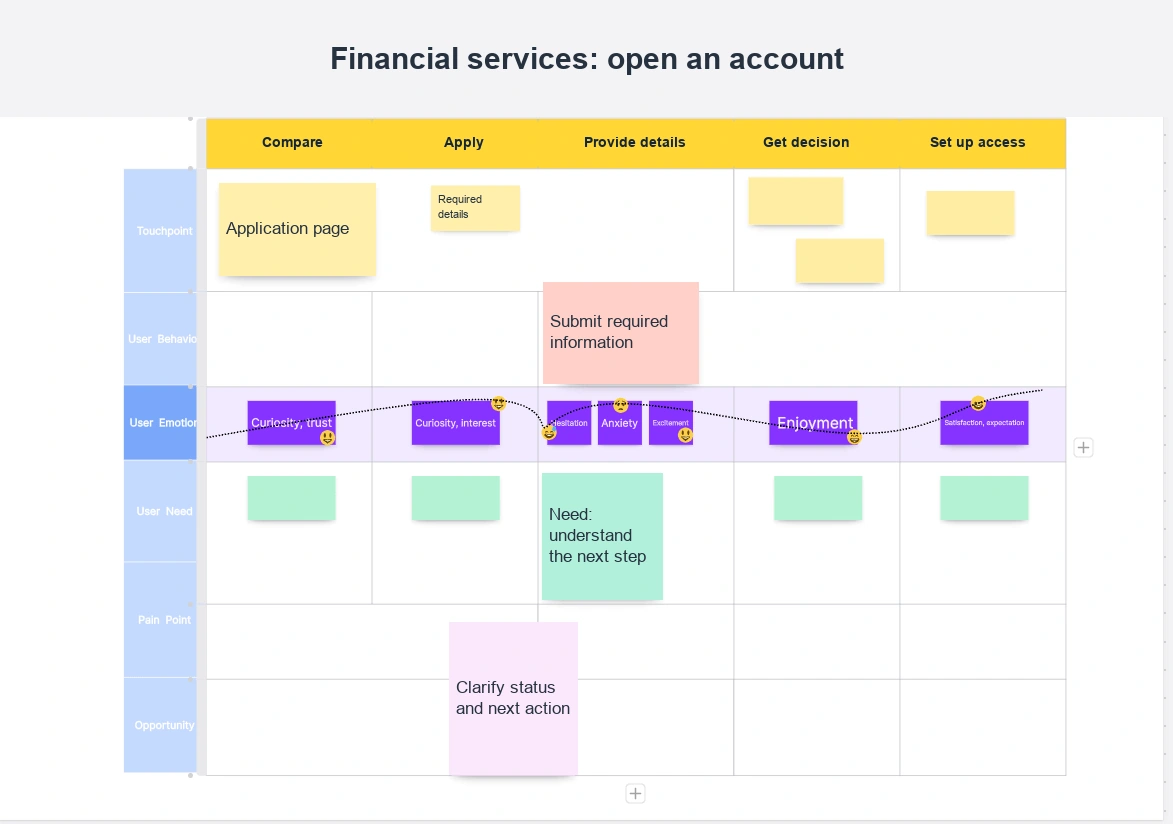
5. Financial services: open an account and get started
A financial-service journey can connect the account-opening experience with the first use of the service and access to support. This helps a team examine clarity across digital and human touchpoints.
Example journey: Compare account information → begin an application → provide required information → receive a decision → set up access.
Map whether the applicant knows why information is requested, whether their application has been received, and what happens next. An application status message may need clearer wording. Changes to required checks or disclosures belong with the responsible specialists; the map helps locate confusion rather than set those requirements.
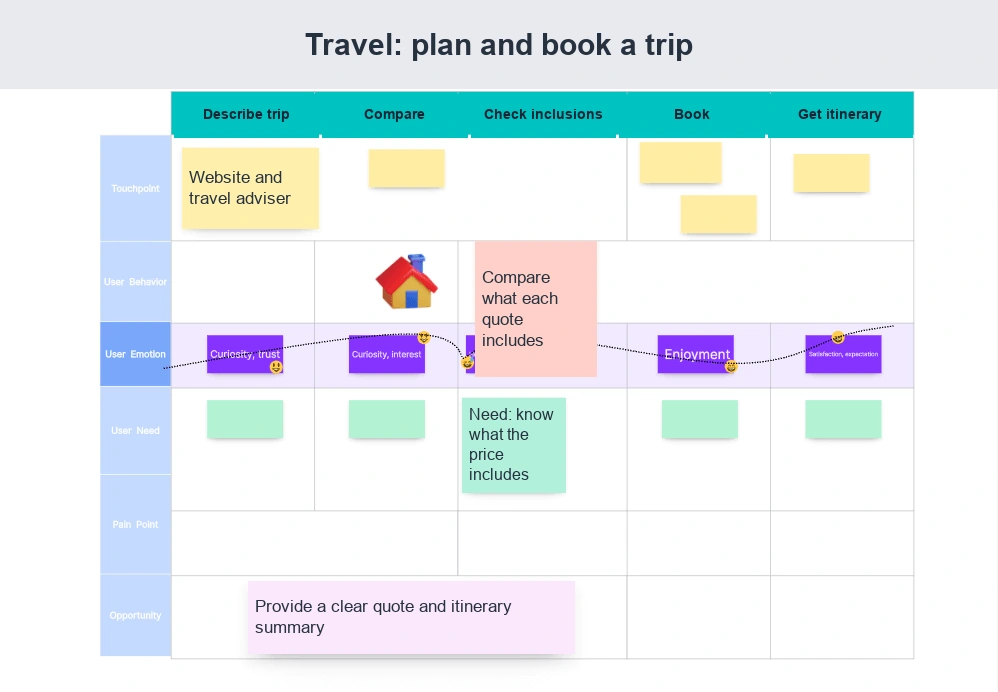
6. Travel: plan and book a trip
A travel agency can use a journey map to examine the booking process, from a customer's first idea to a confirmed itinerary. Include the handoffs between the website, adviser, payment step, and confirmation email.
Example journey: Describe the trip → compare options → check inclusions and conditions → book → receive the itinerary.
A traveler may be uncertain whether a transfer or activity is included in the quoted price. Put that question at the comparison stage, then consider a clearer quote summary. A separate map can cover changing an existing booking: its key question is whether the old or revised itinerary is now valid.
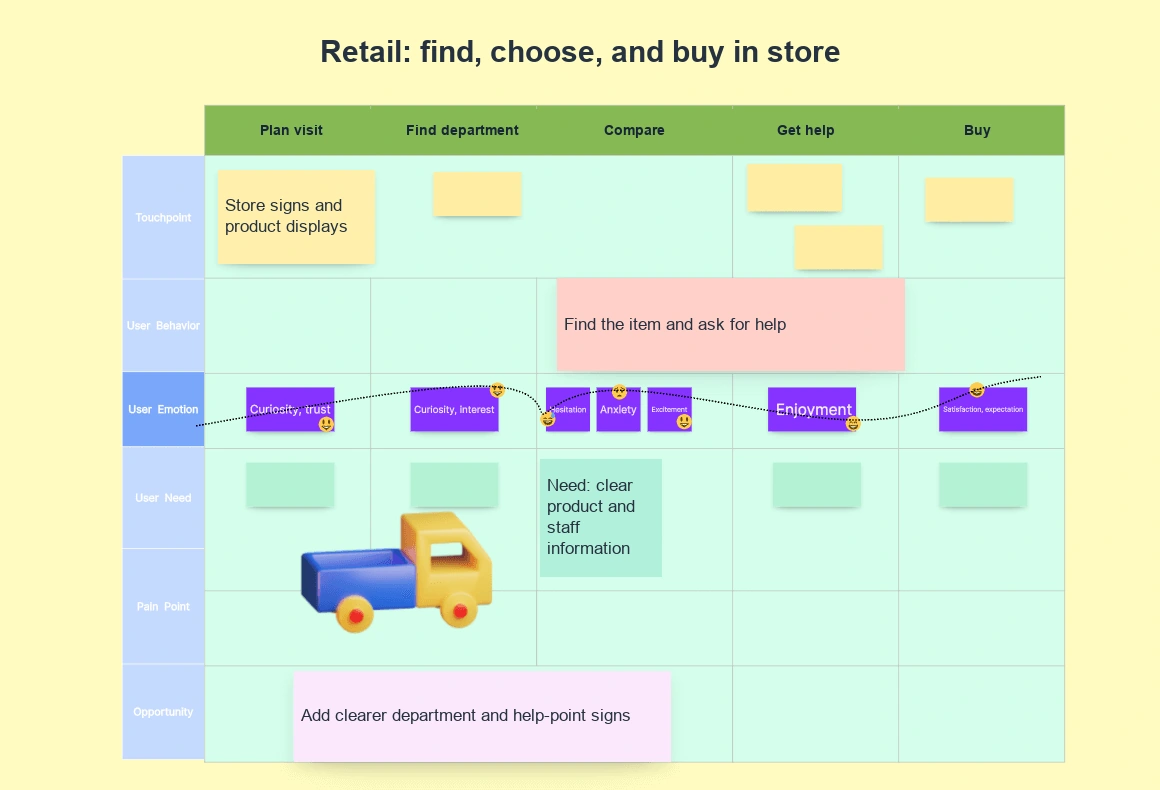
7. Retail stores: find, choose, and buy in person
A physical retailer can map the in-store experience to examine layout, signs, product information, and help from staff. The digital context may still matter if a customer checked availability before visiting.
Example journey: Plan the visit → find the department → compare products → ask for help → pay or arrange collection.
A customer may find the right department but not the advertised item or a person who can help. Observe where shoppers look for guidance before deciding whether to change signs, product placement, or staff coverage. For click-and-collect, make a focused version covering the ready notification, collection point, queue, and handover.
8. Telecommunications: resolve a service problem
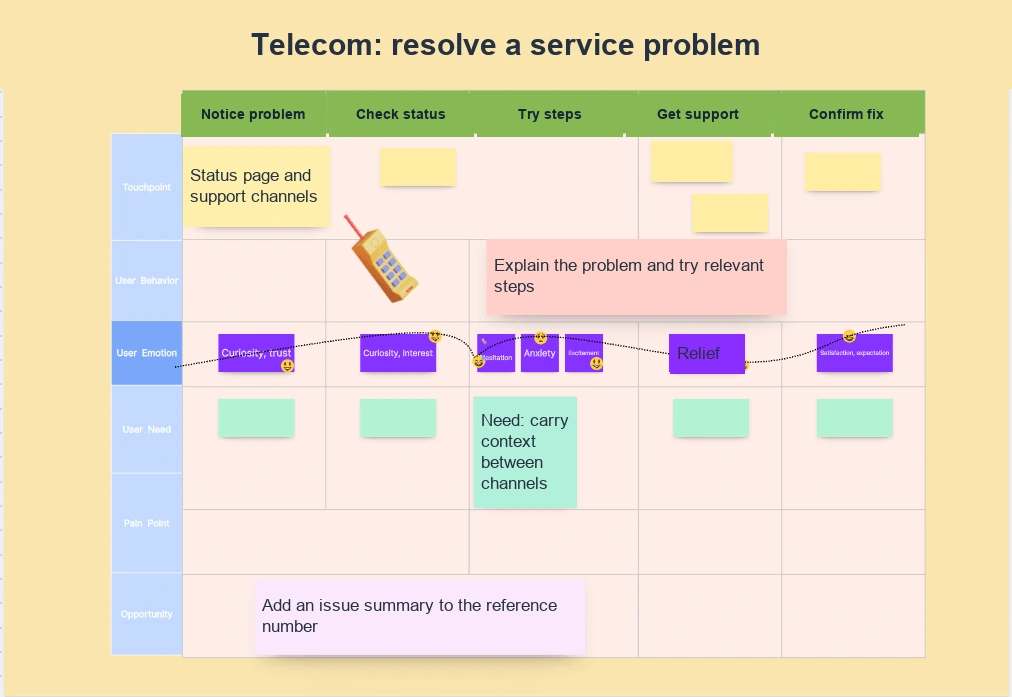
A telecommunications provider can map the support experience to see what customers must do to restore an interrupted service. Include both self-service and assisted support.
Example journey: Notice the problem → check service status → try relevant steps → contact support → confirm the service works.
Repeating the same explanation across channels is a useful pain point to investigate. Check what context travels with a reference number and what the next support person receives. Clearer handoff information may help, but a shorter call is not a good result if the service remains unusable.
9. Education: enroll and prepare for the first day
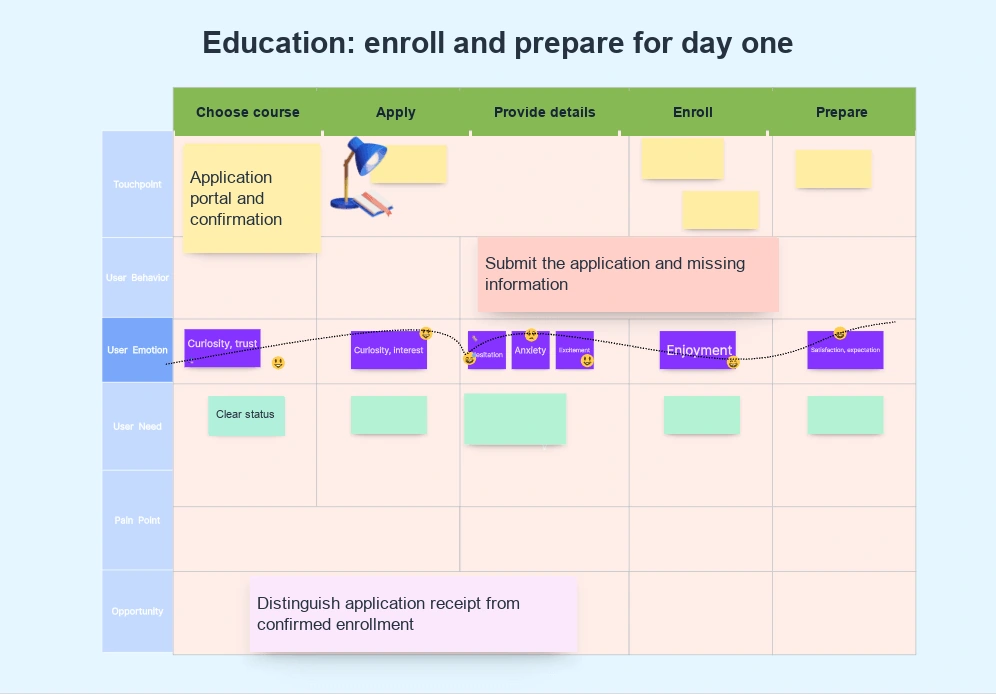
An educational institution can use a journey map to connect application, enrollment, and orientation. A prospective student should understand both their current status and the next action required.
Example journey: Choose a course → submit an application → provide missing information → confirm enrollment → access orientation materials.
An application receipt can be mistaken for an offer or completed enrollment. Compare the wording in messages and portals. Clear status labels and an explicit next step are possible improvements. Include people whose applications stalled, not only students who reached the first day.
10. Automotive dealerships: research, test, and buy
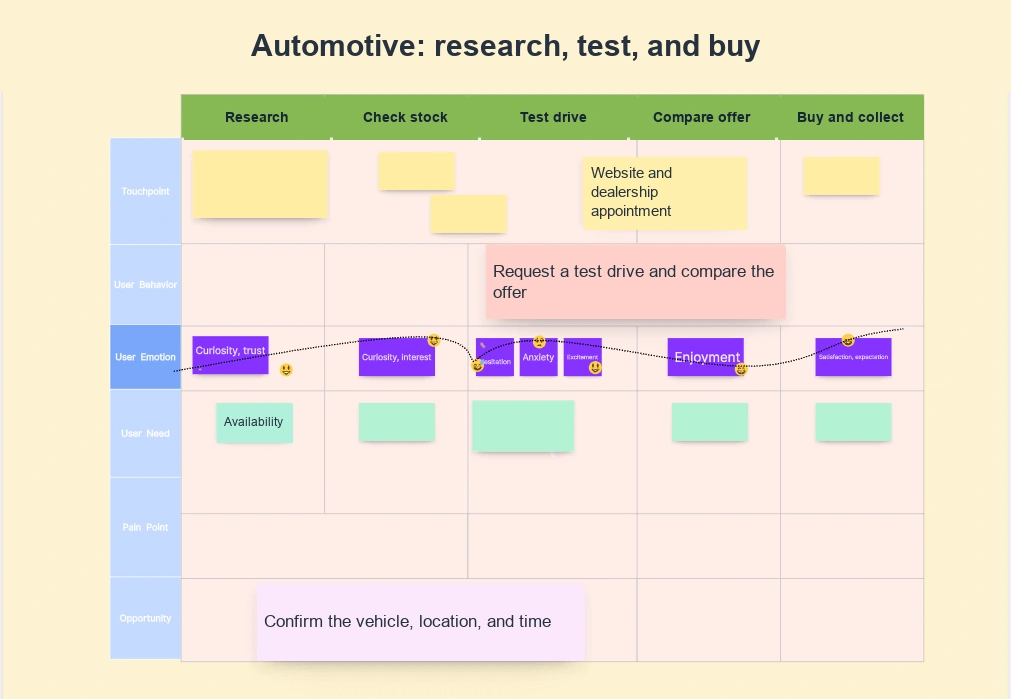
A dealership can map the buying experience from initial vehicle research to post-purchase support. Information on the website, the test-drive appointment, and the in-person conversation should fit together.
Example journey: Research a vehicle → check local availability → arrange a test drive → compare the offer → complete the purchase and handover.
A customer may believe a submitted test-drive request guarantees a particular vehicle. Examine the gap between the request and confirmation. Make the request status explicit, and confirm the vehicle, location, and time together when the appointment is arranged.
A related example: the nonprofit donor journey
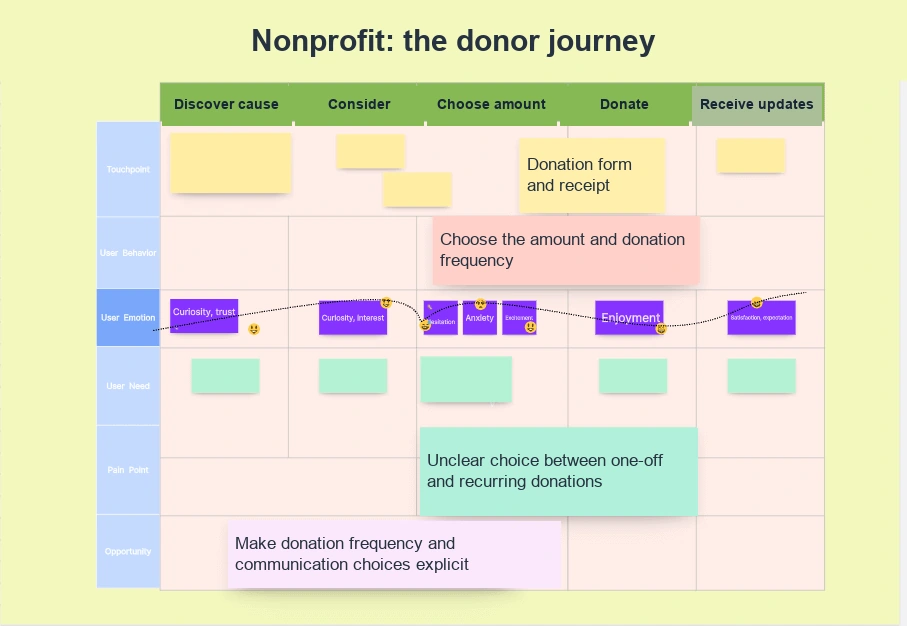
A nonprofit organization can use the same approach to understand how someone becomes a supporter. Follow discover the cause → consider a donation → choose an amount → donate → receive a receipt and updates.
A first-time donor may be unsure whether a payment is one-off or recurring, or what communication they will receive afterward. Make those decisions visible on the map. Check that the donation form and confirmation show the same frequency, amount, and communication choices.
What makes a good customer journey map?
Clear objectives and scope
Start with a sentence naming the person, situation, and intended result. Decide whether the map covers a broad relationship or a specific task such as onboarding or getting support. A narrow question is easier to research and act on than “improve the whole customer experience.”
A consistent customer perspective
Use relevant research to describe the person's goals, behaviors, and constraints. A persona is useful when it explains meaningful differences in the journey; adding demographic details that do not affect the task makes the map longer without making it clearer.
Phases, touchpoints, actions, and emotions
Place actions across the canvas, then identify the website, message, person, or physical place involved at each step. Add questions and feelings supported by research. Mark an untested belief as a question rather than drawing a confident emotional curve from internal opinions alone.
Evidence and opportunities
Link important observations to interviews, usability sessions, support messages, or relevant behavioral data. Keep the current experience separate from a proposed future version. Put an opportunity beside the difficulty it addresses so reviewers can follow the reasoning.
In Boardmix, create the journey stages first, then add rows for the information your team needs. Place evidence links beside the corresponding notes and group opportunities without losing their original context. The step-by-step journey-mapping guide covers the wider process.
Create a journey map in Boardmix using one of the examples above as a starting point. Replace its sample steps with what your customers actually do.