Process mapping is an indispensable visual tool in enterprise management. By visualizing the logical chain and interactive relationship of business activities, enterprises can accurately identify redundant links, optimize resource allocation, and build agile and efficient workflows.
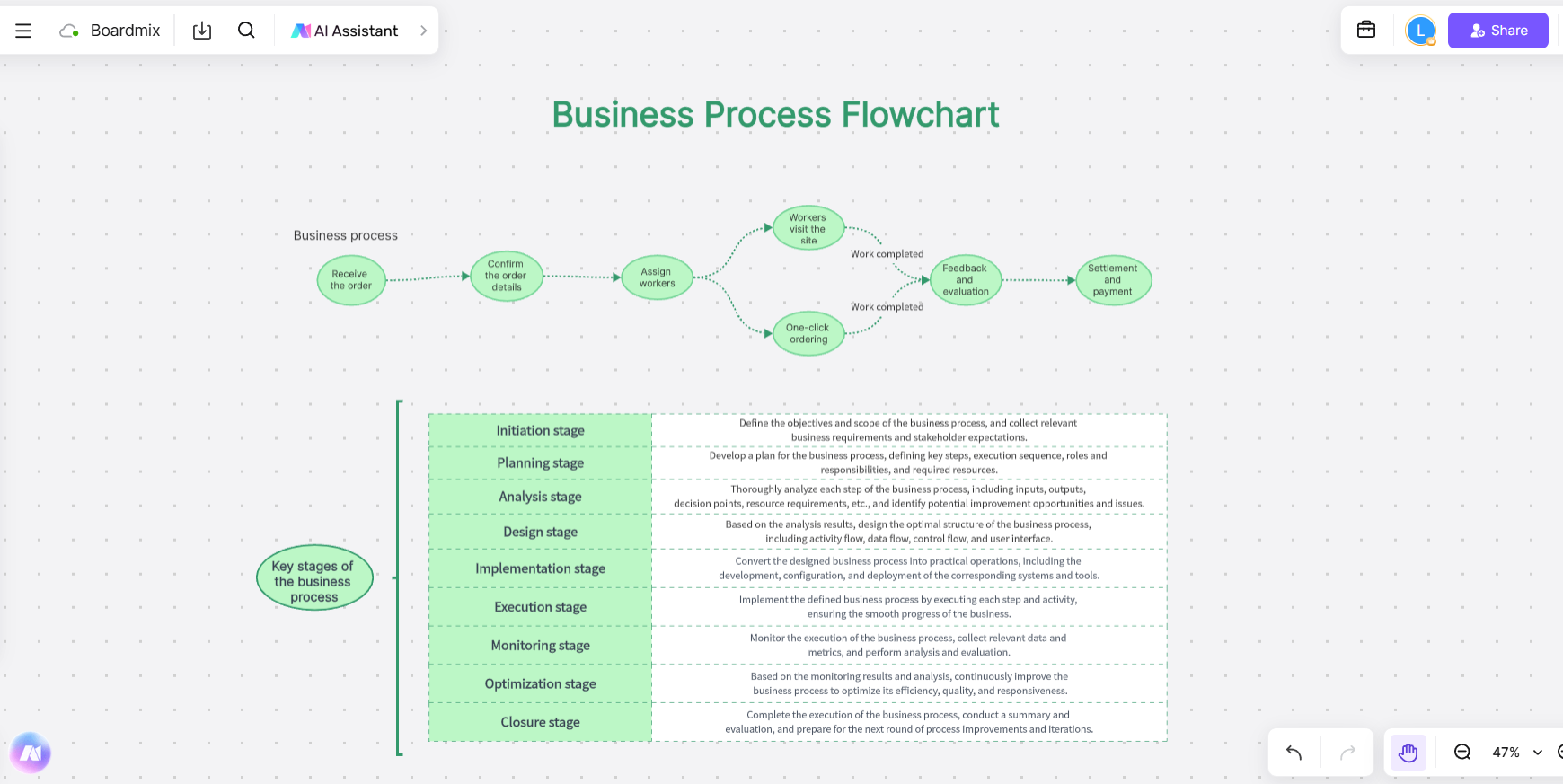

This article will explain with process mapping examples to show how to transform complex business operations into a clear blueprint that can be quantified and improved and introduce how to use a free tool to create process maps.
Process Mapping Example 1: Project Management Process Swimlane Diagram
This project management process swimlane diagram shows a standard software project management process, which is divided horizontally by role and vertically by project phase. Each role undertakes corresponding tasks at different stages to ensure the smooth completion of the project.
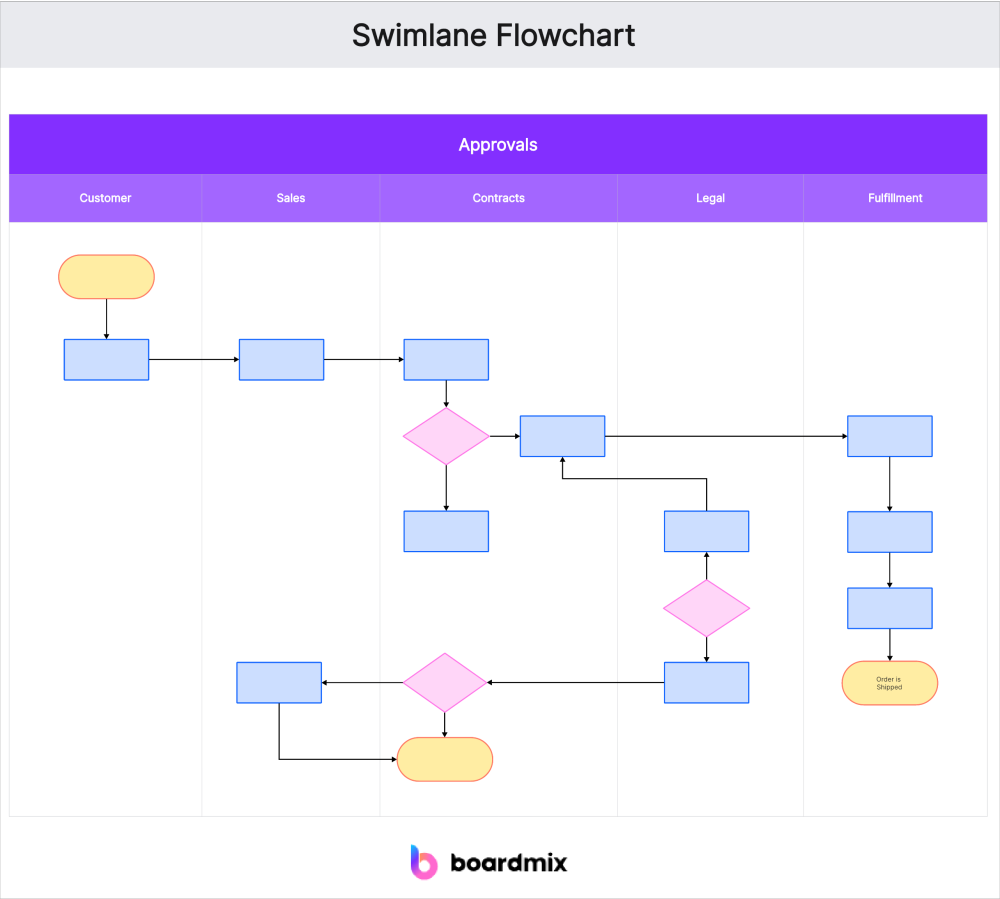
This process mapping example of swimlane diagram is based on the project life cycle and is divided into six stages: project launch, demand phase, design phase, development phase, testing phase, and system launch. Each stage involves different roles (product director, product manager, UI designer, project manager, development engineer, and test engineer), who perform corresponding tasks in their respective swimlanes. The diagram shows the logical relationship and collaboration between tasks through process arrows.
(1) Project launch
This stage is mainly led by the product director and product manager, and involves market research, competitive product analysis, and product review to ensure the feasibility and correct direction of the project.
(2) Demand phase
The product manager and project manager lead the core tasks, including demand analysis and demand review. The project manager further conducts demand difficulty assessment, development plan formulation, and task decomposition. Development engineers also evaluate technical feasibility, and test engineers begin to write test cases.
(3) Design phase
UI designers are responsible for UI design and interface annotation, project managers assist in planning the overall design architecture, and the development team writes interface design, technical solutions, and development documents.
(4) Development phase
Development engineers write code and develop, and test engineers write product test plans. The entire process emphasizes the implementation of design documents and the standardization of code.
(5) Testing phase
Test engineers perform test experience and functional testing. After BUG is found, the development engineer will fix it, and generate a test report after the test passes.
(6) System launch
Finally, the product manager organizes product documents to ensure product delivery, the development team performs deployment, completes functional acceptance, and the product is officially launched.
This process mapping example clearly shows the complete process of a software project from initiation to launch, and clarifies the division of responsibilities and task flow of each role. Through reasonable demand analysis, design, development, testing and deployment, each team collaborates to ensure smooth project delivery.
Process Mapping Example 2: Online Menu Ordering Workflow
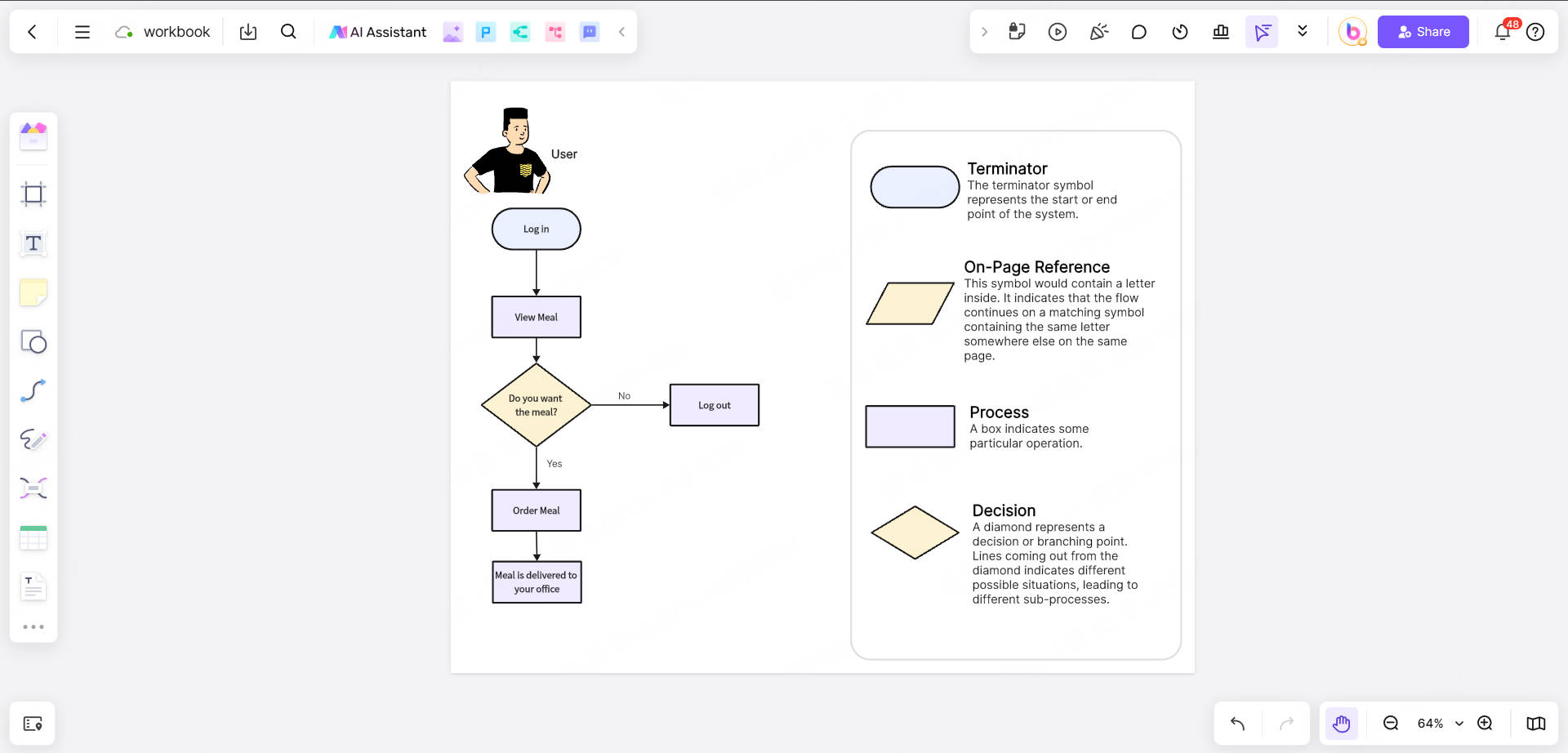
The online menu ordering process flowchart provides a structured representation of how users place food orders online, ensuring a smooth and efficient experience. This example highlights key decision points and actions within the ordering journey.
The process begins when a user initiates an order and follows a series of steps to select a restaurant, choose items, set a delivery time, and complete payment. Decision points ensure that necessary conditions (e.g., restaurant availability and payment options) are met before proceeding.
This process mapping example illustrates how structured workflows enhance user experience and efficiency in online food ordering. By incorporating clear decision points and automated system responses, businesses can minimize friction in the ordering process, ensuring seamless transactions. It can be used as a foundation for optimizing digital ordering systems by identifying bottlenecks and improving overall process efficiency.
Process Mapping Examples in Boardmix online whiteboard
As a collaborative online tool, Boardmix is an ideal choice for process mapping with its intelligent, visual and collaborative features. It significantly improves the efficiency and quality of process design through AI-assisted generation, massive template resources, real-time collaboration functions and professional symbol libraries, and is suitable for process optimization needs in multiple scenarios such as manufacturing, project management, education and training.
What are the Key Features of Boardmix for Process Mapping?
AI intelligent generation, fast construction of process framework
Boardmix has a built-in AI assistant. Users only need to enter the process title or keywords to automatically generate a complete flowchart framework, covering step division, symbol matching and logical connection, greatly shortening the manual drawing time. After generation, it supports free adjustment of graphic layout, text content and color scheme to meet personalized needs.
Professional symbol library and diversified graphic support
Provides standardized process mapping symbols (such as rectangles for operation steps, diamonds for decision points, and arrows for process direction), and supports complex graphics such as swimlane diagrams and value stream diagrams to meet multi-dimensional mapping needs from simple processes to cross-departmental collaboration113.
Infinite canvas and multiple elements
Users can integrate flowcharts, documents, tables, images and hyperlinks in the same canvas, and enhance information expression through mixed text and graphics. For example, equipment schematics or data tables can be embedded in the production flowchart to intuitively display the input and output relationships of each link316.
Real-time collaboration and multi-platform synchronization
Supports simultaneous online editing by multiple people, real-time display of member cursors and operation records, combined with comment and annotation functions, to facilitate remote discussion of process optimization points by the team. In addition, Boardmix seamlessly connects to tools such as Tencent Meeting and Feishu, supports modification while demonstrating, and improves collaboration efficiency312.
Massive templates and one-click export
The community provides professional templates such as "production flowchart" and "customer order management flowchart", which users can reuse and quickly adapt to business scenarios. After the design is completed, the flowchart can be exported to high-definition PNG, PDF or SVG format to meet reporting, printing and system integration requirements116.
How to Crete a Process Mapping with Boardmix?
Step1: Define the scope and goals of the process
Clearly define the process boundaries to be mapped (such as "raw material procurement to finished product delivery") and determine the core optimization goals (such as shortening the production cycle).
Step2:Choose a template or AI-generated framework
Search for templates such as "production flow chart" in the Boardmix community, or use AI to enter a title (such as "order processing flow") to generate a basic framework.
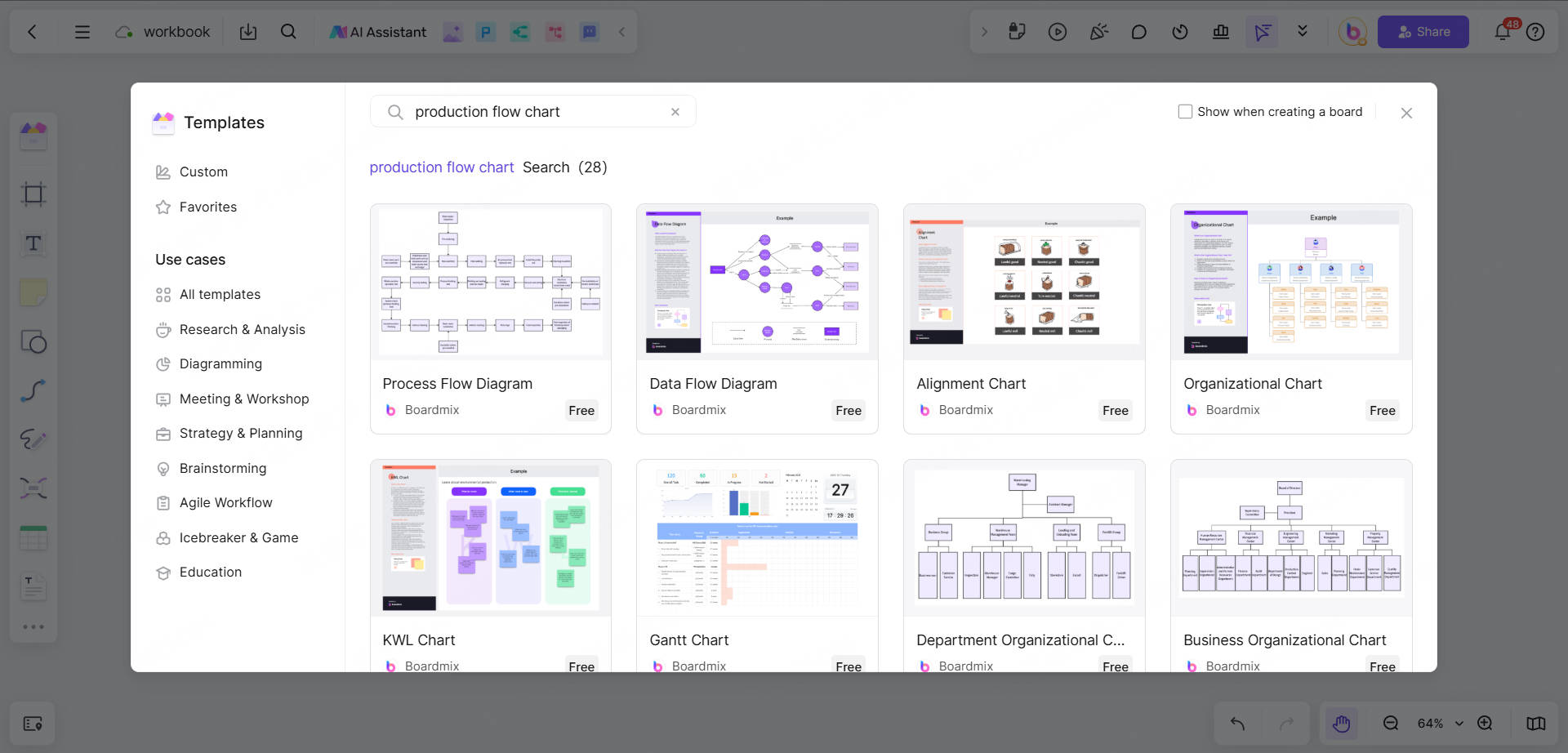
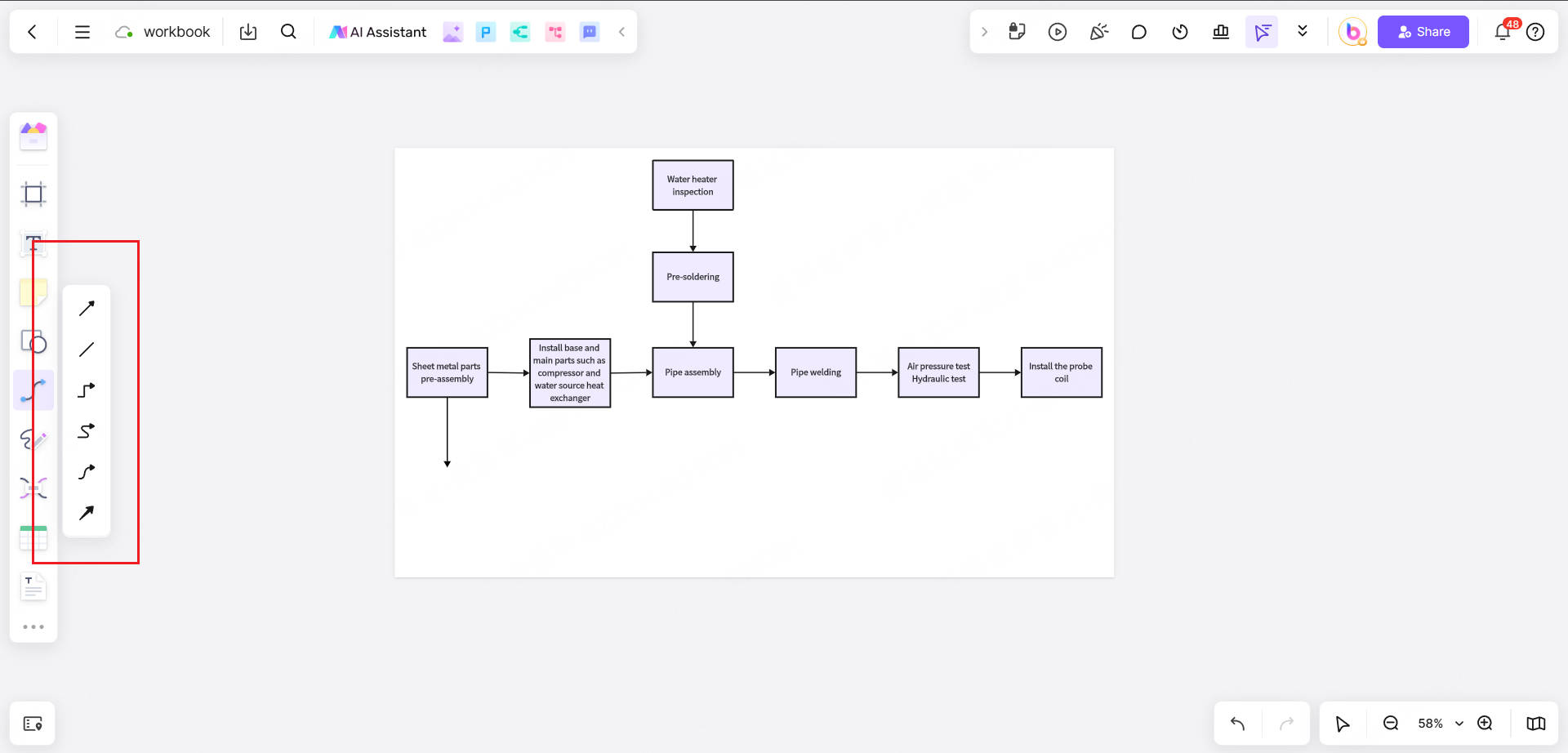
Step3:Draw and refine process nodes
Use drag-and-drop to add symbols and arrange steps in a logical order. Use the connection line function (straight line, broken line or Bezier curve) to mark the flow direction, and use color to distinguish different departments or priorities. Insert comments to explain key operating standards or risk points.
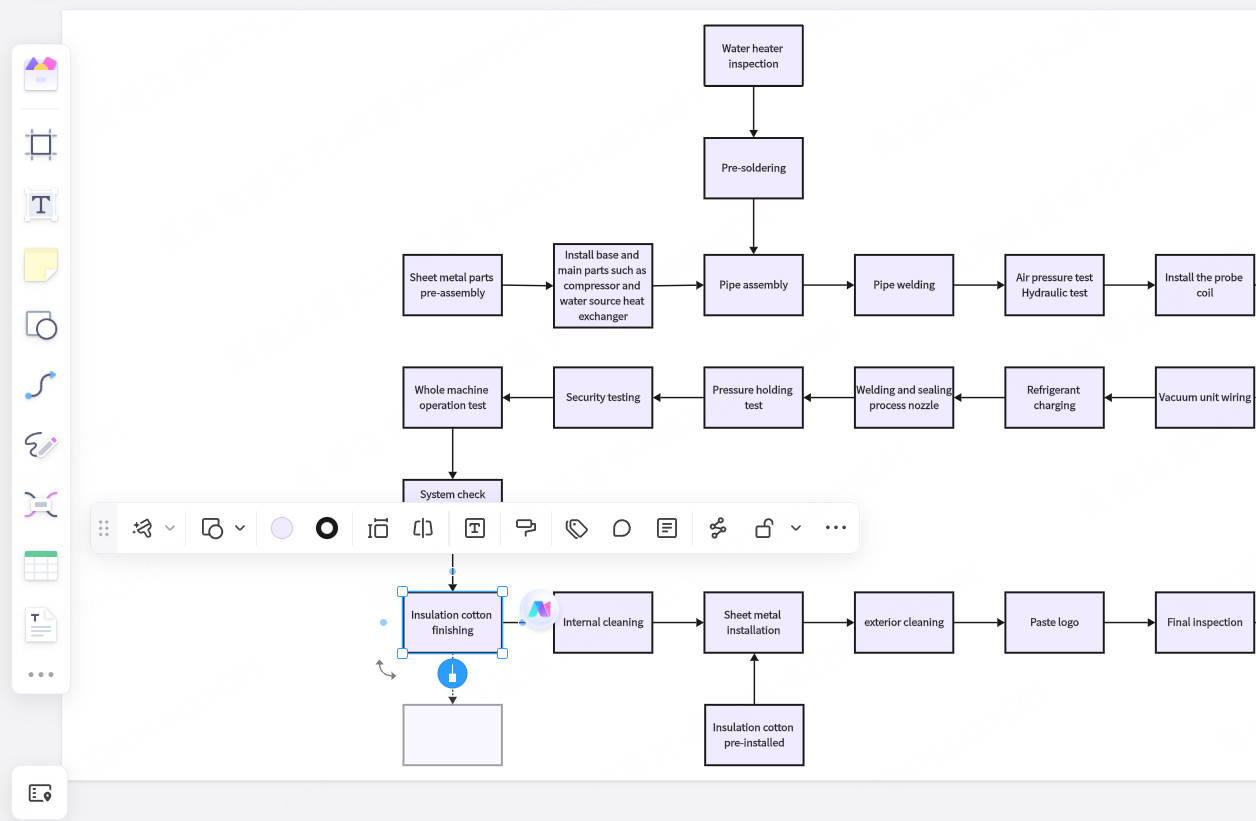
Step4:Optimize details and collaborative verification
Adjust the color and font of the graphics to ensure visual consistency, invite team members to review online, and collect feedback and iterate through the comment function.
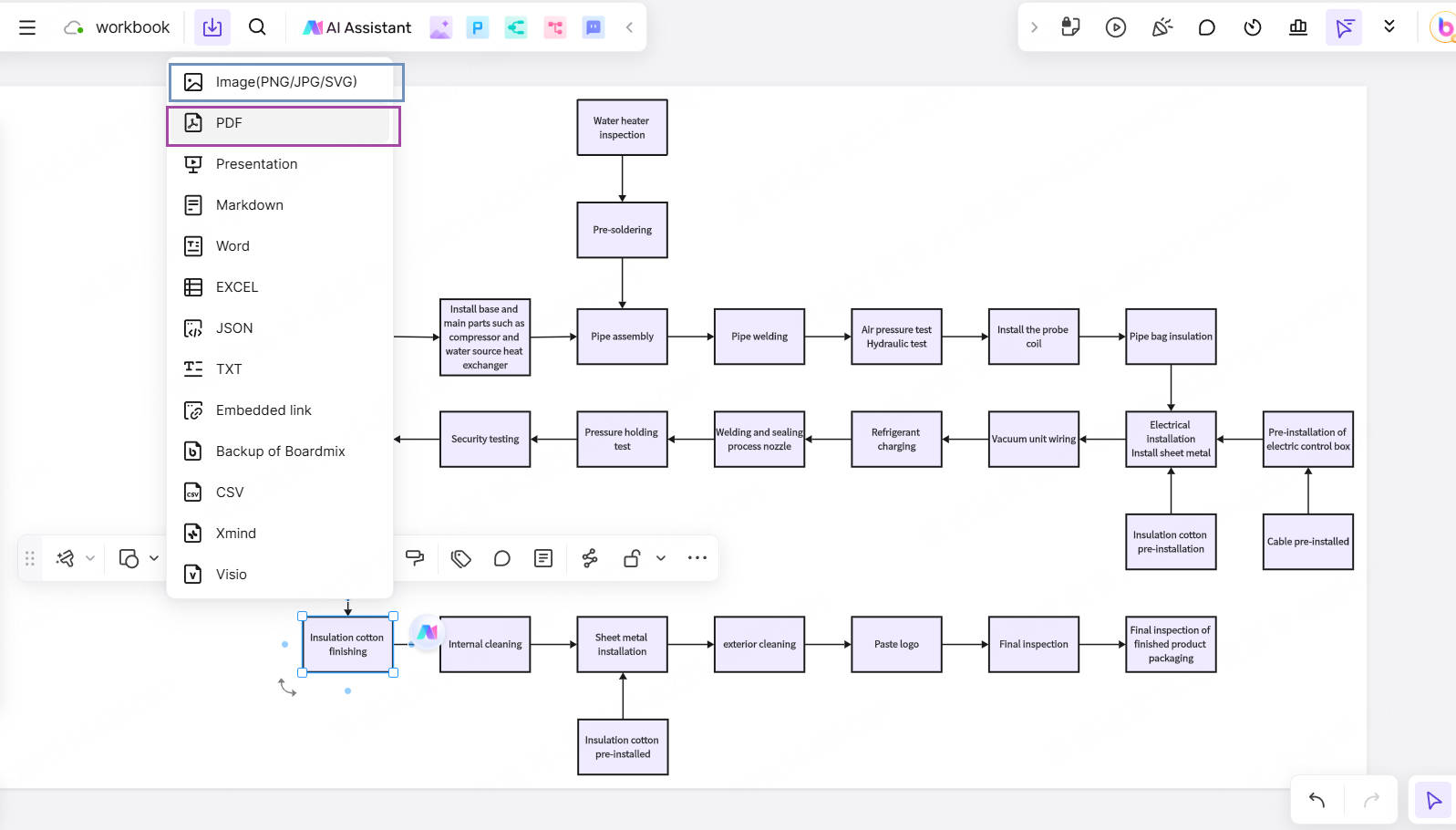
Step4:Export and apply
Export the final flowchart as PDF or image, embed it into internal documents or training materials, or share it to the collaboration platform via a link.
Boardmix upgrades Process Mapping from a static chart to a dynamic management tool through intelligent tools and collaborative ecology. Its characteristics are efficient generation, flexible customization and team co-creation. Its advantages are reflected in reducing design costs, enhancing process controllability and promoting cross-departmental collaboration, and ultimately helping enterprises achieve process standardization and continuous optimization.
Conclusion
By studying business process mapping examples, we found that process mapping is not only a static flowchart, but also a dynamic management thinking. Enterprises use process mapping to drive decision-making and visualize the logic behind the business.
In Boardmix, there are not only a variety of business process mapping examples, but also business management templates such as business analysis canvas, Gantt chart, and Kanban. Boardmix's real-time collaboration and AI automatic generation functions make team efficiency soar. What are you waiting for? Use Boardmix to make your process mapping diagram for free!

![All You Need to Know about Ecomap in Social Work [with Examples]](https://cms.boardmix.com/images/articles/social-work-ecomap-examples-cover.png)