Gone are the days of the lone designer in a corner. Modern digital product design is a high-stakes relay race—a complex cycle of brainstorming, user research, prototyping, and reviews that demands seamless handoffs between designers, PMs, developers, and marketers. One fuzzy requirement, one misunderstood feedback loop, and the whole project risks veering off course into the land of delays.
And let’s face it: our teams aren’t all in one room anymore. With talent scattered across offices, time zones, and continents, how do we keep everyone aligned? Static wireframes buried in endless email threads and marathon video calls just don’t cut it. The result? Version chaos, missed nuances, and that frustrating feeling that the final product somehow lost the spark of the original idea.
What if there was a way to visualize the entire journey—from the first sticky note to the final developer handoff—in one dynamic, living space? That’s where Boardmix transforms the game. It’s more than a digital whiteboard; it’s a collaboration hub designed to smash silos, turn abstract ideas into tangible flows, and keep the entire team moving in sync.
Why Choose Boardmix as Your Product Design Collaboration Platform?
Amidst a sea of collaboration tools, Boardmix stands out by deeply aligning with the workflow logic of product design and the core needs of efficient teamwork.
Infinite Canvas, Unleashing Creative Freedom
Boardmix offers a flexible infinite canvas that breaks the spatial constraints of traditional tools. Whether for brainstorming, process mapping, or user journey visualization, teams can freely expand their ideas in an open space, rapidly transforming abstract concepts into visual content. This "what-you-think-is-what-you-see" experience is particularly valuable during the early, divergent creative phases and structured organization of product design.
Rich Templates & Robust Ecosystem, Boosting End-to-End Efficiency
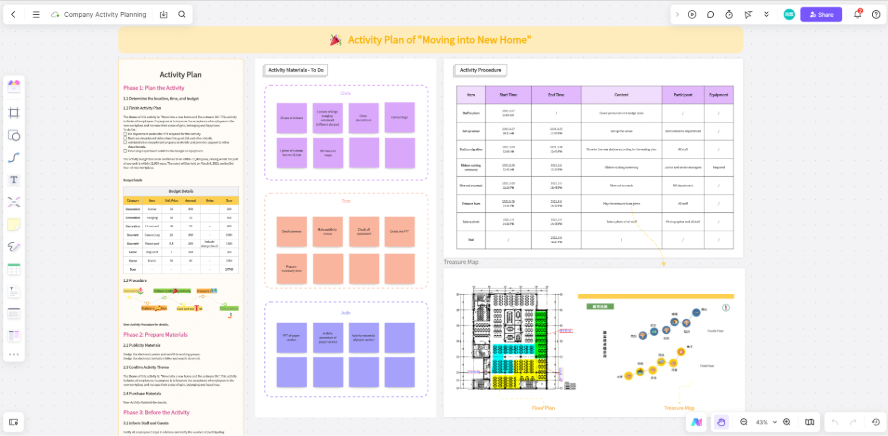
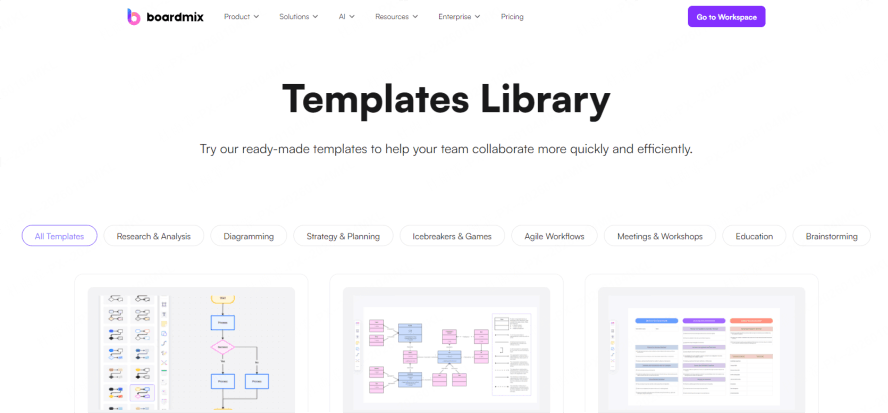
The platform features a vast library of professional templates covering every stage—from user research and information architecture to wireframing, prototyping, and delivery. Designers can quickly launch projects using these templates, significantly reducing upfront setup time. Furthermore, Boardmix boasts an active plugin ecosystem that integrates with various design and development tools, facilitating a seamless workflow from ideation to implementation.
Balancing Real-Time & Asynchronous Collaboration, Breaking Time-Zone Barriers
Whether your team is co-located or distributed globally, Boardmix supports real-time co-editing, commenting, and feedback. Its asynchronous collaboration features ensure members in different time zones can participate smoothly, maintaining information transparency and communication continuity while effectively preventing version chaos and collaboration gaps.
Deep Integration with Leading Tools, Bridging Design & Development
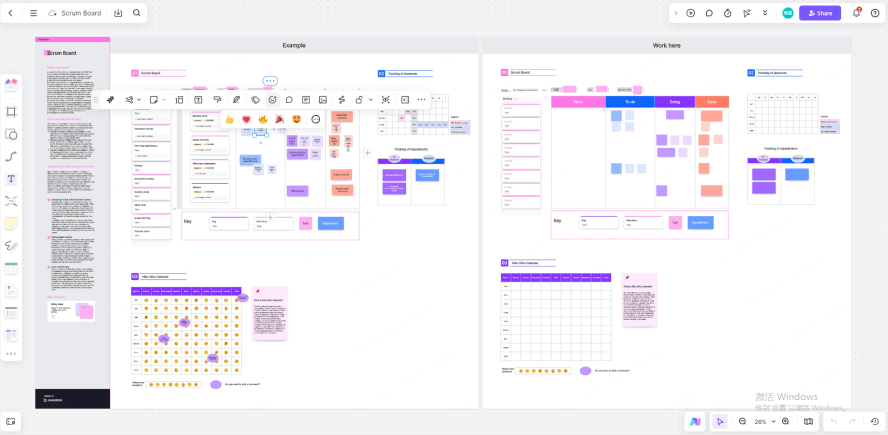
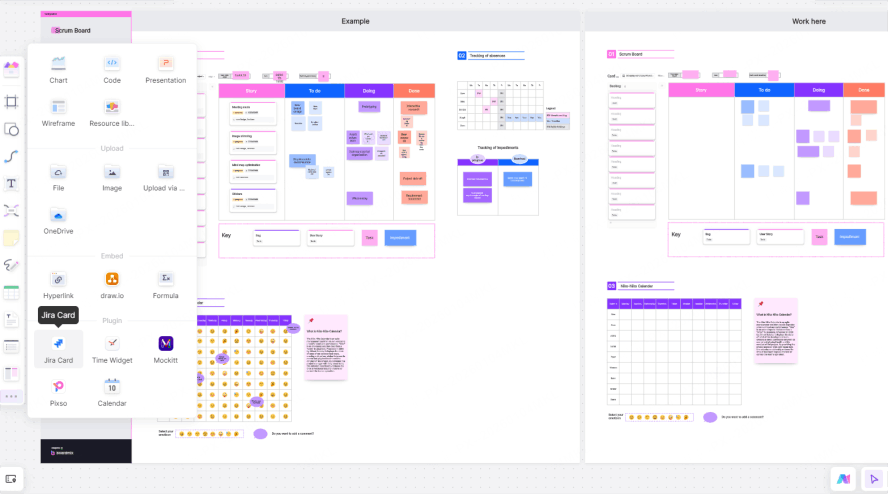
Keep links to the authoritative design files in Pixso or another design tool and to the project’s Jira issues alongside the planning notes. Check any available integration and its permissions before using it. Linking to a file, embedding a preview, importing content, and synchronizing tasks are different workflows.
Core Stages of Product Design & Boardmix Application Scenarios
Throughout the complete product design process—from insight discovery to final delivery—each phase relies on efficient team collaboration and clear communication. As a powerful product design collaboration platform, Boardmix spans the entire product design lifecycle, enhancing not only the visual expression of ideas but also enabling seamless cross-phase transitions, helping teams efficiently realize product visions.
Demand Analysis & User Insight
Product design begins with a deep understanding of users and the market. Boardmix offers various visualization tools such as mind maps, Kanban boards, and tables, assisting teams in systematically organizing user interview data, research findings, and competitive analysis results. By structuring fragmented information on a unified whiteboard, teams can quickly identify key pain points and opportunities, refining clear product requirements to lay a solid foundation for subsequent design phases.
Idea Generation & Solution Exploration
During the brainstorming phase, Boardmix's sticky notes, group voting, and real-time collaboration features create a highly engaging environment for creative sessions, especially for remote or cross-functional teams. All members can contribute ideas simultaneously, preventing information loss. Combined with Boardmix’s AI capabilities, the system can automatically cluster similar ideas and summarize themes, significantly improving creative organization efficiency and accelerating the process from divergent thinking to convergence.
User Experience & Structural Design
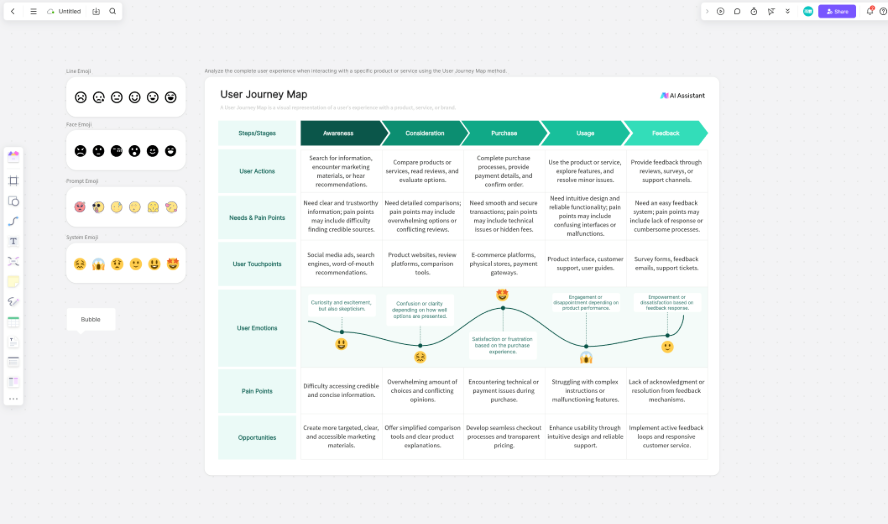
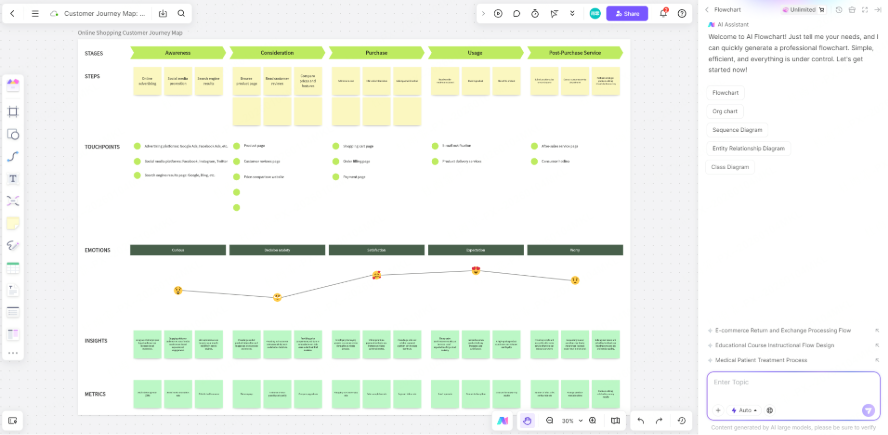
To systematically understand user behavior paths, Boardmix provides built-in user journey maps and information architecture templates. Designers can quickly map out user experience flows across different touchpoints, mark emotional fluctuations and key pain points, and establish clear navigation structures and page hierarchies. This visual modeling approach helps align the team on product logic and identify potential experience gaps early.
Prototype Building & Process Validation
Use flowcharts and low-fidelity sketches to discuss the concept, then continue detailed interface design in a dedicated design tool. Add a link or approved preview to the board for review, and confirm which formats and connections your account supports.
Design Review & Continuous Iteration
Once the design is finalized, Boardmix supports real-time comments, annotations, and feedback from multiple participants, consolidating all discussions on a single page to avoid fragmented communication. With version history and content archiving features, teams can clearly track design evolution, ensuring each iteration is well-documented and forming a closed-loop refinement process.
Delivery Collaboration & Project Integration
At handoff, record links to the final specifications and the tasks in the team’s project system. Assign an owner for each open decision and verify that reviewers can access the source files. Do not assume changes on the board automatically update Jira or a design file.
Boardmix’s Key Features Enhancing Design Efficiency
In the product design process, efficient collaboration depends not only on sound methodology but also on the support of powerful tools. Boardmix has become a central platform for many product and design teams due to its thoughtfully crafted features, which are closely aligned with real-world design collaboration needs. More than just a digital whiteboard, Boardmix serves as an end-to-end collaborative hub that connects creative ideation, collaborative creation, and solution delivery. Through the effective combination of its key features, Boardmix significantly reduces team communication barriers and enhances the overall efficiency of design workflows.
Infinite Canvas & Multimedia Display: Breaking Space Limits, Building a Cohesive Design Narrative
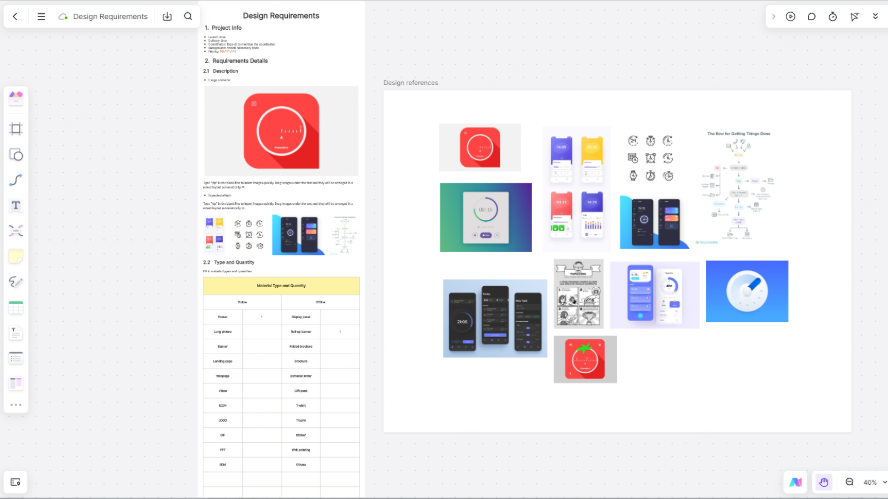
Boardmix’s infinite canvas offers teams an expansive, freely extendable workspace, liberating them from the confines of traditional documents or slide-based formats. Design teams can start from user insights and research findings on the same board, gradually expanding into brainstorming, flowcharts, wireframing, and final prototype presentations—creating a coherent design narrative. This “single-board workflow” not only reduces the inefficiency of switching between multiple files but also helps new team members quickly grasp the project context.
Additionally, Boardmix supports direct embedding of images, videos, PDFs, web links, and other media formats, allowing user feedback, competitive analysis, and design references to be presented intuitively. This significantly enriches communication and strengthens the persuasiveness of information sharing.
Template Library & Quick Setup: Lowering Entry Barriers, Focusing on Core Creativity
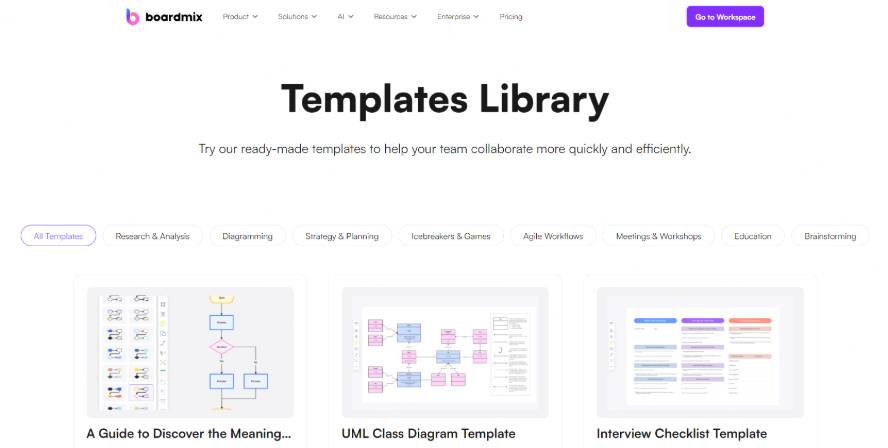
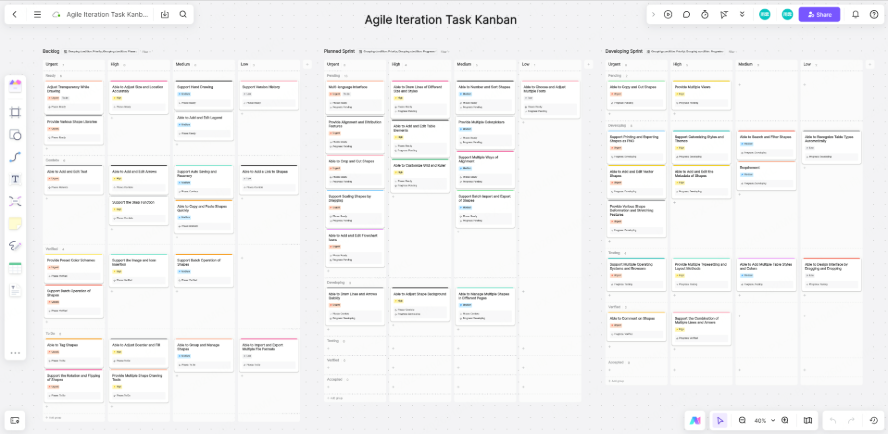
Starting from scratch in complex collaboration scenarios can be time-consuming and labor-intensive. Boardmix offers a rich library of templates covering the entire product design cycle, including brainstorming walls, SWOT analysis matrices, user journey maps, information architecture diagrams, and agile development boards. Instead of building frameworks from the ground up, teams can select a suitable template based on the current phase to quickly establish the collaboration environment and dive into meaningful discussion and creation.
This “ready-to-use” design significantly shortens meeting preparation and project setup time, allowing teams to focus more on creative thinking and problem-solving rather than formatting and structural setup.
Real-Time Collaboration & Remote Meeting Integration: Breaking Time and Space Barriers, Enabling Synchronous Creation
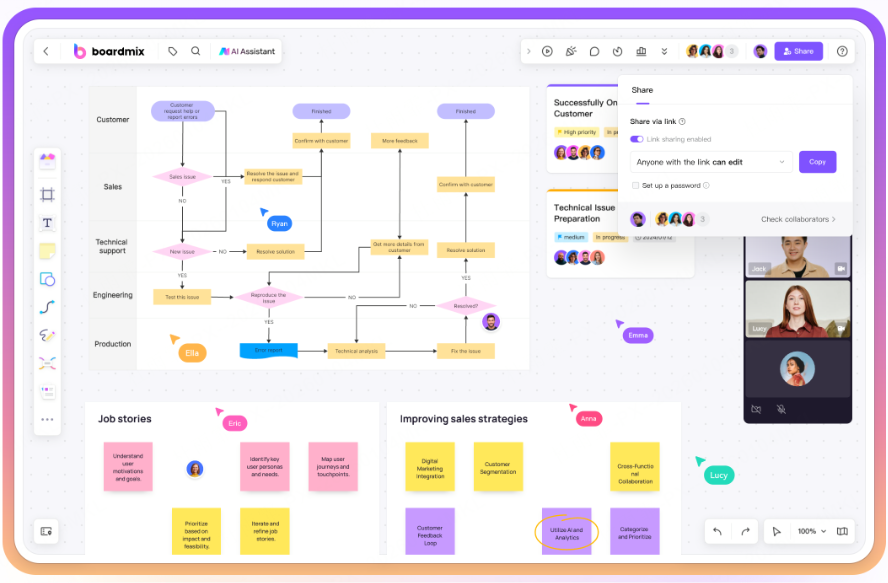
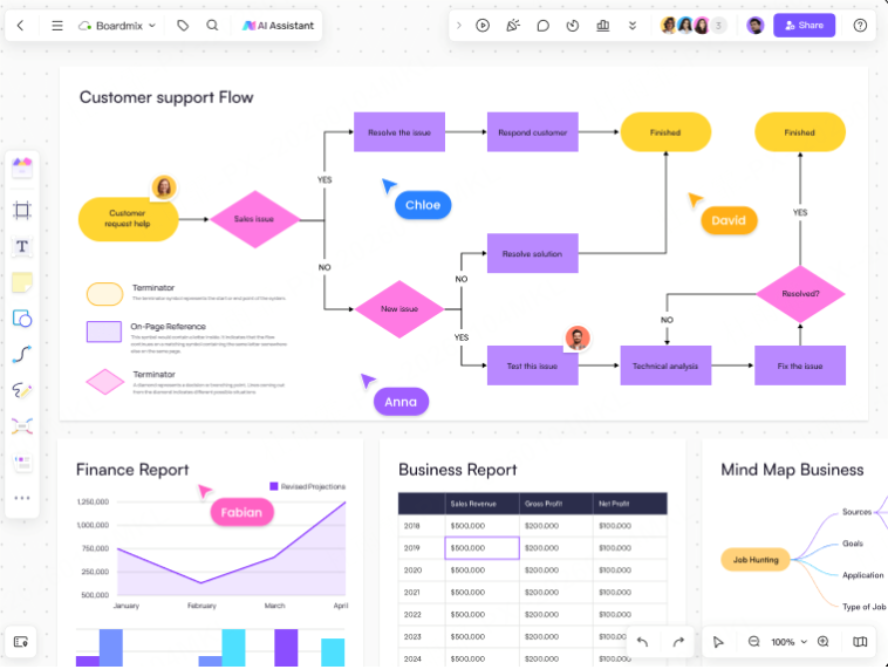
Boardmix’s real-time collaboration is one of its core strengths. Multiple members can edit content on the same board simultaneously, with each person’s cursor position and actions clearly visible, creating a “being in the same room” experience. This highly transparent collaboration mode effectively reduces information delays and misunderstandings common in asynchronous communication. Moreover, Boardmix integrates video calls, voice comments, and screen sharing, allowing teams to discuss, annotate, and make decisions without constantly switching between tools.
For distributed remote teams, this integrated experience greatly enhances collaboration fluidity, ensuring the design process isn’t hindered by geographical distance.
Boardmix AI Smart Assistance: Reducing Manual Work, Unleashing Creative Potential
Boardmix’s integrated AI capabilities are redefining the intelligent potential of digital whiteboards. It can automatically organize scattered sticky notes and summarize key ideas, generate structured mind maps or flowcharts from text descriptions, and even offer creative suggestions during brainstorming sessions to help teams overcome mental blocks.
These intelligent assistance features free designers from tedious tasks such as formatting, categorizing, and initial ideation, allowing them to focus more on high-level design judgment and strategic thinking. AI not only improves execution efficiency but also acts as a “catalyst” for team creativity.
Plugin & Ecosystem Integration: Bridging Tool Chains, Building a Design Hub
Use the board as an index to the project’s design resources, decisions, and tasks. Link to the current source files and state who owns each one. Where a supported integration is available, test what it synchronizes and how permissions work before relying on it.
Permissions & Version Management: Ensuring Collaboration Security, Supporting Iteration Tracking
Use sharing permissions appropriate to the project and check the account’s version-history retention. Retain milestone copies or exports where needed. Automatic saving and history can help recovery, but they do not guarantee that every state is permanently recoverable or that data cannot be lost.
This mechanism not only reduces collaboration risks but also provides a clear record of design evolution, helping teams maintain order and control even during rapid iterations.
How to Build an Efficient Product Design Workflow with Boardmix?
Although Boardmix is equipped with powerful features, unlocking its true potential lies in the team's ability to integrate it into a structured workflow and cultivate efficient collaboration habits. Only when tool and methodology converge does Boardmix evolve from being merely usable to becoming genuinely effective—ultimately serving as the core engine that accelerates product design. Here are practical workflow suggestions to evaluate with your team to help teams deeply embed Boardmix into their daily collaboration, building a replicable and sustainable design workflow.
Step 1: Define Role-Based Collaboration for Synergistic Efficiency
In complex product design processes, different roles contribute in distinct ways with varying focuses. By leveraging Boardmix’s permission controls and spatial layout capabilities, teams can clarify responsibilities:
- Product Managers set up requirement frameworks and clarify business logic.
- Designers focus on mapping user journeys, designing interface structures, and expressing interactive prototypes.
- Developers use the whiteboard to visually understand system flows and technical dependencies.
Assigning appropriate edit or view permissions to each role and organizing the canvas into functional zones prevents clutter while ensuring precise information flow—enabling truly efficient cross-functional collaboration.
Step 2: Establish a Unified Template Library for Reusability and Consistency
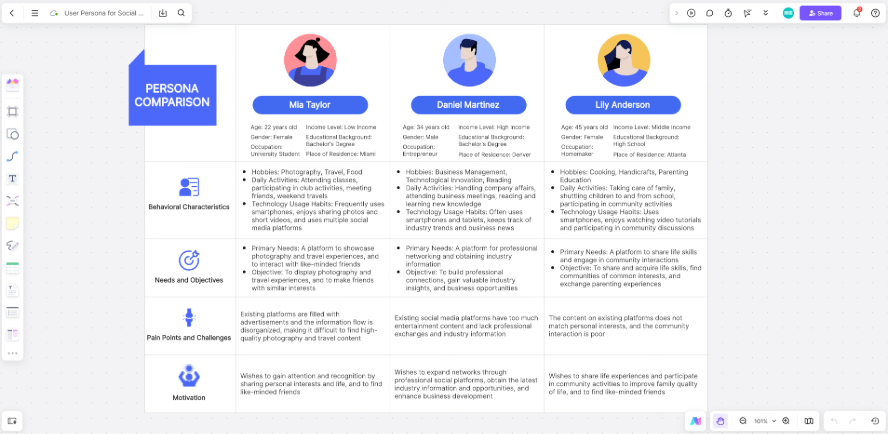
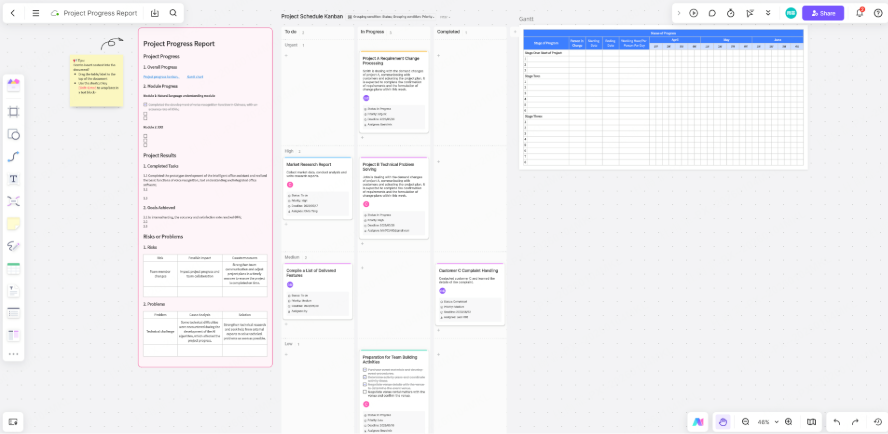
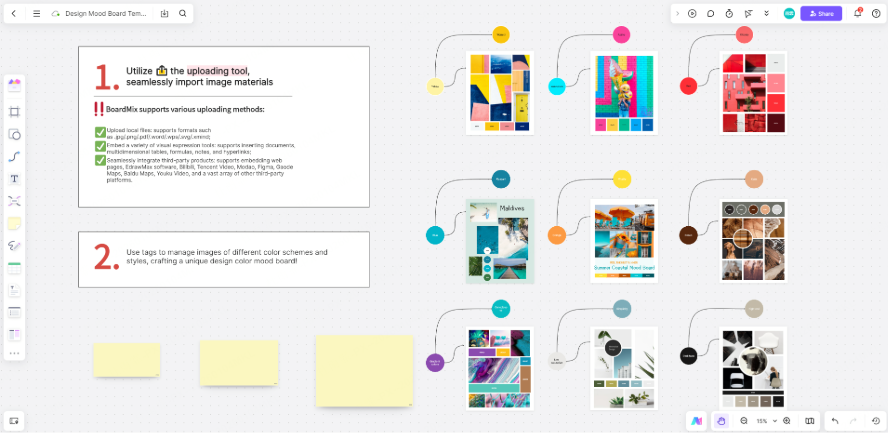
Repetitive preparation work is a major source of inefficiency. To address this, teams can build a dedicated "Design Resource Hub" within Boardmix to centralize commonly used templates, such as requirement research forms, user persona templates, user journey map frameworks, wireframe component libraries, and agile board structures. When launching new projects, team members simply duplicate the relevant template to quickly set up the collaboration environment. This not only significantly reduces setup time but also ensures consistency across deliverables in terms of format, terminology, and structure—enhancing team professionalism and cross-project comparability.
Step 3: Connect Toolchains to Build a Boardmix-Centric Collaboration Hub
Keep the source of truth clear: requirements in the approved document, detailed designs in the design tool, and delivery tasks in the project system. Add links to these records on the Boardmix board. If a native connector is available, test its supported fields and update direction; otherwise update the linked systems manually.
Step 4: Conduct Immersive Design Reviews to Enhance Feedback Quality and Decision-Making
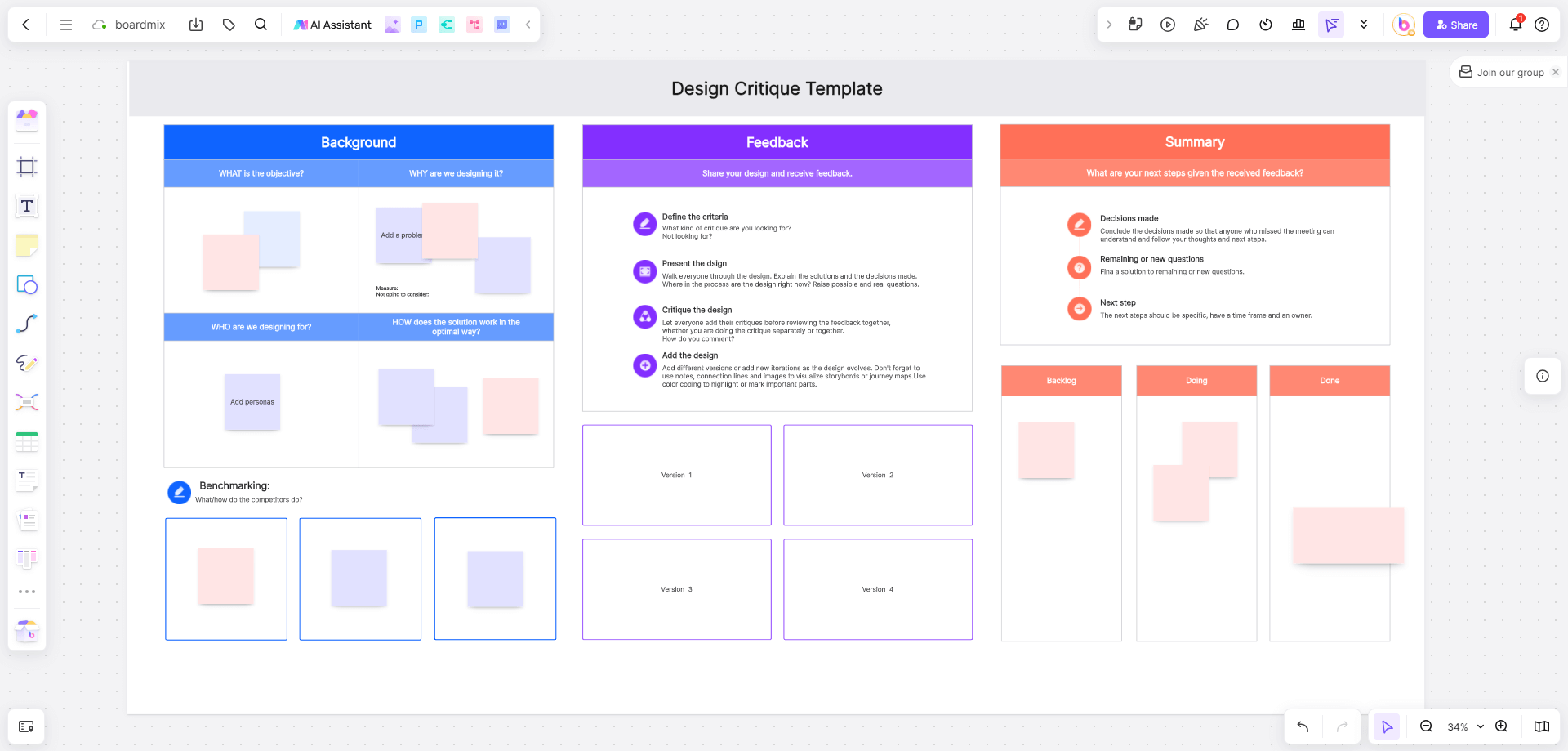
Traditional design reviews often suffer from fragmented feedback and difficulty converging opinions—comments scattered across emails, instant messaging, and verbal exchanges are easily missed or misunderstood. Boardmix offers a more intuitive alternative: teams can collaboratively open a whiteboard during review sessions, annotate suggestions in real time, add comment bubbles, and use voting features to quickly reach consensus on key decisions. This "what-you-see-is-what-you-get" collaboration mode not only boosts engagement but also keeps discussions focused, significantly shortening the feedback-revision cycle while preserving a complete record for future reference.
Step 5: Prioritize Version Management and Evolution Tracking to Support Continuous Optimization
Save milestone snapshots and record the decision behind each revision. Check version-history availability and retention in your plan, and keep an appropriate backup of important handoff material.
Step 6: Illustrative Workflow: A Shared Product Review
Illustrative example, not a measured customer result: A product team creates a board with four areas: research findings, proposed flows, review decisions, and links to delivery tasks. A reviewer records an unresolved requirement, the product manager assigns an owner, and the designer links the next revision. Evaluate the workflow by recording unanswered questions, rework, and handoff time across comparable projects; no time or efficiency improvement is assumed.
Frequently Asked Questions (FAQ)
As teams adopt Boardmix to advance product design workflows, several common questions often arise. Below are concise answers to these high-frequency inquiries, helping teams navigate potential pitfalls and collaborate more efficiently.
Can Boardmix replace professional UI/UX design tools?
No, it cannot fully replace them. Boardmix excels in early-stage collaboration—such as requirement mapping, brainstorming, user journey mapping, and low-fidelity prototyping—emphasizing rapid visualization and cross-role participation. High-fidelity design and detailed interactive animations still require specialized tools. We recommend integrating Boardmix with tools like Pixso to leverage the strengths of each platform.
How is security ensured during online collaboration?
Review sharing permissions, the organization’s data requirements, and the selected enterprise controls before adding sensitive material. Confirm the applicable security documentation and contract; access controls do not automatically establish compliance for every project.
How can we prevent large-scale whiteboards from becoming cluttered during multi-user collaboration?
We recommend using container tools to segment functional zones, establishing uniform templates and naming conventions, and regularly archiving completed content. Structured layouts combined with team guidelines effectively maintain clarity and readability even in large project whiteboards.
Is the free version sufficient?
The free version is suitable for individuals or small-scale collaboration but comes with limitations (e.g., number of boards, plugin usage, version history). For full product design workflows, upgrading to a paid or enterprise plan is recommended to unlock team management features, advanced templates, and system integration capabilities.
How can we enable cross-tool collaboration?
Link to the current Pixso or Mockplus design and the relevant Jira issue from the board. Use a native connector only after checking its documented capabilities and account availability. A shared link or preview does not imply two-way synchronization.
Conclusion
Boardmix seamlessly integrates into the entire product design lifecycle from requirement analysis and brainstorming to prototyping and collaborative reviews, offering comprehensive support that guides teams from concept to execution. It is more than a visual whiteboard; it serves as an efficient collaboration hub. With its infinite canvas, extensive template library, real-time collaboration features, and AI-powered assistance, Boardmix enables teams to unify standards, accelerate iterations, and enhance collaborative efficiency. For teams dedicated to efficient design and collaborative innovation, Boardmix has become an indispensable tool. Experience Boardmix today and embark on a smarter, smoother journey of design collaboration.
For detailed interface work, continue in a dedicated tool such as Pixso and keep a link to the approved design beside the review decisions on the board.