In the fast-paced world of app development, creating a prototype is a crucial step to ensure the success of your project. App prototype creator tools play a pivotal role in bringing your ideas to life, allowing you to visualize and test your concepts before diving into full-scale development. In this article, we'll explore the top 7 app prototype creator tools that empower designers and developers to streamline their workflow and create compelling user experiences.
Part 1. Why Need an App Prototype Creator?
An app prototype creator is a tool or platform that helps developers and designers create a preliminary version of a mobile or web application. This prototype serves as a visual representation of the app's interface and functionality, allowing stakeholders to interact with and test the basic features before actual development begins.
Part 2. App Prototyping Options and Availability
In this part, we will look into 7 app prototype makers and their features, pros and cons to help you choose the most suitable prototyping tool.
1. Boardmix
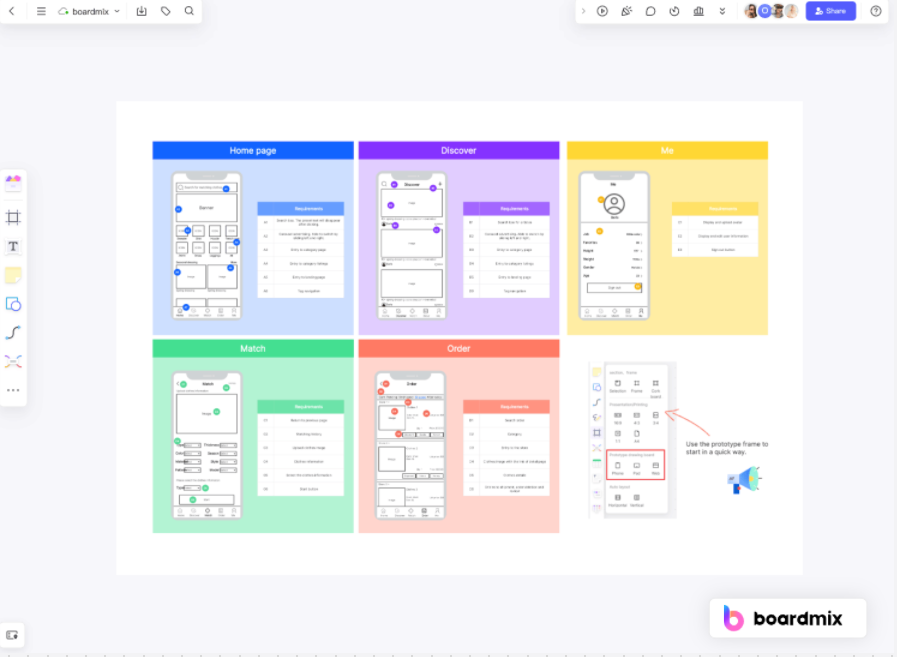
Boardmix is a cutting-edge app prototyping builder that enables developers, designers, and product managers to visualize their ideas and bring them to life. With its extensive library of drawing templates, Boardmix simplifies the process of creating interactive prototypes for mobile and web applications. Unlike traditional prototyping tools, Boardmix offers an intuitive online whiteboard interface that promotes collaboration and creativity. Whether you're sketching initial ideas or refining final designs, Boardmix provides the flexibility and functionality needed to streamline your app development process. And for the basic features and some templates, you can try it for free.
Why Choose Boardmix as Your App Prototyping Tool
- Interactive Prototyping: Boardmix allows users to create dynamic, interactive prototypes that can simulate the functionality of a real app. This feature helps in testing the user experience before actual development begins.
- Extensive Template Library: With a wide range of pre-designed templates, Boardmix makes it easy for users to start their design process. These templates cater to various industries and use-cases, making it a versatile tool for all your prototyping needs.
- Collaborative Online: Boardmix's online whiteboard feature promotes real-time collaboration among team members. Users can sketch, annotate, and share ideas on a shared canvas, fostering creativity and teamwork.
- Mobile and Web App Design: Whether you're designing for mobile or web platforms, Boardmix has got you covered. Its flexible design tools allow for connected transition between different device layouts.
- Version History: Boardmix automatically save the version history for you. So, you can easily revert to the previous version.
- Easy to Use: Despite its advanced features, Boardmix maintains an intuitive interface and relatively simple operation that is easy to navigate even for beginners.
2. Figma
Figma is a cloud-based design and prototyping tool that has gained immense popularity for its collaborative features. It allows multiple team members to work on a project simultaneously, making it an ideal choice for teams spread across different locations. Figma's intuitive interface and real-time collaboration make it a go-to tool for many designers.
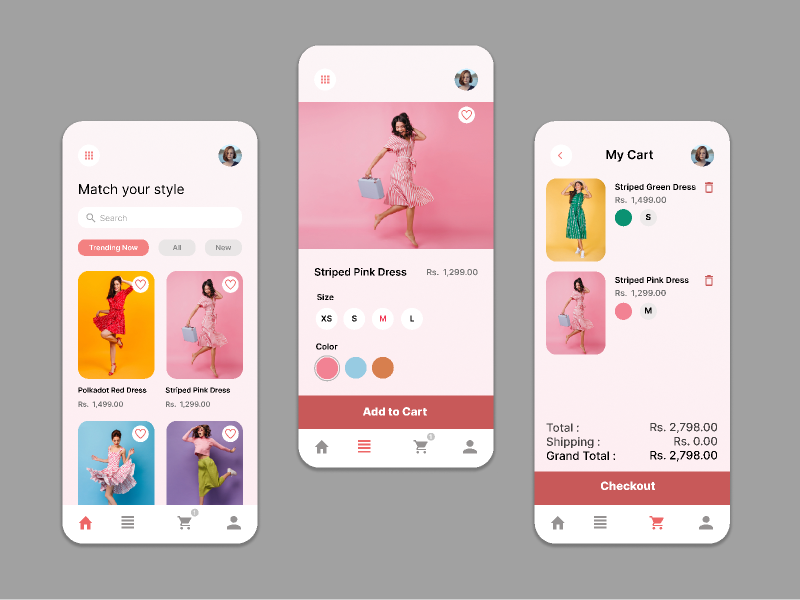
Pros:
- Collaboration: Figma excels in real-time collaboration, allowing multiple team members to work on a project simultaneously. This feature is beneficial for teams working remotely or across different locations.
- Cloud-Based: Figma is entirely cloud-based, eliminating the need for manual file transfers. Projects are stored in the cloud, making it easy to access and work on designs from any device with an internet connection.
- Prototyping Features: Figma offers robust prototyping features, allowing designers to create interactive and animated prototypes. This includes transitions, overlays, and interactive components to simulate user interactions.
- Version History: Figma maintains a version history, enabling users to review and revert to previous versions of a design. This feature is valuable for tracking changes and collaborating on design iterations.
- Responsive Design: Figma supports responsive design, making it easy to create designs that adapt to different screen sizes and orientations.
Cons:
Learning Curve: While Figma is user-friendly, there might be a learning curve for users new to design tools, especially those transitioning from traditional design methods.
Offline Use Limitations: Figma is primarily a cloud-based tool, and while it offers offline mode, certain functionalities may be limited without an internet connection.
Advanced Interactions: While Figma's prototyping features are robust, some designers may find it lacking in more advanced interaction capabilities compared to specialized prototyping tools.
Performance on Large Files: Working with large and complex design files in Figma may lead to slower performance, especially when dealing with intricate animations and interactions.
Exporting Code: While Figma allows for design-to-code handoff, some users may find the process less connected compared to specialized tools focused on this aspect.
3. Adobe XD: maintenance mode
Adobe XD supports interface design and interactive prototypes, but Adobe states that it is in maintenance mode: ongoing feature development has stopped while support for existing customers continues. Teams with existing XD files should plan around that status. For a new prototyping workflow, compare actively developed alternatives before committing to XD.
4. Axure RP
Axure RP is a comprehensive prototyping tool that goes beyond simple interactions. It enables designers to create complex, dynamic prototypes with conditional logic and adaptive views. While it has a steeper learning curve compared to some other tools, Axure RP is a powerful choice for creating sophisticated app prototypes.
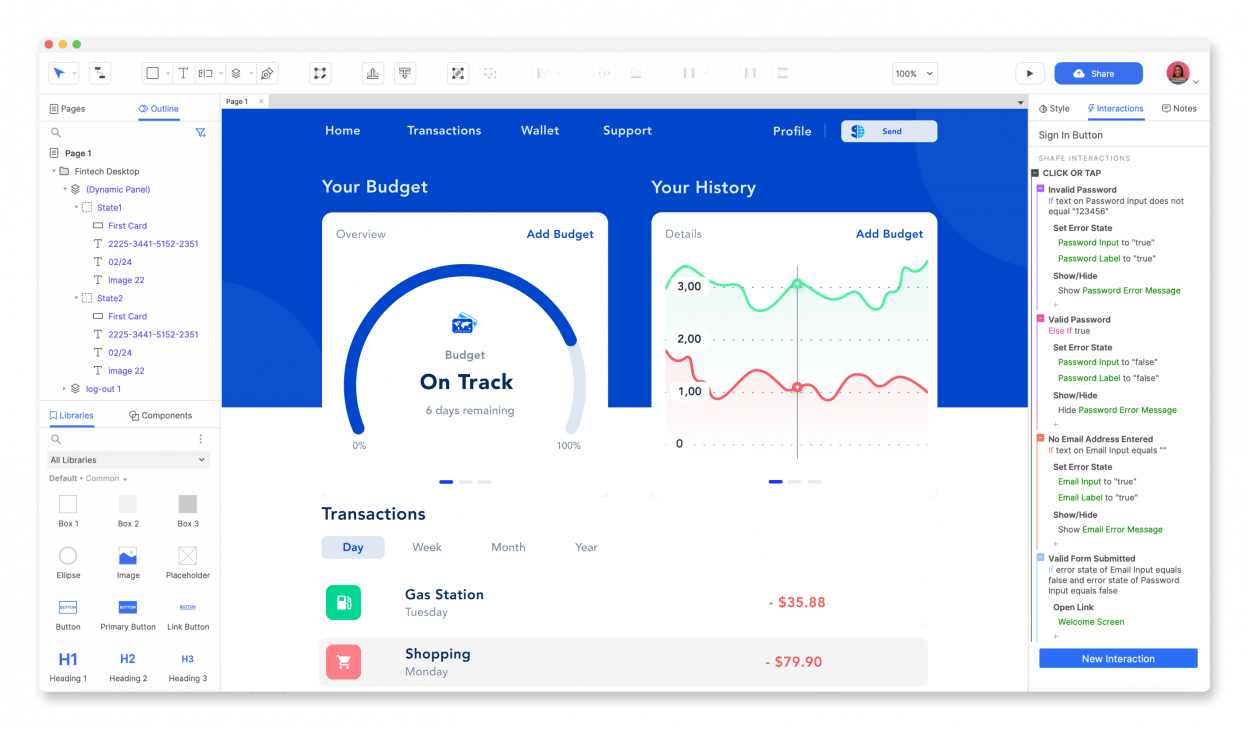
Pros:
- Advanced Interactions: Axure RP excels in providing a wide range of advanced interaction capabilities. Designers can create complex and dynamic prototypes with conditional logic, adaptive views, and interactions based on user input.
- Conditional Logic: Axure RP allows designers to implement conditional logic, enabling the creation of interactive prototypes that respond to specific user actions or conditions.
- Adaptive Views: Designers can create prototypes that adapt to different screen sizes and orientations, making it suitable for designing responsive applications.
- Dynamic Content: Axure RP supports the creation of dynamic content, allowing designers to simulate data-driven interactions and content updates.
- Team Collaboration: Axure RP offers collaboration features that facilitate teamwork, allowing multiple designers to work on a project simultaneously.
- Comprehensive Widget Library: Axure RP includes a comprehensive library of pre-built UI elements and widgets, saving time and effort during the prototyping process.
Cons:
- Learning Curve: Axure RP has a steeper learning curve compared to some other prototyping tools, especially for beginners or those new to interaction design.
- Interface Complexity: The interface can be overwhelming for users who are not accustomed to the extensive feature set of Axure RP. Some users may find it less intuitive compared to simpler prototyping tools.
- Cost: Axure RP is a paid software, and the cost may be a consideration for individual designers or small teams with budget constraints.
- Prototyping Speed: While Axure RP is powerful, creating prototypes with intricate interactions may take more time compared to tools with simpler and more streamlined workflows.
- Exported File Size: Prototypes exported from Axure RP can have larger file sizes, which may impact sharing and collaboration, especially in situations with limited bandwidth.
- Limited Collaboration in Cloud: While Axure RP has a cloud option for collaboration, it may not offer the same level of real-time collaboration as cloud-native tools like Figma.
5. Proto.io
Proto.io is a web-based prototyping tool that caters to both designers and product managers. It supports various platforms, including web, mobile, and wearables, allowing users to create high-fidelity prototypes. With features like user testing and collaboration, Proto.io is a valuable asset in the prototyping toolkit.
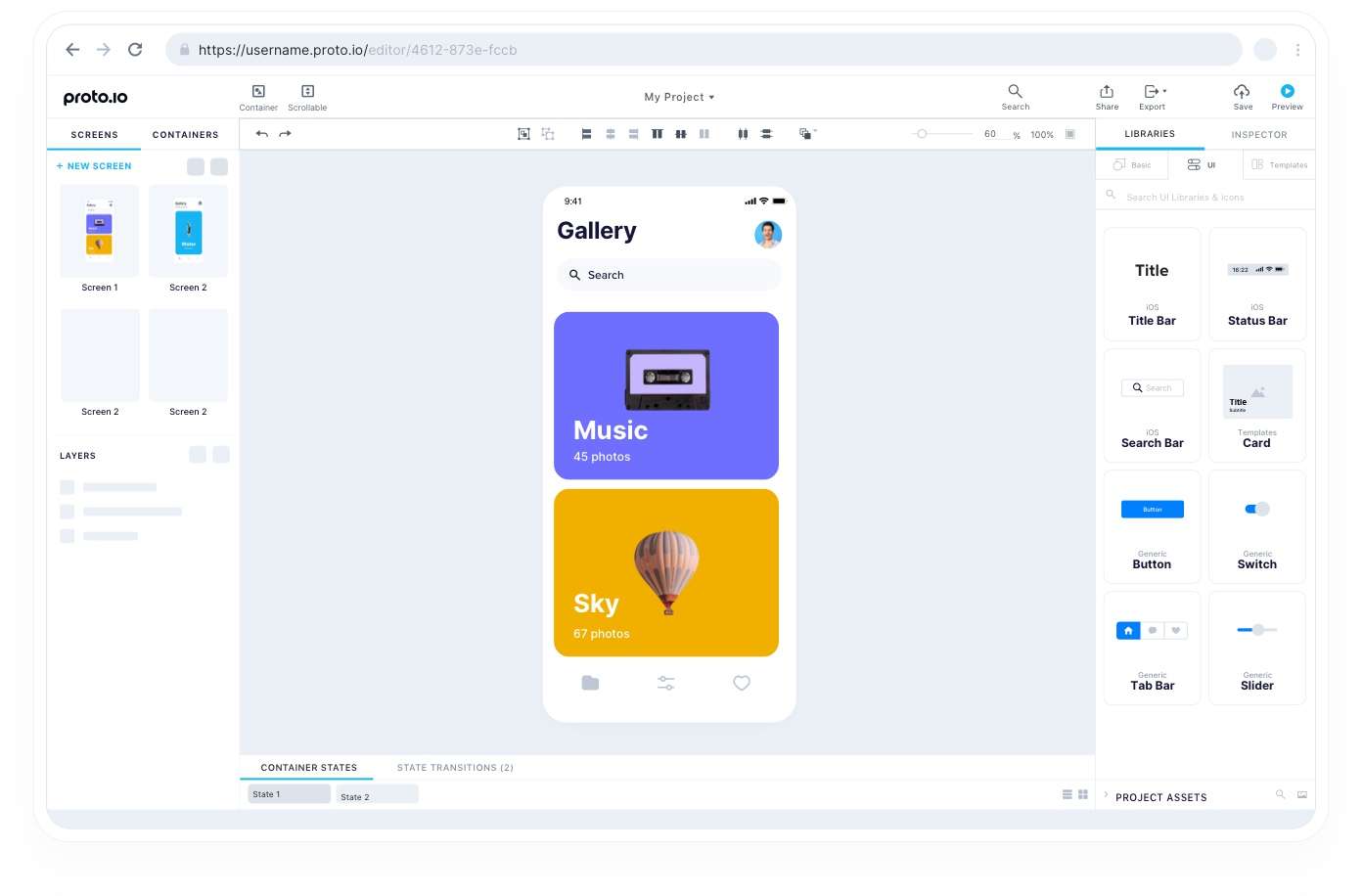
Pros:
- High Fidelity Prototypes:io allows for the creation of high-fidelity prototypes, enabling designers to simulate the look and feel of the final product.
- Rich Interactions: It supports a wide range of interactive elements and animations, providing a more dynamic and realistic user experience.
- Collaboration:io facilitates collaboration among team members and stakeholders, allowing for real-time feedback and comments.
- Device Compatibility: Prototypes created with Proto.io can be viewed on various devices and screen sizes, helping designers test the responsiveness of their designs.
- Offline Mode: io offers an offline mode, allowing designers to work on their prototypes without an internet connection.
- Integration: It integrates with popular design tools like Sketch and Photoshop, making it easier to import design assets.
- User Testing: io enables user testing and feedback collection, helping designers gather valuable insights before finalizing the design.
Cons:
- Learning Curve: Like any sophisticated tool, Proto.io has a learning curve, especially for users new to prototyping tools.
- Subscription Cost: While Proto.io offers a free trial, the full range of features and extended collaboration options may require a subscription, which might be a consideration for budget-conscious users.
- Occasional Lag: Some users have reported occasional lags or delays in the tool's performance, especially when working on complex and large projects.
- Limited Vector Editing: While Proto.io supports importing vector assets, it may not have the same level of vector editing capabilities as dedicated design tools.
- Dependency on Internet Connection: While an offline mode is available, certain features may require an internet connection, which could be a limitation in certain situations.
6. Penpot
Penpot connects design boards into interactive prototypes. Designers can specify click or hover interactions, navigation, overlays, and animations, then share a view link for review. It is useful when you need to demonstrate the sequence between screens. A prototype simulates an interaction; it does not implement the application’s underlying business logic.
7. Sketch
Sketch includes native prototyping tools for links, hotspots, overlays, and scrolling. Designers can define starting points and preview the resulting flow in the Mac app, a web browser, or the iOS app. An InVision plugin is not required for these features.
The design editor is a Mac application, so distinguish the requirements for people editing a document from those reviewing a shared prototype in a browser. Check the interaction you need in a small sample before adopting a tool for a larger design system.
Part 3. Which is the Best App Prototype Creator?
Choose a tool according to what you need to test. Boardmix can help organize research, sketch wireframes, and map the user journey. For a clickable interface prototype, compare the interaction and preview capabilities of Figma, Penpot, Sketch, Axure RP, and Proto.io. Existing XD teams should account for Adobe’s maintenance status when planning future work.