Understanding AI Visual Collaboration Tools
We thoroughly tested the best AI visual collaboration tools to help you make an informed decision. The workspace is unrecognizable from five years ago. Teams scattered across continents now collaborate as seamlessly as if they shared the same conference room—thanks to a new generation of intelligent visual collaboration platforms that are fundamentally reshaping how we work together.
AI visual collaboration tools are sophisticated digital platforms that combine traditional whiteboarding, design, and project management capabilities with artificial intelligence to enhance team workflows. These aren't your basic screen-sharing applications. They're intelligent environments where AI-powered features anticipate your needs, automate tedious tasks, and actively contribute to creative problem-solving. Think of them as having a tireless assistant who handles the busy work while your team focuses on breakthrough thinking.
The core functionalities typically include real-time editing where multiple team members work simultaneously without lag or version conflicts. AI integration powers smart object recognition, automated formatting, content generation, and intelligent suggestions that learn from your team's patterns. According to research on visual collaboration platforms, these tools now incorporate advanced features like natural language processing for voice-to-visual conversion, predictive analytics for project planning, and machine learning algorithms that optimize workspace layouts based on usage patterns.
What makes 2026 particularly transformative is the convergence of several technological advances. The human-AI collaboration market is experiencing explosive growth, with platforms now offering truly contextual understanding rather than simple command execution. These tools don't just respond—they anticipate, suggest, and enhance. The shift from AI as a feature to AI as a collaborative partner represents the fundamental change driving adoption across industries.
Why AI Visual Collaboration Tools Matter in 2026

The way we work has fundamentally changed, and there's no going back. Remote and hybrid arrangements aren't temporary solutions anymore—they're the default for most knowledge workers. According to Deloitte's State of AI in the Enterprise, organizations are increasingly relying on AI-powered platforms to bridge the physical gap between distributed team members. When your designer is in Portland, your product manager is in Singapore, and your engineers are scattered across three time zones, traditional collaboration methods simply don't cut it anymore.
AI-enhanced visual collaboration tools in 2026 have become the connective tissue that holds these distributed teams together. They're not just digital whiteboards with fancy features—they're intelligent workspaces that actively contribute to your team's thinking process. The real game-changer? AI handles the tedious stuff that used to drain hours from your week. It automatically organizes brainstorming notes, suggests connections between ideas, and even generates visual frameworks based on your discussion patterns.
The productivity gains are substantial. A common pattern is that teams using AI-powered collaboration platforms spend 30-40% less time on administrative tasks and meeting prep. The AI doesn't just automate—it amplifies. When you're sketching out a customer journey map, the system can suggest relevant touchpoints you might've overlooked. During sprint planning, it'll flag potential bottlenecks based on previous project data.
However, the importance of these tools extends beyond mere convenience. Digital transformation isn't optional in 2026—it's survival. The Visual Collaboration Platform Market shows explosive growth as businesses recognize that staying competitive means embracing smarter ways of working. Companies that treat collaboration tools as strategic assets—not just software purchases—are the ones pulling ahead. They're building institutional knowledge, capturing innovation in real-time, and creating more dynamic presentations directly from their collaborative sessions.
Key Features to Look for in AI Visual Collaboration Tools
Shopping for AI whiteboard tools in 2026 can feel overwhelming when every platform claims to be the next big thing. The difference between a tool that transforms your workflow and one that gathers digital dust often comes down to a few critical features.
Real-Time Collaboration and AI-Driven Intelligence
The baseline expectation is simple: everyone sees changes instantly, no lag, no refresh drama. What separates good tools from great ones in 2026 is how they layer AI on top of that foundation. Look for platforms that offer smart object recognition—the kind that converts your messy sketch into clean shapes automatically. AI-driven insights that can analyze your board content and suggest next steps or identify patterns save hours of manual review work. According to Best AI Workspace Tools for Teams in 2026: Top 20 Compared, the most effective platforms integrate contextual AI that adapts to your team's specific workflow patterns.
User Experience That Actually Works
Here's what matters: Can your least tech-savvy team member jump in without a tutorial? The best tools provide customizable templates that fit different workflows—sprint planning, customer journey mapping, design reviews—without forcing you into rigid structures. Cross-platform integration is non-negotiable. Your tool should play nicely with Slack, Microsoft Teams, Google Workspace, and whatever else lives in your tech stack. If you're exploring options for visual collaboration across different use cases, consider how flexible the platform is for both structured and freeform work.
Security That Passes the Enterprise Test
For enterprise teams, security features aren't optional extras. Look for SOC 2 compliance, role-based access controls, and data encryption both in transit and at rest. Single sign-on (SSO) integration, audit logs, and the ability to control data residency matter when you're handling sensitive client information or proprietary designs. One standout requirement: "not all collaboration is created equal—teams need granular permission settings that go beyond simple view/edit access."
Top AI Visual Collaboration Tools in 2026
The market's packed with options right now, but a few clear leaders have emerged by combining powerful AI capabilities with genuinely useful collaboration features. Here's what's actually worth your attention.
The Established Powerhouses
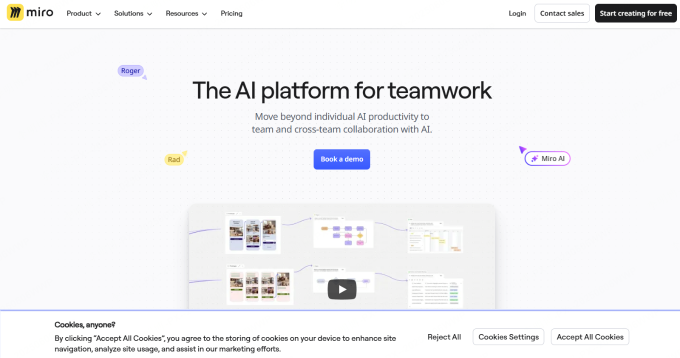
Miro AI and Microsoft Whiteboard continues dominating the space with its intelligent suggestion engine that anticipates what teams need before they ask. The platform's standout feature? Automatic conversion of messy brainstorm sessions into structured frameworks. Drop sticky notes on a board, and Miro's AI recognizes patterns, groups related concepts, and even suggests which framework (SWOT, customer journey map, etc.) matches your thinking. Teams handling complex projects appreciate how AI flowchart generators in 2026 integrate seamlessly into these workflows.
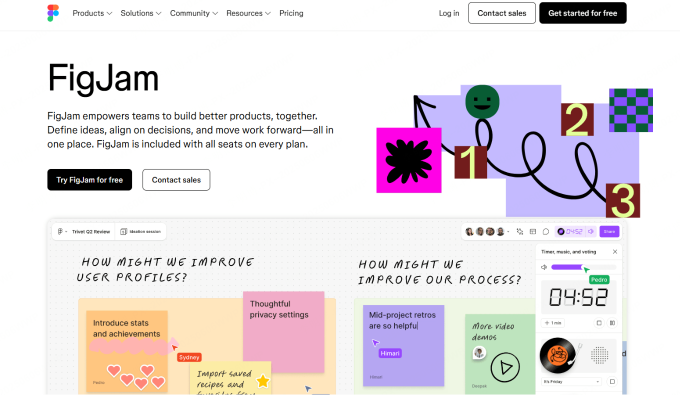
FigJam and Zoom Whiteboard and Lucidspark has carved out its niche by focusing on design team collaboration, with AI that understands design language. Its smart widget recommendations know when you're wireframing versus ideating, adapting suggestions accordingly. The tool automatically generates user flow diagrams from loose sketches—a massive time-saver for UX teams.
Lucidspark brings enterprise-grade security with surprisingly approachable AI features. Its standout capability is real-time sentiment analysis during virtual meetings, helping facilitators spot when engagement drops or confusion rises. The platform also excels at converting whiteboard sessions into actionable project plans with AI-generated task breakdowns.
Rising Stars and Open-Source Options
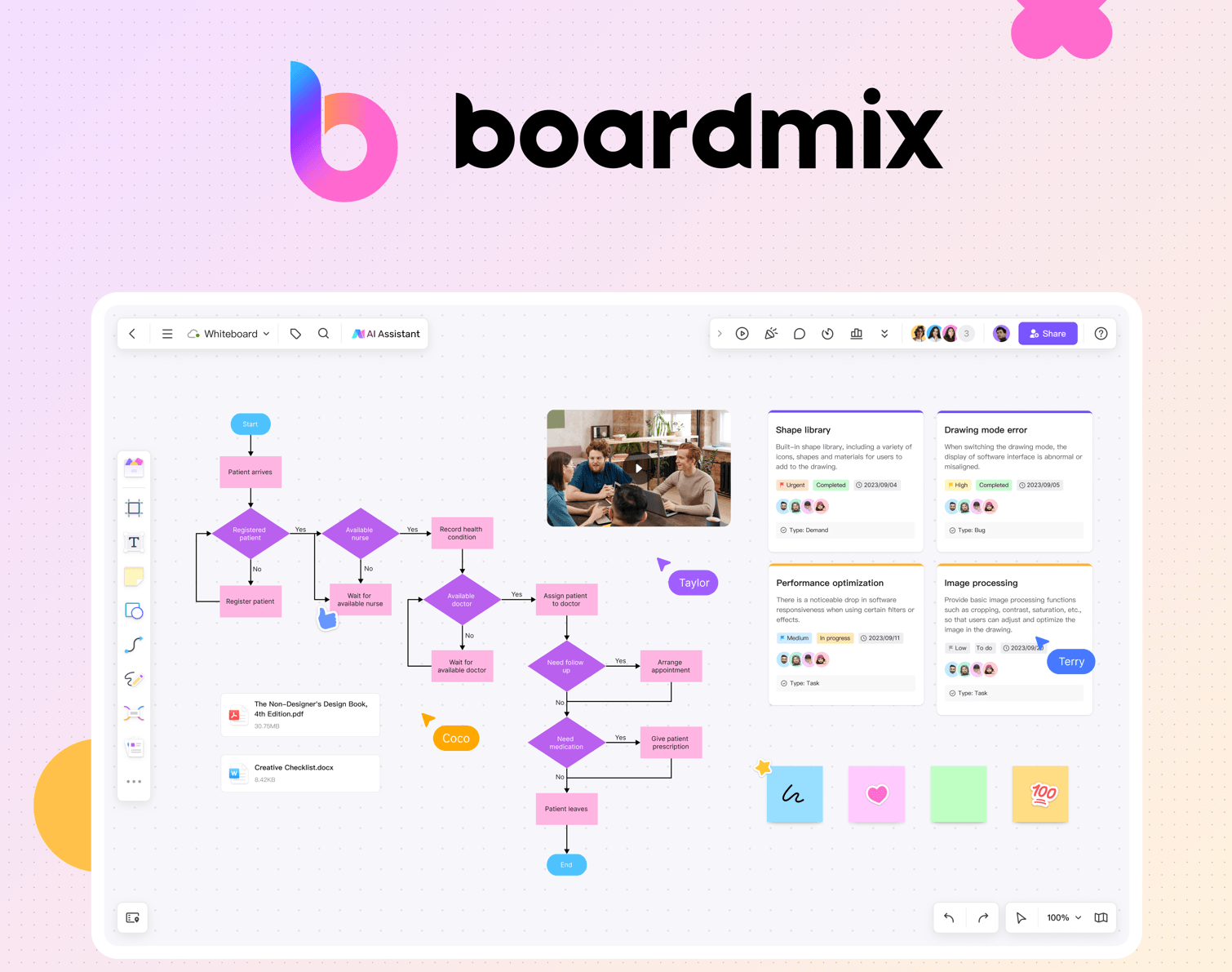
The landscape's shifting as newer players challenge established tools. Boardmix has gained serious traction with its comprehensive AI suite that matches premium features at more accessible price points. Teams love its AI-powered template library that learns from your usage patterns.
On the open-source front, Excalidraw and tldraw are making waves. While their AI capabilities aren't as robust yet, their extensible architectures let developers build custom AI integrations. For teams with specific workflows or privacy requirements, this flexibility matters more than out-of-the-box features.
Mural deserves mention for its facilitation-focused AI that coaches meeting leaders in real-time, suggesting ice-breakers, timing adjustments, and transition techniques based on participant engagement levels—a practical feature missing from most competitors.
What separates these tools isn't just their AI features, but how naturally those features integrate into actual work patterns. The best platforms fade into the background, letting teams focus on collaboration rather than fighting with the tool itself.
Comparison of AI Visual Collaboration Tools
Picking between AI whiteboard tools in 2026 gets easier when you see them side-by-side. Each platform brings something different to the table, and what works brilliantly for design sprints might fall flat for daily standups.
Head-to-Head: What Actually Matters
| Tool | Best For | Standout Feature | Integration Ecosystem | Starting Price |
|---|---|---|---|---|
| Boardmix | Cross-functional teams | AI-powered diagram generation | Slack, Teams, Jira, Google Workspace | Free (generous limits) |
| Miro | Large enterprise teams | Extensive template library | 100+ apps including Asana, Notion | $8/user/month |
| FigJam | Design-focused teams | Seamless Figma integration | Design tool ecosystem | Free for 3 files |
| Mural | Strategic planning | Facilitation superpowers | Microsoft ecosystem focus | $9.99/user/month |
What typically happens is teams choose based on their existing workflow rather than raw features. If you're already living in Microsoft 365, Mural plugs right into that world without friction. Meanwhile, Boardmix's AI capabilities shine when you're constantly creating technical diagrams and workflows from scratch.
The Real-World Trade-Offs
Miro handles massive teams exceptionally well—we're talking 100+ simultaneous collaborators without lag. However, that power comes with complexity. New users often feel overwhelmed by the sheer number of options, whereas Boardmix keeps things streamlined with AI suggestions that guide you through common tasks.
FigJam and Zoom Whiteboard and Lucidspark wins hands-down for brainstorming sessions that might evolve into actual design work, since everything stays in the Figma universe. The downside? Its integration options outside design tools feel limited compared to broader platforms.
Mural's facilitation features—like private mode and timer tools—make it perfect for structured workshops and agile ceremonies. On the other hand, its AI capabilities lag behind newer entrants like Boardmix, which can auto-generate mind maps from text descriptions or convert sticky notes into structured frameworks instantly.
The integration story matters more than most teams realize initially. A tool that doesn't connect to your project management system becomes an isolated island where ideas go to die.
Case Studies: AI Visual Collaboration Tools in Action

Sometimes the best way to understand these tools is seeing them work in the wild. Here are some real scenarios where AI visual collaboration platforms made a tangible difference.
Design Team Cuts Review Cycles by 40%
A mid-sized design agency struggled with endless feedback loops on client projects. Their review process involved screenshots, email chains, and confused stakeholders. After switching to FigJam and Zoom Whiteboard and Lucidspark with AI-powered smart widgets, they centralized all feedback directly on design boards. The AI automatically organized comments by theme and highlighted conflicting suggestions.
The outcome? Review cycles dropped from five rounds to three on average, saving roughly 15 hours per project. One creative director noted that the AI's ability to cluster similar feedback helped clients see patterns they'd missed—turning what felt like 20 different requests into three core themes.
Remote Engineering Team Solves Documentation Gaps
A distributed software team faced a classic problem: tribal knowledge stuck in people's heads, not in documentation. When developers joined calls to sketch out architecture, those insights vanished after the meeting ended. They adopted an AI-enhanced whiteboard that transcribed discussion points and converted hand-drawn diagrams into structured documentation.
Within three months, their onboarding time for new engineers decreased by 60%. The platform's AI recognized common architectural patterns and automatically suggested relevant past diagrams, creating connections the team didn't know existed.
Lessons Learned: What Actually Matters
According to Deloitte's 2026 AI research, companies that succeeded shared a common trait—they started small. Don't roll out AI tools company-wide immediately. One product team or department makes a better proving ground.
The biggest pitfall? Expecting AI to replace process design. Teams that thrived used AI to enhance existing workflows, not as a magic fix for broken collaboration habits. If your team doesn't communicate well on regular whiteboards, an AI version won't automatically solve that.
Another practical lesson: champion matters more than features. Someone needs to own the rollout, answer questions, and share wins. Without that person, even the slickest tool becomes shelfware.
Next, let's talk about the mistakes you'll want to sidestep when actually choosing between these platforms—because not all collaboration challenges need an AI solution.
Common Mistakes to Avoid When Choosing AI Collaboration Tools
Shopping for AI collaboration platforms feels like navigating a tech buffet—so many options that you might grab the wrong thing. The biggest mistake teams make? Falling for flashy AI features without checking if the tool actually plays nice with their existing systems. Integration capabilities aren't sexy, but they're the difference between a smooth workflow and data trapped in silos.
Another common trap is underestimating the learning curve. A platform like Lucidspark might look intuitive in the demo, but what happens when your team of 50 needs to master AI-generated suggestions, smart diagramming, and process mapping symbols all at once? According to Best AI Workspace Tools for Teams in 2026: Top 20 Compared, teams that skip proper onboarding can see productivity dip for weeks before they bounce back.
Here's what typically happens when tool selection goes wrong: teams focus on features they think they need instead of workflows they actually use. If your design team lives in Figma but the AI tool can't pull those files in seamlessly, you've just created friction instead of solving it.
Calculating the Real Cost
The sticker price is just the beginning. Total cost of ownership includes training sessions, potential downtime during migration, and those "optional" premium features your team will inevitably need. One practical approach is mapping your current workflow, identifying pain points, then testing whether the AI tool genuinely solves those specific problems—not just problems in general. Hidden costs like ongoing training or extra storage can balloon budgets by 30-40% beyond initial estimates.
Limitations and Considerations

Before you go all-in on AI visual collaboration tools, let's pump the brakes and talk about what could go sideways. These platforms aren't magic wands—they come with trade-offs that deserve some real talk.
Privacy and Data Security Risks
One major concern? Data privacy. When your team shares brainstorming sessions, product roadmaps, or sensitive client information through AI-powered platforms, you're essentially trusting third-party servers with your intellectual property. A 2026 enterprise AI report shows that 63% of organizations cite data governance as their top AI implementation challenge.
For teams in regulated industries—healthcare, finance, legal—the stakes get even higher. Make sure any platform you choose offers end-to-end encryption, compliance certifications, and transparent data handling policies.
When Traditional Tools Still Win
Sometimes low-tech beats high-tech. If you're running a quick 15-minute standup or sketching ideas on the fly, firing up a complex AI platform might feel like using a sledgehammer to crack a nut. Tools like Microsoft Whiteboard offer simpler alternatives without the AI overhead when you just need basic digital canvas functionality.
Balancing AI with Human Judgment
Here's the thing: AI suggests, but humans decide. The best approach treats AI as a copilot, not the pilot. Use automation for repetitive tasks—organizing sticky notes, formatting diagrams—but keep strategic decisions firmly in human hands. What typically happens when teams over-rely on AI? They miss the nuanced context that only experienced team members catch.
Key Best AI Visual Collaboration Tools Takeaways
AI visual collaboration tools are reshaping how teams work together, turning scattered ideas into organized action. The market's explosive growth—from $5.61 billion in 2025 to a projected $15.07 billion by 2032, according to Visual Collaboration Platform Market data—proves these platforms aren't just trendy; they're essential infrastructure for modern work.
The real win? Tools like Miro, Figma, and Zoom Whiteboard eliminate the friction that kills creativity. Remote teams brainstorm like they're in the same room. Documentation happens automatically. Everyone sees the same canvas in real-time. But here's what matters most: choosing tools that match your actual workflow. A feature-packed platform means nothing if your team won't use it. Start with your pain points—whether that's messy meeting notes, siloed design feedback, or clunky project handoffs—then find the tool that solves that specific problem.
Technology evolves fast. The platform that's perfect today might feel clunky in six months. Schedule quarterly reviews of your collaboration toolkit to ensure it still serves your team's needs. What typically happens is teams keep using outdated tools out of habit. Stay adaptive, stay curious, and you'll stay ahead.
Frequently Asked Questions About AI Collaboration Tools
What are the trending AI tools in 2026?
The landscape's dominated by platforms that blend AI-powered automation with visual workspaces. Infinite canvas tools like Miro, Boardmix, and Lucidspark lead the pack, offering unlimited space for brainstorming alongside AI assistants that generate diagrams, summarize discussions, and automate repetitive tasks. According to The 2026 AI Design Field Report, the biggest shift is toward tools that combine generative AI with real-time collaboration—think AI-powered mind mapping that evolves as your team talks.
What is the best all-in-one AI platform for creators in 2026?
There's no universal winner—your "best" depends on workflow. For visual thinkers who need diagramming, whiteboarding, and AI assistance in one place, platforms like Boardmix deliver serious punch. Teams focused on document-heavy work might lean toward Notion AI or ClickUp Brain for their task-tracking integration. The resource hub for AI-powered workflows breaks down which platforms excel at specific creator needs—video editing, content creation, or project management.
Are these tools compatible with existing software?
Most modern platforms play nice with your tech stack. Look for integrations with Slack, Microsoft Teams, Google Workspace, and Zoom as table stakes. However, data portability can get messy—exporting AI-generated content sometimes loses formatting or metadata. Always test automation capabilities during free trials to ensure smooth handoffs between systems. The reality? You'll likely need 2-3 specialized tools rather than one perfect unicorn.