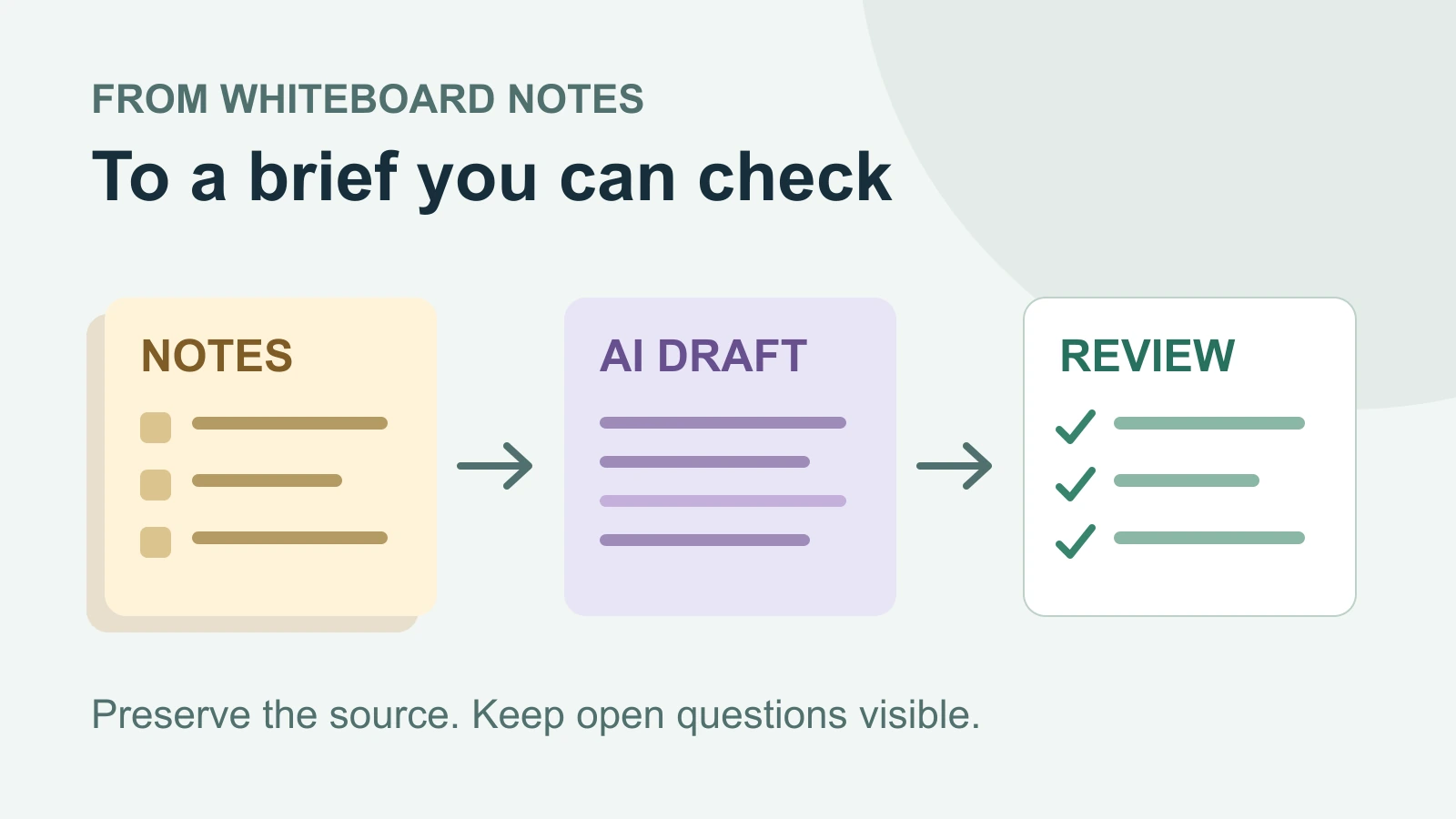
To turn whiteboard notes into a useful AI brief, give the AI a bounded set of notes, specify the sections you need, and check every decision, owner, and date against the source. Keep proposals and unanswered questions visible. A fluent summary is useful only if it preserves what the team actually agreed.
This guide follows a fictional support-team workshop from six notes to a short brief. You can reuse the prompt and review method with Boardmix AI Agents, which can use relevant board content as context for a draft. The worked brief below is an editorial example of the desired result, not a recorded AI response.
1. Give the request a clear source boundary
Start with one question the brief must answer. For this example: What would a small pilot of a shared support intake board involve, and what still needs agreement? This is narrower than asking AI to summarize the entire workshop. It gives the output a purpose without instructing the AI to invent a finished plan.
Put the relevant notes in a clearly named area, such as “Support intake pilot — workshop notes.” Label each note N1 through N6. These labels are ordinary text you add; they make the source easy to refer to during review.
- N1 — Problem: Support staff report that handoffs often leave them unsure who owns the next reply.
- N2 — Proposal: Try one shared intake board with an owner and next-action field for each ticket.
- N3 — Boundary: The proposed pilot covers billing tickets only. Technical support stays in the current process.
- N4 — Preparation: Sam can draft the board fields. A reviewer has not been confirmed.
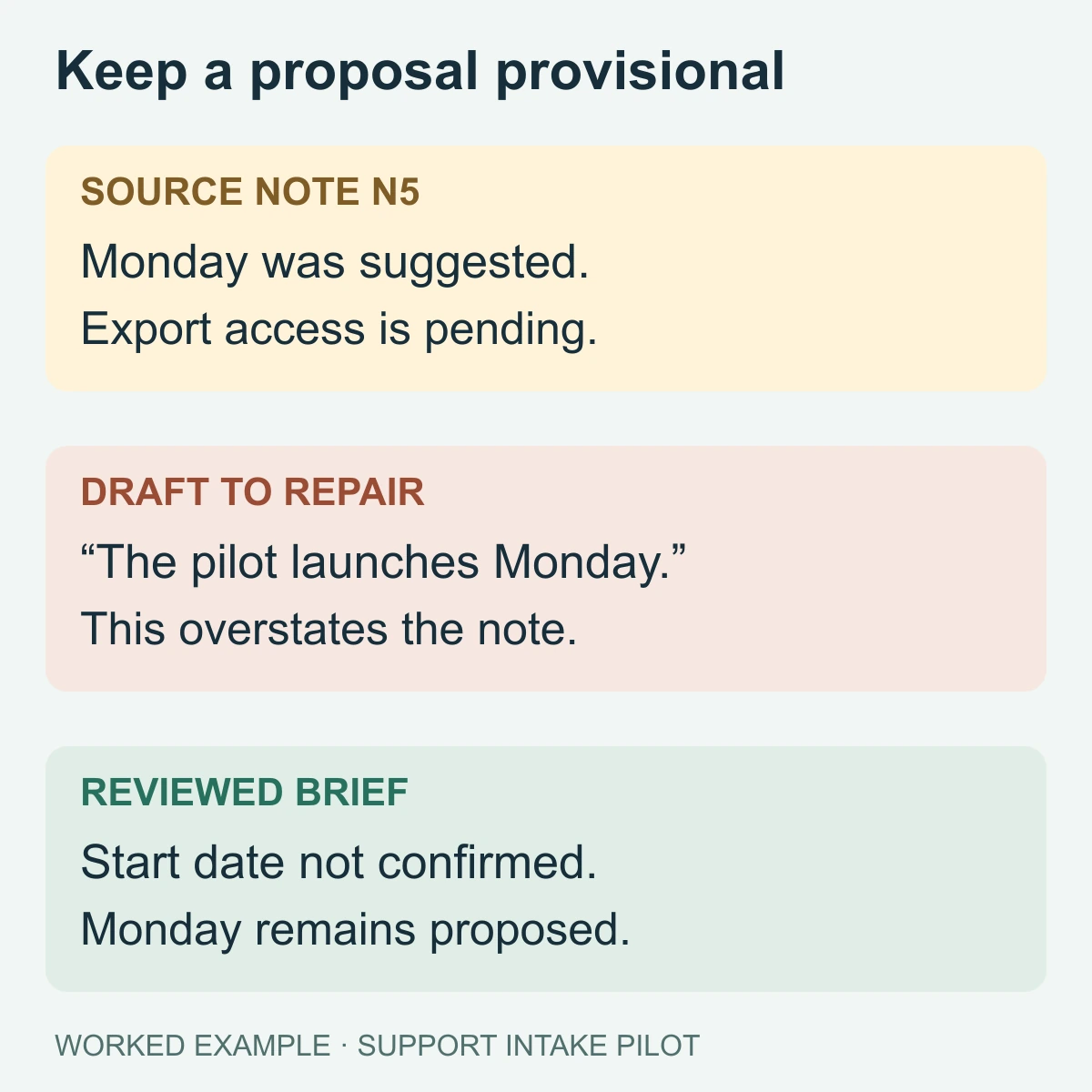
- N5 — Timing: Next Monday was suggested as a start date. Access to a ticket export is still pending with IT.
- N6 — Evaluation: Track tickets without an owner during the pilot. No numerical success target or review date was agreed.
These notes contain a problem, a possible intervention, and several gaps. They do not contain approval to launch, a confirmed reviewer, or a target such as “reduce delays by 30%.” Those distinctions must survive the summary.
If the board mixes several workshops, dates, or versions, separate the current material before generating a brief. Include a contradictory note when it affects the same decision; do not quietly remove it to make the source look consistent. For a repeatable way to organize the starting material, see the notes board setup guide.
2. Bring the relevant notes into the Boardmix AI request
Open your board and locate the notes for this one brief. Use the Boardmix AI interaction available in your workspace with the relevant board content selected as context. The official AI Agents overview describes using selected text, table content, and diagram elements for a request; the release notes also list canvas-content search in V1.88.
Ask the AI to identify the six source notes before it drafts. Check that the material it uses includes N1–N6 and excludes unrelated customer research or an older pilot. Canvas search helps locate material, but a matching phrase alone does not establish that the right version has been selected.
If a note is missing from the context, correct the selection or paste the six labeled notes into the request. This fallback keeps the source boundary explicit. If a note contains only an image, inspect it and add an accurate text transcription for the details the brief needs; do not assume tiny text in a screenshot has been read correctly.
Keep the original notes in place and put the draft beside them. This workflow depends on reviewing source material; it does not require the agent to send messages, update a ticketing system, or launch the pilot.
3. Ask for a brief with explicit uncertainty
Use a prompt that defines both the output and the limits of the source. You can copy this one, then replace the topic and note labels for your board:
Use only notes N1–N6 from “Support intake pilot — workshop notes.” First list the note IDs you can read. If any are missing, ask for them before drafting.
Write a brief of no more than 200 words with these sections: Problem, Proposed pilot, Preparation, Open decisions, and Next review. Add the supporting note IDs after each factual statement.
Preserve the distinction between a proposal and an agreement. Do not invent a launch date, reviewer, budget, success target, or approval. Where the notes are incomplete, write “not agreed” or “not confirmed.” Put your own useful suggestions in a separate section labeled Suggestions; do not mix them into the source summary.
The source labels make a claim easier to check. They do not guarantee that the claim is correct: the AI could attach N5 to a sentence that overstates what N5 says. Read the cited note, not just the label.
4. Compare the draft with this worked brief
For the fictional notes above, a suitable brief would look like this:
Support intake pilot — discussion brief
Problem: Support staff report uncertainty about who owns the next reply during handoffs. [N1]
Proposed pilot: Test a shared intake board with owner and next-action fields for billing tickets. Technical support would remain in the current process. The notes describe a proposal, not launch approval. [N2, N3]
Preparation: Sam can draft the fields. The reviewer is not confirmed, and ticket-export access is pending with IT. [N4, N5]
Open decisions: Confirm a reviewer and start date. Next Monday was suggested. Agree how to evaluate tickets without an owner; no numerical success target was set. [N4–N6]
Next review: A review date is not agreed. [N6]
A useful suggestion might be to ask the support lead to confirm the reviewer before scheduling a trial. Put that in a separate Suggestions area until someone accepts it. Do not silently assign the support lead in the brief: the source never names that person.
5. Repair claims that go beyond the notes
Review the draft sentence by sentence. Focus first on statements that could cause someone to act: approval, dates, ownership, scope, and promised results.
- “The pilot launches on Monday.” N5 records a suggestion and an unresolved dependency. Change it to “Monday was suggested; the start date is not confirmed.”
- “Sam owns the pilot.” N4 only says Sam can draft the fields. Keep that narrower responsibility and leave pilot ownership open.
- “The pilot will reduce unassigned tickets by 30%.” N6 gives a measure, not a target or predicted result. Remove the number and state that a target has not been agreed.
For a repeated mistake, ask for a targeted revision: “Revise only the Preparation and Open decisions sections. Sam is the field-draft contributor, not the pilot owner. Keep the reviewer unconfirmed. Preserve the source labels.” Then compare the revision with the notes again; a correction request is not proof that every other sentence stayed accurate.
If two notes disagree, preserve both positions and identify the decision needed. For example, if a later note proposes including technical support, the brief should say that pilot scope is unresolved. It should not merge both scopes into a larger approved pilot.
6. Make the reviewed brief usable by the team
Label the result “Discussion brief” while decisions remain open. Add the reviewer's name and review date only after the review actually happens. Keep the six source notes nearby so another teammate can check the boundaries without reconstructing the entire workshop.
When the team resolves a gap, update the source note with the decision and its date, then revise the brief. This keeps an AI draft from becoming an accidental source of truth. If the pilot is approved, move its agreed scope, owners, dependencies, and acceptance criteria into a project plan.
Open Boardmix and try the method with a small set of your own workshop notes. The workspace opens for you to create the board; it does not load this fictional example automatically.
Common questions
Can I summarize the whole whiteboard at once?
Start with a bounded area when the board contains multiple topics or versions. A whole-board summary may be useful for orientation, but a brief that guides action needs a clear source and purpose. Inspect what the AI actually used before accepting the result.
Do source labels make the brief reliable?
They make review easier. Reliability still depends on checking whether the labeled note supports the sentence, especially its certainty, date, and owner. Treat an unsupported reference as a reason to revise.
What if the notes are too incomplete for a brief?
Ask for a list of open questions organized by scope, ownership, timing, and evaluation. Use that list to finish the discussion. A short record of unresolved decisions is more useful than a complete-looking plan built from guesses.