Product management has always been a job of translation — turning customer problems into requirements, requirements into stories, and stories into shipped features. Somewhere along that chain, a lot gets lost if it only lives in documents and spreadsheets. That's why the online whiteboard has quietly become one of the most-used tools in a PM's stack, sitting alongside Jira, Confluence, and whatever roadmap tool the team has settled on.
But most guides to whiteboarding treat it as one activity — brainstorming — when in reality, a PM's whiteboard usage spans the entire product lifecycle: discovery, journey mapping, story mapping, sprint planning, and retrospectives. This guide walks through each stage, what to actually put on the board, and how to choose a whiteboard tool that supports the full workflow rather than just one slice of it.
Why Product Managers Rely on Online Whiteboards
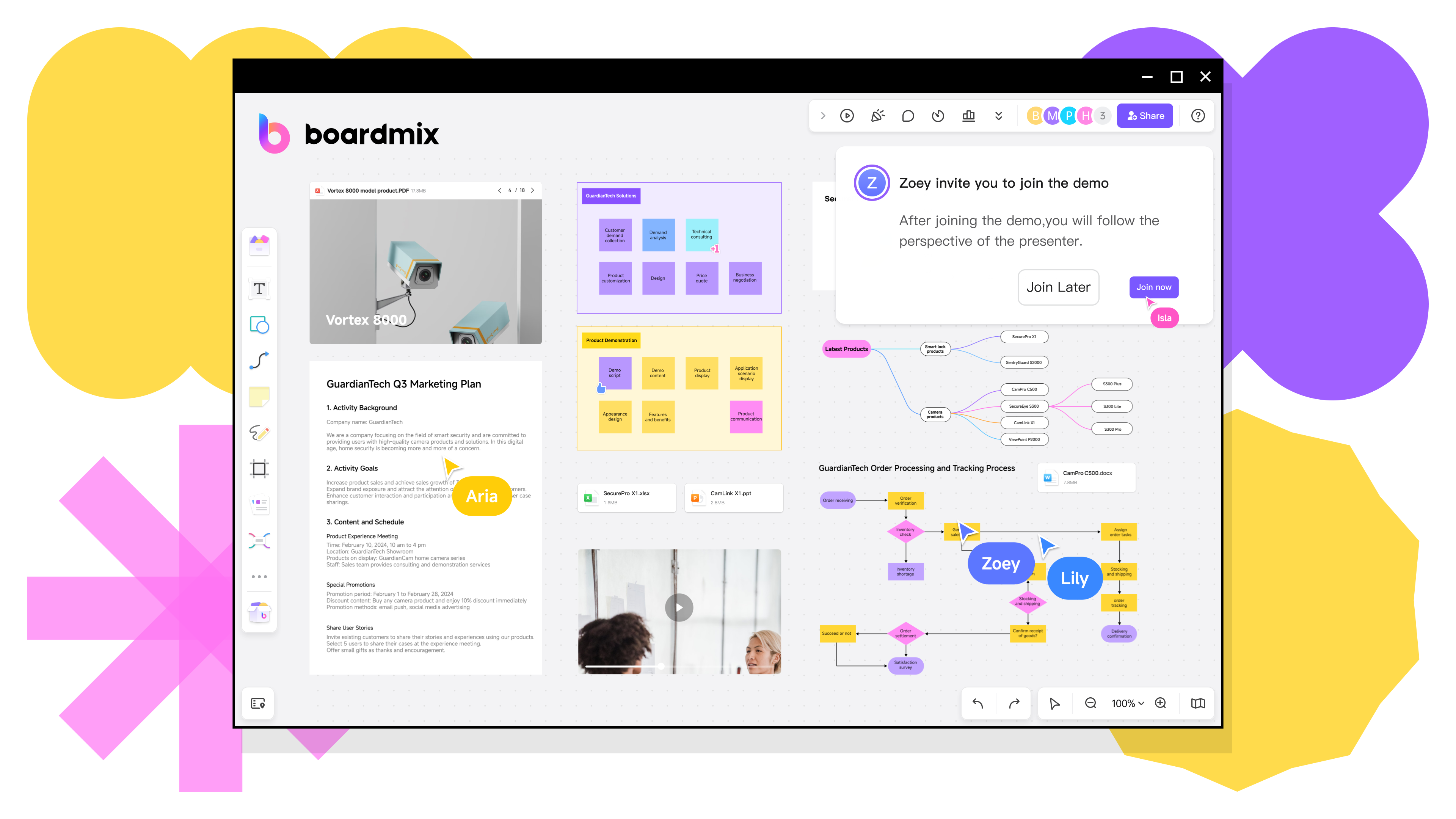
A digital whiteboard gives PMs a shared visual workspace where distributed teams can think together in real time — something that's hard to replicate in a linear doc or a ticket-based tool like Jira. It's particularly valuable because product work is inherently cross-functional: a PM needs design, engineering, and stakeholders to align on the same mental model, and visual artifacts do that faster than a wall of text.
Across the product lifecycle, PMs commonly use whiteboards for:
- Discovery and research synthesis — clustering customer interview notes and survey data into themes.
- User journey and experience mapping — visualizing the end-to-end path a customer takes with your product.
- Story mapping and backlog structuring — organizing user stories along a journey and slicing them into releases.
- Roadmap planning — communicating priorities and timelines to stakeholders.
- Sprint planning and agile ceremonies — running standups, sprint planning, and retrospectives visually.
- Wireframing and early UX iteration — sketching flows before handing off to design tools.
The common thread is that whiteboards make abstract product thinking tangible — something a group of people with different backgrounds can look at, point to, and argue about productively.
Stage 1: Discovery — Turning Research into Themes
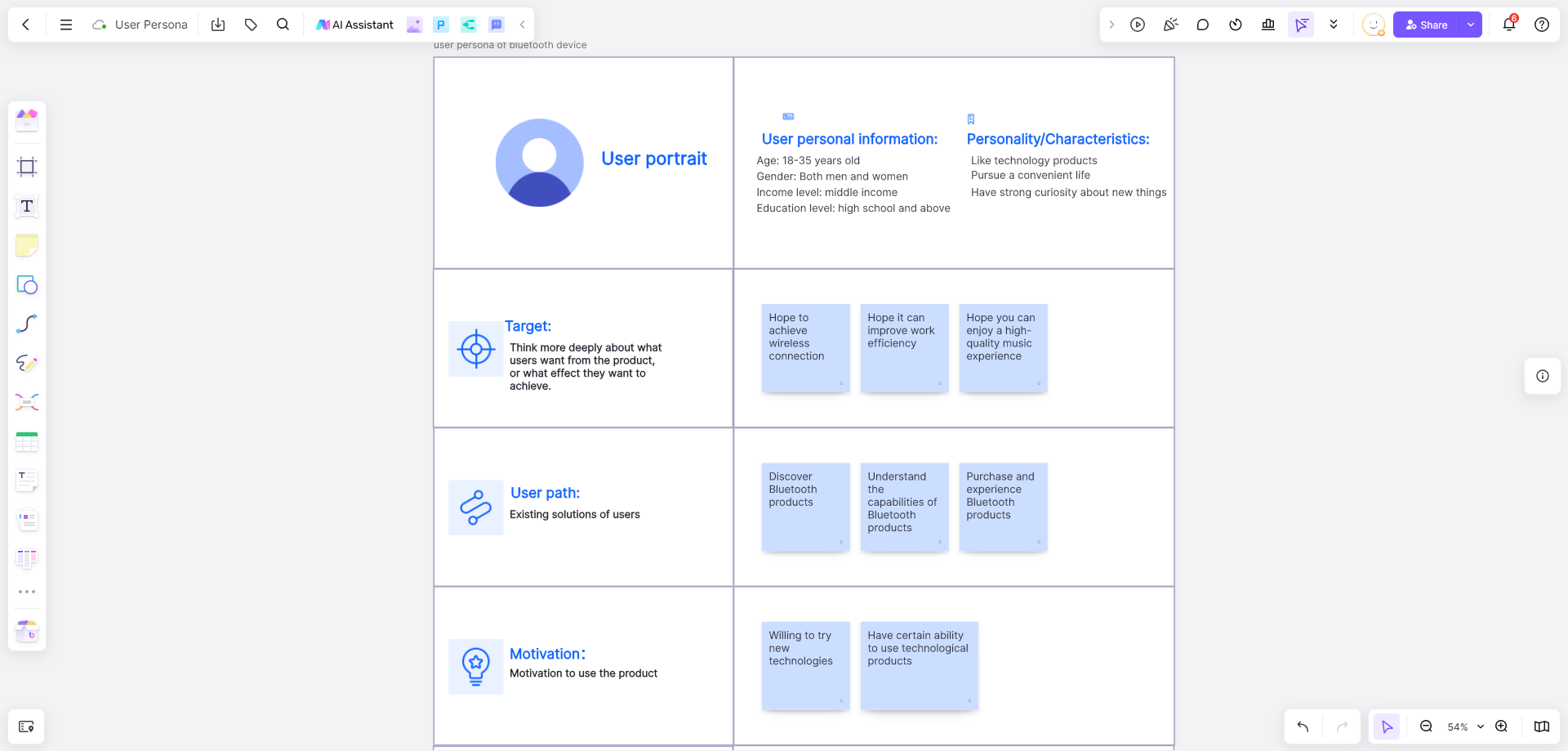
Before any journey map or roadmap exists, most PMs are sitting on a pile of raw input: interview transcripts, support tickets, survey responses, sales feedback. A whiteboard is often the fastest way to make sense of it.
What this looks like in practice: Each insight gets its own sticky note, dumped onto the board without much structure at first. Then the team clusters similar notes into themes — pain points, feature requests, workflow friction — using color coding or grouping. This is sometimes called an affinity map, and it's one of the most effective ways to move from "we have a lot of feedback" to "here are the three things customers actually care about."
Tooling tip: Look for a whiteboard with fast sticky-note creation, drag-and-drop grouping, and — increasingly useful — AI summarization that can cluster or summarize large volumes of notes automatically. Boardmix's AI tools, for example, can summarize sticky notes into themes, which cuts down significantly on the manual sorting that discovery sessions usually require.
Stage 2: User Journey Mapping
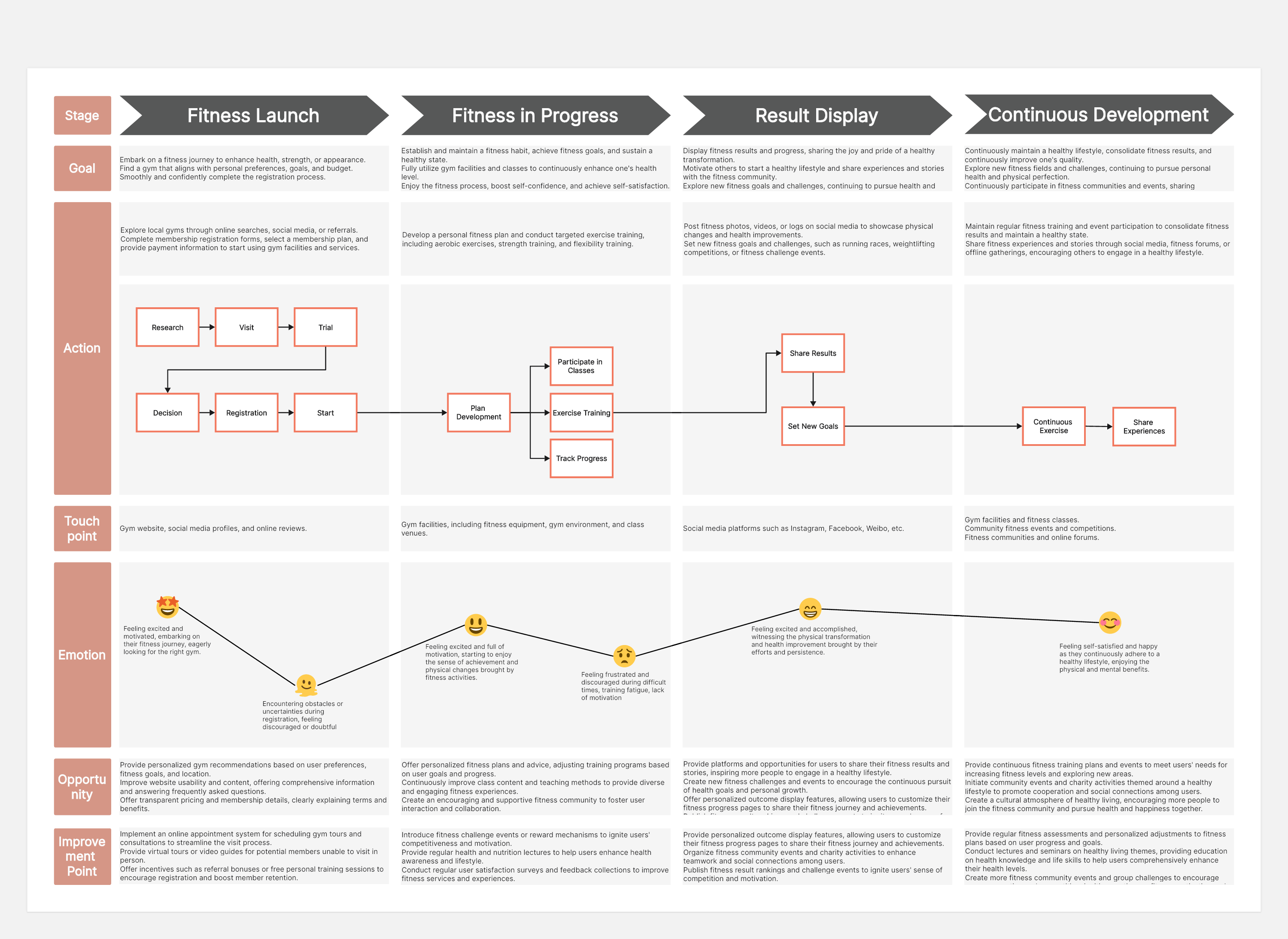
A user journey map lays out the steps a customer takes to accomplish a goal with your product — often broken into phases (awareness, onboarding, usage, support, renewal) with rows underneath for actions, thoughts, emotions, and pain points at each stage.
Why it matters for PMs: Journey maps are one of the most effective ways to align a cross-functional team on where the actual friction lives. It's common for engineering to be heads-down on a feature that, when placed on the journey map, turns out to address a moment that barely registers for customers — while a genuinely painful step goes unaddressed. Seeing the whole journey laid out visually tends to surface these misalignments faster than a written spec ever could.
What to include:
- Journey phases across the top (e.g., Discover → Sign Up → First Use → Ongoing Use → Renewal/Churn)
- Customer actions and touchpoints at each phase
- Emotional highs and lows (often shown as a simple line graph beneath the phases)
- Pain points and opportunities, tagged clearly so they can be prioritized later
Tooling tip: A pre-built journey map template saves significant setup time — most teams don't need to design the layout from scratch. Boardmix, Miro, and similar tools all offer journey mapping templates; what matters more is whether the tool makes it easy to link the journey map to the next stage of work, rather than letting it become a static artifact nobody revisits.
Stage 3: User Story Mapping
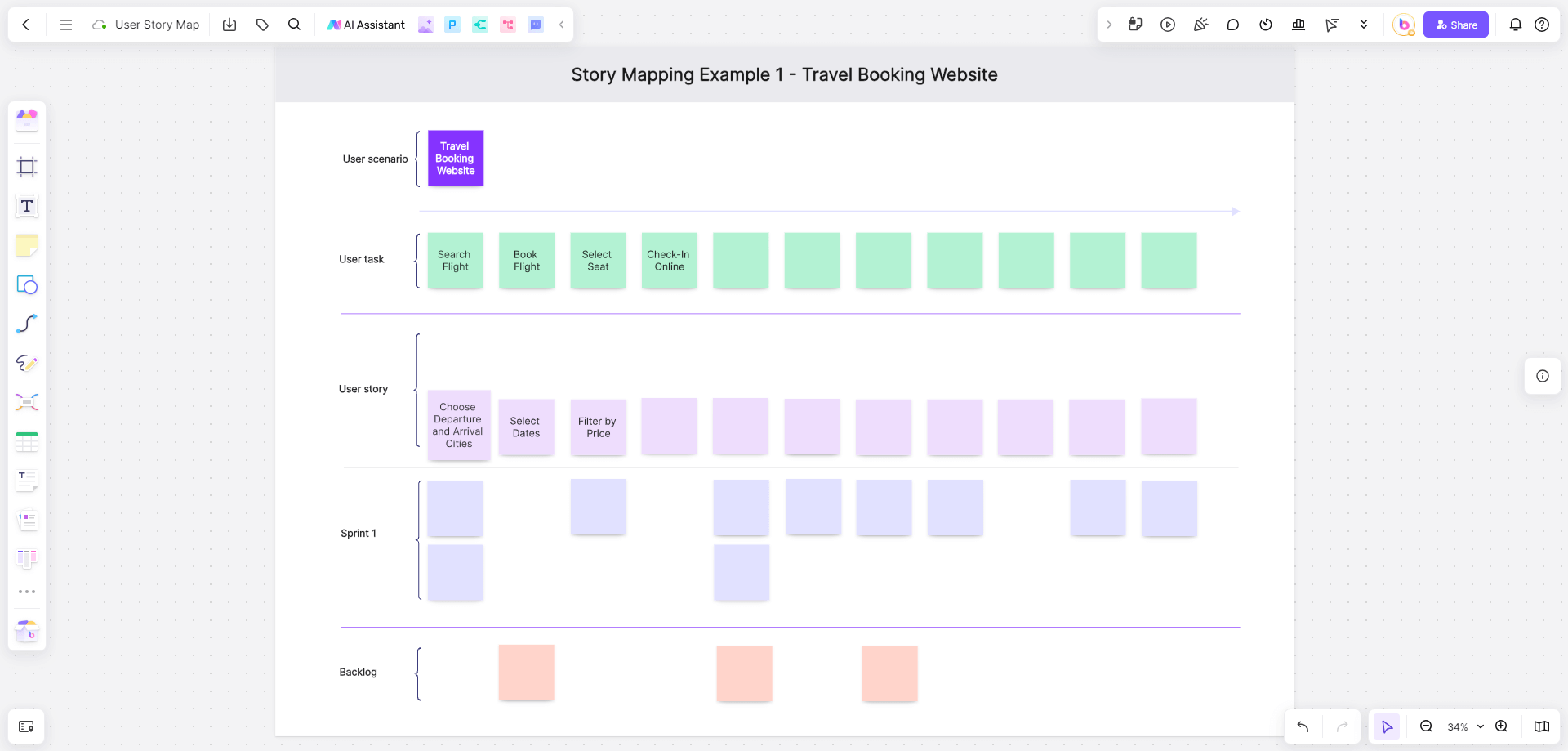
Once the journey is understood, the next step is usually translating it into a structured backlog — and this is where user story mapping comes in. Popularized by Jeff Patton, story mapping arranges user activities horizontally (mirroring the journey) with specific stories stacked vertically beneath each activity, prioritized from top to bottom.
Why it beats a flat backlog: A flat list of tickets in Jira tells you what to build, but not how it fits into the user's overall experience. A story map keeps that context visible — you can see at a glance which stories belong to which part of the journey, and where the "walking skeleton" of a minimum viable release sits versus later enhancements.
What this looks like in practice:
- Top row: major user activities, left to right in the order a user experiences them
- Rows beneath: individual stories under each activity, ordered by priority
- Horizontal "release lines" that slice the map into MVP, v2, v3, and so on
Tooling tip: This is a case where a whiteboard's flexibility genuinely matters — story maps grow and get reorganized constantly as scope shifts. An infinite canvas with easy drag-and-drop reordering (rather than a rigid grid) makes this much less painful. Some teams keep their story map as the single source of truth for a release and only push finalized stories into Jira once the map stabilizes.
Stage 4: Roadmap Planning and Stakeholder Alignment
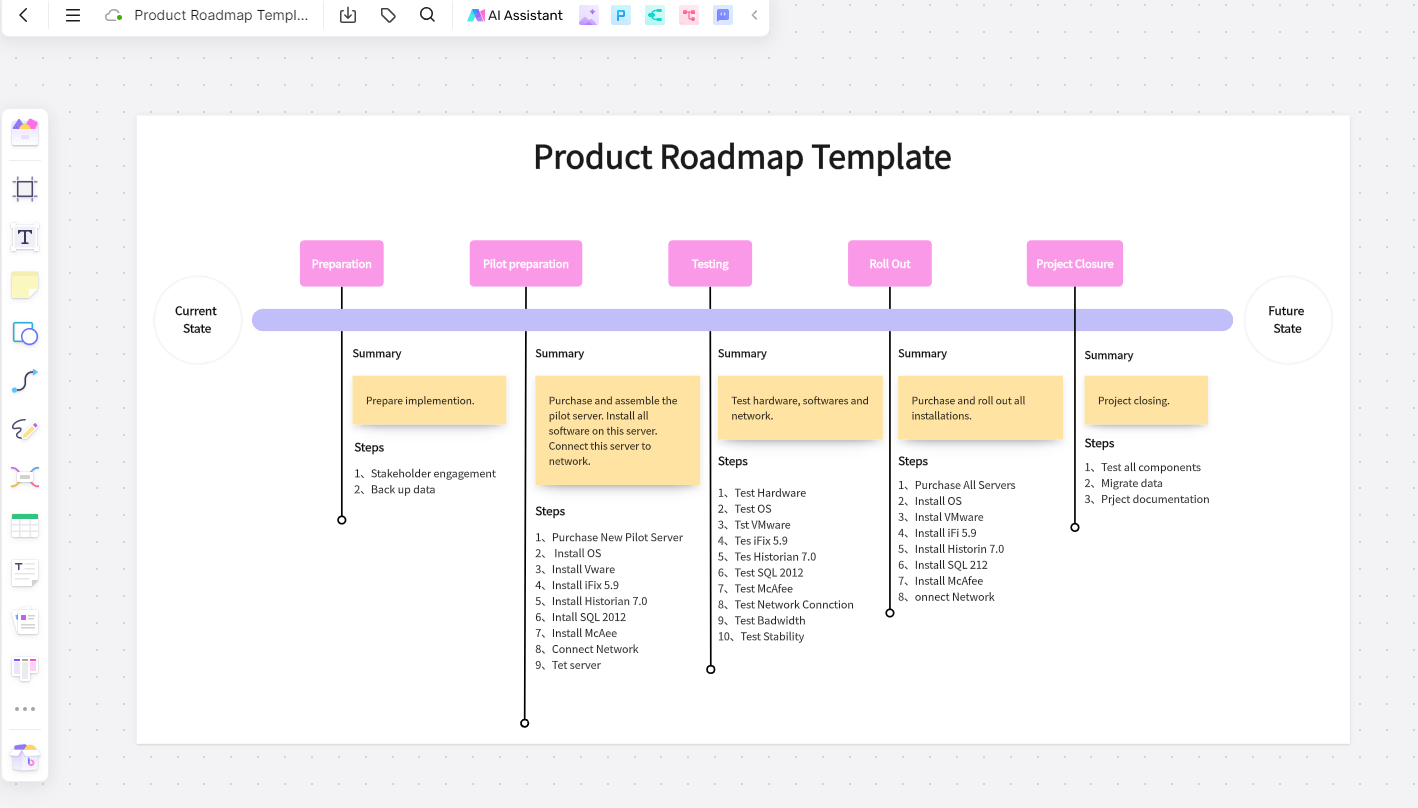
Somewhere between story mapping and execution, most PMs also need a roadmap — a higher-level view for leadership and stakeholders that communicates priorities without getting into ticket-level detail.
What this looks like in practice: Common formats include timeline roadmaps (now/next/later or quarterly views), theme-based roadmaps grouped by strategic initiative, and simpler prioritization frameworks like a 2x2 impact/effort matrix used to defend why certain items made the cut.
Why a whiteboard works well here: Unlike dedicated roadmap software, a whiteboard lets you keep the roadmap visually connected to the research and journey work that justified it — stakeholders can literally scroll from "here's the customer pain point" to "here's the roadmap item addressing it" on the same canvas, which tends to generate far less pushback than a roadmap presented without that visible reasoning.
Stage 5: Sprint Planning and Agile Ceremonies
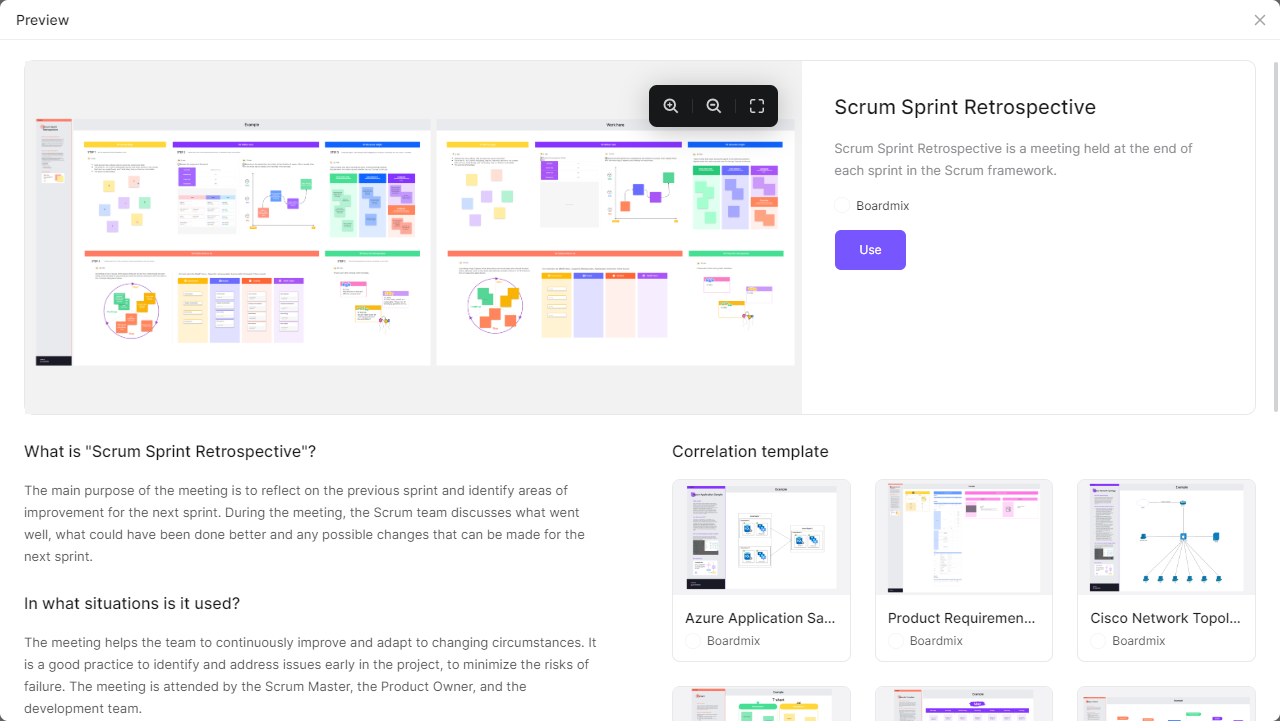
This is often where whiteboards get used most frequently — not as a one-time artifact, but as a recurring operational tool for the team's agile rituals.
Sprint Planning
Teams use a Kanban-style board (Backlog → To Do → In Progress → Review → Done) to plan the upcoming sprint, often dragging stories directly from a story map into the sprint board. Story point estimates, owner avatars, and priority tags are typically added directly onto each card.
Daily Standups
Some distributed teams use a lightweight whiteboard view of current sprint status as a visual anchor for standups, particularly useful when the team spans multiple time zones and can't always meet synchronously.
Retrospectives
A retrospective template — commonly structured as "What went well / What didn't / What we'll try next" or a "Start, Stop, Continue" format — gives the team a structured way to reflect. Anonymous sticky notes and voting features help surface honest feedback, especially on teams where junior members might otherwise hesitate to speak up first in a live discussion.
PI Planning (for SAFe teams)
Larger organizations running the Scaled Agile Framework use whiteboards for Program Increment planning, mapping dependencies across multiple teams on a single shared canvas — something that's genuinely difficult to do without a large, flexible visual space.
Tooling tip: For this stage, look for built-in facilitation features — timers, voting, anonymous sticky notes — since agile ceremonies are time-boxed and benefit from structure. Templates for retrospectives and sprint boards save setup time for what is, for most teams, a recurring weekly or biweekly activity.
Choosing an Online Whiteboard That Covers the Full PM Workflow
Given how many stages of the product lifecycle touch a whiteboard, it's worth choosing a tool that handles the full range well, rather than optimizing for just one use case (like brainstorming) and leaving the rest to feel bolted on. A few things worth evaluating:
- Template breadth: Does the tool offer templates across journey mapping, story mapping, roadmapping, and agile ceremonies — or just one or two of these?
- Real-time and async collaboration: Distributed teams need both live co-editing for workshops and the ability to leave comments asynchronously for teammates in different time zones.
- Facilitation tools: Timers, voting, and anonymous input matter a lot for retrospectives and prioritization sessions specifically.
- AI-assisted summarization: Increasingly useful for turning large discovery sessions or brainstorms into organized themes without hours of manual sorting.
- Ease of onboarding: A whiteboard only helps if the whole cross-functional team — including non-technical stakeholders — can jump in without training.
- Pricing that scales with team size: Product teams often bring in design, engineering, and stakeholders as guests, so per-seat pricing structures matter more here than in single-department tools.
Boardmix is a well-established option for PM teams. Boardmix covers the core workflow with the built-in AI summarization for discovery sessions and brainstorms, which can meaningfully cut down the manual work of turning raw research into themes. For teams that want a similar range of PM-relevant templates (journey maps, story maps, retrospectives, roadmaps) with a shorter learning curve and more accessible pricing as the team grows,
A Sample End-to-End Workflow on One Whiteboard
To make this concrete, here's what a single product initiative might look like moving through connected boards or frames on one canvas:
- Discovery board: Raw customer feedback clustered into themes via affinity mapping.
- Journey map: The customer's end-to-end experience, with pain points from discovery pinned to the relevant phase.
- Story map: Pain points translated into user activities and stories, sliced into an MVP release line.
- Roadmap view: The MVP and future releases summarized for stakeholders, linked back to the journey map for context.
- Sprint board: Stories from the MVP slice pulled into the current sprint's Kanban board.
- Retrospective board: After the sprint, a quick retro to capture what worked and what to adjust for the next cycle.
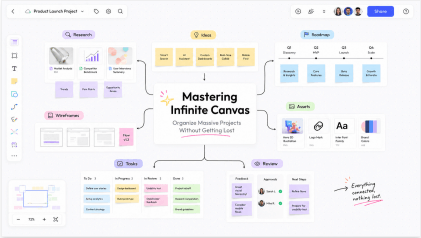
Keeping all of this on a connected canvas — rather than scattered across six different tools — is where an infinite-canvas whiteboard earns its keep. Anyone on the team can trace a single sprint task back to the original customer insight that justified it, which is often exactly the kind of context that gets lost when work lives only in Jira tickets.
Frequently Asked Questions
What's the difference between a user journey map and a user story map?
A user journey map focuses on the customer's experience — their actions, emotions, and pain points across a process. A user story map focuses on the product team's backlog, organizing development work along that same journey so stories can be prioritized and sliced into releases. Many teams build the journey map first, then use it as the backbone for the story map.
Can I run sprint planning and retrospectives on the same whiteboard tool?
Yes, the Boardmix whiteboard offer templates for both Kanban-style sprint boards and retrospective formats, so a team can handle both agile ceremonies without switching tools.
Do I still need Jira if I'm using a whiteboard for sprint planning?
Most teams use both — the whiteboard for visual planning, story mapping, and discussion, and Jira (or a similar tool) for the system of record once stories are finalized. Some teams plan and reorganize on the whiteboard first, then push finalized stories into Jira once scope stabilizes.
Is a paid whiteboard tool necessary, or can free plans cover a PM's needs?
It depends on team size and frequency of use. Free plans are often enough for individual PMs or small teams running occasional sessions. Teams running frequent, recurring ceremonies across multiple projects typically outgrow free tiers and move to a paid plan for more boards and collaboration features.
How do I get non-technical stakeholders comfortable using a whiteboard tool?
Choose a tool with a simple, low-friction interface and start stakeholders with a guided template rather than a blank canvas — most people pick up sticky notes and dragging elements around within a few minutes, even if they've never used a digital whiteboard before.
Final Thoughts
The best product managers don't treat whiteboarding as a single activity reserved for kickoff brainstorms — they use it as connective tissue across the entire product lifecycle, from raw customer research all the way through to the sprint retrospective. The tools you choose matter less than the habit of keeping that thread visible: letting a roadmap item trace back to a journey map pain point, and letting a sprint task trace back to a story map slice.
If you're evaluating a whiteboard tool to support this full workflow, look for one that offers templates across discovery, journey mapping, story mapping, roadmapping, and agile ceremonies — not just one of them. Try Boardmix to map your next user journey, build a story map, or run your team's sprint planning, all on one connected canvas.